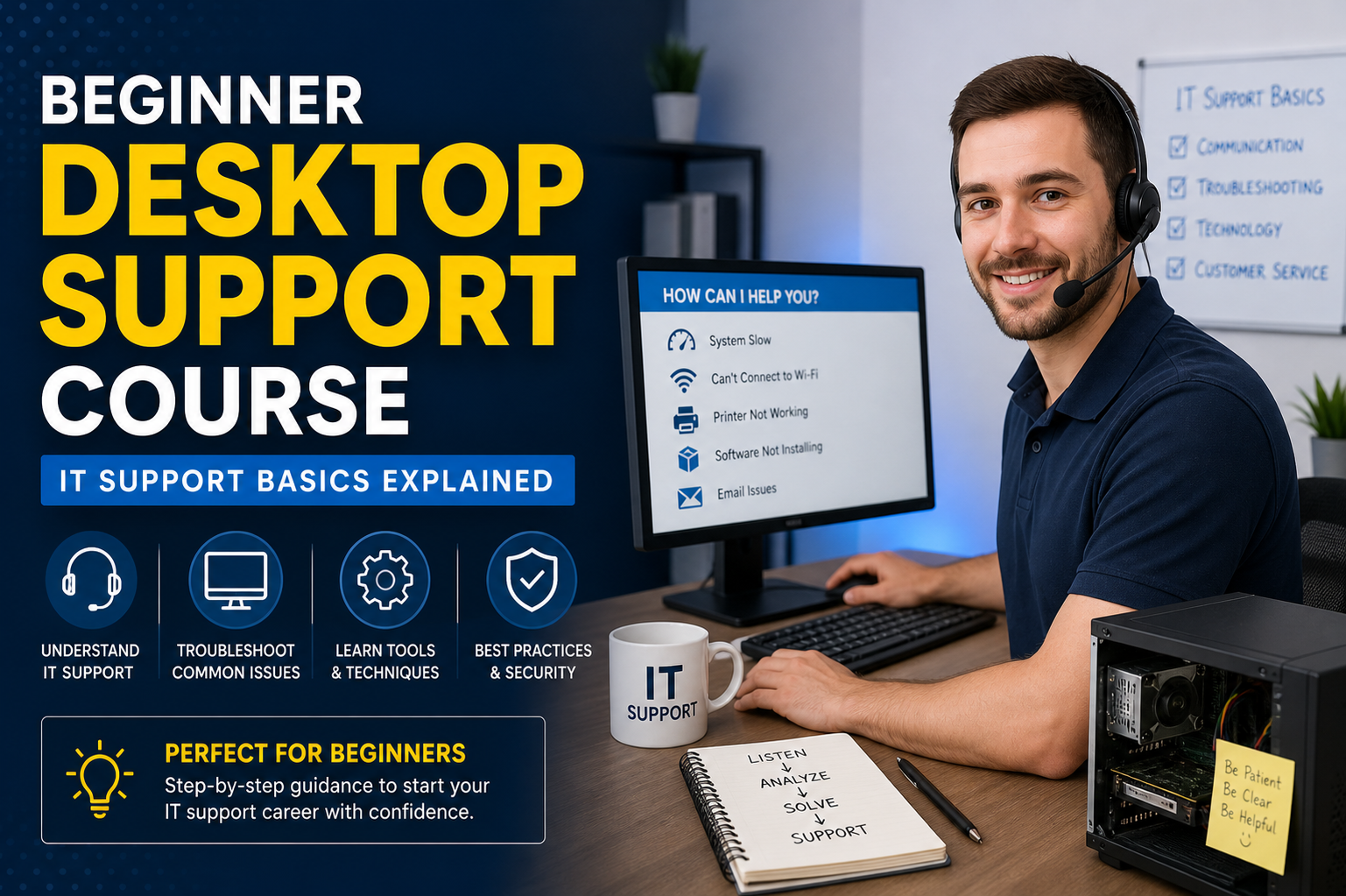
This beginner desktop support course is designed to introduce the fundamental concepts and practical skills needed to start a career in IT support. It focuses on building confidence in handling everyday technical issues faced by users in office environments, schools, and organizations. The course develops both technical understanding and problem-solving abilities, allowing learners to support computer systems, troubleshoot common errors, and maintain smooth system performance. It also helps learners understand how IT support teams function in real-world environments and how they interact with users, systems, and organizational infrastructure.
Role of a Desktop Support Technician
A desktop support technician plays an important role in maintaining the day-to-day functionality of computer systems within an organization. Their primary responsibility is to ensure that end users can work without interruptions caused by technical problems. This includes installing and configuring software, setting up new computers, resolving hardware and software issues, and assisting users with system-related queries. They often act as the first point of contact when users face technical difficulties. The role also involves documenting issues, escalating complex problems to higher-level IT teams, and ensuring that systems remain updated and secure. Strong problem-solving abilities and communication skills are essential in this role because technicians must explain technical solutions in a simple and understandable way to non-technical users.
Computer Hardware Fundamentals
Understanding computer hardware is essential for anyone entering desktop support. Hardware refers to the physical components of a computer system, including the motherboard, processor, memory (RAM), storage drives, power supply, and peripheral devices such as keyboards, mice, monitors, and printers. Each component plays a specific role in the functioning of a computer. For example, the processor handles all calculations and instructions, while RAM temporarily stores data for quick access. Storage devices like hard drives or solid-state drives retain data permanently. Desktop support professionals must be able to identify hardware components, recognize signs of hardware failure, and perform basic replacement or upgrades when needed. This knowledge helps in diagnosing whether a system issue is caused by physical damage, loose connections, or component malfunction.
Software and Operating System Basics
Software is the set of instructions that tells a computer how to perform tasks. It includes operating systems, applications, and utility programs. The operating system is the most important software on a computer because it manages hardware resources and provides an interface for users to interact with the system. Common operating systems include Windows and Linux. Desktop support professionals must understand how to install, configure, and maintain software applications, as well as how to manage system updates and patches. They also need to ensure that software is compatible with hardware and does not cause system conflicts. Proper software management helps maintain system stability and improves overall performance for end users.
Troubleshooting Methodology and Problem Solving
Troubleshooting is a core skill in desktop support and involves identifying, analyzing, and resolving technical problems. A structured approach is essential for effective troubleshooting. This typically begins with gathering information about the issue from the user, followed by identifying possible causes. The next step involves testing solutions one by one until the issue is resolved. It is important to verify the solution to ensure the problem does not reoccur. Common issues include slow system performance, application crashes, network errors, and login failures. A systematic approach helps reduce downtime and ensures efficient resolution of technical problems. Over time, technicians develop experience that allows them to quickly identify patterns and resolve issues more effectively.
Windows Operating System Essentials
The Windows operating system is widely used in business environments, making it important for desktop support professionals to have strong knowledge of its features. This includes understanding the desktop interface, file management system, control panel settings, and system configuration tools. Users often face issues related to login problems, updates, and software installation, all of which require familiarity with Windows tools. Desktop support technicians must also understand how to manage user accounts, set permissions, and configure system preferences. Knowledge of system utilities such as task manager, disk cleanup, and device manager is also important for diagnosing and resolving system issues efficiently.
Networking Fundamentals for Desktop Support
Networking is the process of connecting computers and devices so they can communicate and share resources. Basic networking knowledge is essential for desktop support roles because many technical issues are related to connectivity. This includes understanding concepts such as IP addresses, routers, switches, and wireless connections. Technicians often troubleshoot issues like slow internet, limited connectivity, or inability to access shared resources. They may also need to configure network settings or reset connections to restore functionality. A basic understanding of how data travels across networks helps technicians identify whether issues are caused by local devices or network infrastructure.
Security Awareness in IT Support
Security is a critical aspect of desktop support. Technicians must ensure that systems are protected from viruses, malware, and unauthorized access. This includes installing antivirus software, applying security updates, and educating users about safe computing practices. Common security tasks include managing passwords, enabling firewalls, and identifying suspicious activity. Users may unknowingly compromise security by downloading unsafe files or using weak passwords, so support professionals play an important role in raising awareness. Maintaining system security helps protect sensitive data and ensures the integrity of organizational systems.
User Support and Communication Skills
Effective communication is just as important as technical knowledge in desktop support. Technicians must interact with users who may not have technical expertise, so explaining solutions in simple and clear language is essential. Good communication helps in understanding the problem accurately and building trust with users. Active listening is also important because it ensures that all relevant details about an issue are captured. Patience and professionalism are key traits, especially when dealing with frustrated users. Strong interpersonal skills improve the overall support experience and contribute to faster problem resolution.
Introduction to Ticketing Systems
Ticketing systems are used in IT support environments to track and manage user issues. When a user reports a problem, a ticket is created with details about the issue, priority level, and status. Desktop support technicians use these systems to organize their workload, track progress, and ensure that no issue is overlooked. Each ticket contains information about the problem, steps taken for resolution, and final outcome. This helps maintain accountability and provides a record for future reference. Understanding how to use ticketing systems efficiently is important for maintaining structured and organized IT support operations.
Remote Support Tools and Techniques
Remote support allows technicians to access and troubleshoot user systems without being physically present. This is especially useful in large organizations or when users are located in different places. Remote tools enable technicians to control a user’s computer, diagnose problems, and apply fixes in real time. This reduces response time and improves efficiency. However, proper authorization and security measures must always be followed to protect user privacy. Remote support skills are increasingly important in modern IT environments where hybrid and remote work setups are common.
Printers and Peripheral Device Management
Printers, scanners, and other peripheral devices are commonly used in workplaces and often require troubleshooting. Desktop support technicians must understand how to install drivers, configure settings, and resolve issues such as paper jams, connectivity errors, and print quality problems. Peripheral devices may also require regular maintenance to ensure smooth operation. Understanding how these devices integrate with computer systems helps technicians quickly identify and resolve related issues, minimizing disruptions to user productivity.
Backup and Data Recovery Basics
Data backup and recovery are essential for protecting important information. Backups ensure that data can be restored in case of system failure, accidental deletion, or security breaches. Desktop support professionals must understand basic backup methods such as local backups, cloud backups, and external storage solutions. They also need to know how to restore data when needed. Proper backup practices help prevent data loss and ensure business continuity in case of unexpected system failures.
Professional Development and Career Path in IT Support
A career in desktop support can lead to many opportunities in the IT industry. With experience, professionals can move into roles such as system administration, network engineering, cybersecurity, or IT management. Continuous learning is important because technology is constantly evolving. Developing certifications and hands-on experience helps improve career prospects. Strong technical skills combined with communication and problem-solving abilities create a solid foundation for long-term growth in the IT field.
Advanced Troubleshooting Concepts in Desktop Support
As desktop support skills progress, troubleshooting becomes more structured, analytical, and detail-oriented. Advanced troubleshooting involves not only identifying what is wrong but also understanding why the issue occurred in the first place. This requires a deeper understanding of system behavior, hardware performance, software interactions, and user activity patterns. Technicians begin to recognize recurring issues and apply preventive strategies rather than only reacting to problems. The ability to isolate complex issues by eliminating variables is a key skill at this stage. It also involves using built-in system tools, logs, and diagnostic utilities to trace the root cause of failures more accurately.
Understanding System Performance Issues
System performance problems are among the most common issues handled in desktop support environments. These issues may include slow boot times, lagging applications, freezing systems, or unresponsive programs. Performance problems can be caused by insufficient memory, high CPU usage, background processes, malware infections, or outdated drivers. Desktop support professionals learn how to monitor system resources and identify bottlenecks that affect performance. Tools such as task monitoring utilities help in analyzing which applications consume excessive resources. Proper optimization techniques, including disabling unnecessary startup programs and clearing temporary files, improve overall system speed and responsiveness.
Operating System Maintenance and Optimization
Maintaining an operating system is essential for ensuring long-term stability and efficiency. Regular updates, patch installations, and system cleanup processes help keep systems running smoothly. Technicians also perform tasks such as disk defragmentation (for traditional drives), system file checks, and registry maintenance where applicable. Operating system optimization includes adjusting visual effects for performance, managing virtual memory, and ensuring that system drivers are up to date. Proper maintenance reduces the likelihood of unexpected crashes and improves overall user experience.
Driver Management and Compatibility Issues
Device drivers are essential software components that allow the operating system to communicate with hardware devices. Problems often occur when drivers are outdated, missing, or incompatible with the system. Desktop support technicians must know how to install, update, and roll back drivers when necessary. Compatibility issues may arise after system updates or hardware changes, leading to device malfunction. Proper driver management ensures that hardware components such as printers, graphics cards, and network adapters function correctly without errors or interruptions.
BIOS and UEFI Fundamentals
The BIOS (Basic Input Output System) or UEFI (Unified Extensible Firmware Interface) is responsible for initializing hardware during system startup. Understanding these systems is important for troubleshooting boot-related issues. Technicians may need to access BIOS or UEFI settings to change boot order, enable or disable hardware components, or diagnose startup failures. Incorrect BIOS settings can prevent a system from booting properly, so careful handling is required. Knowledge of firmware updates and configuration options is valuable for resolving deeper system-level issues.
Boot Process and Startup Troubleshooting
The boot process involves multiple stages that prepare a computer for use. Issues during startup can prevent the system from loading the operating system correctly. Common problems include missing boot files, corrupted system partitions, or hardware detection failures. Desktop support technicians learn how to analyze boot errors and use recovery tools to repair systems. Safe mode is often used to diagnose startup issues by loading only essential drivers and services. Understanding the boot sequence helps technicians identify at which stage the problem occurs and apply appropriate fixes.
File System and Data Organization
A file system is responsible for organizing and storing data on a storage device. Understanding how file systems work helps technicians manage storage efficiently and recover lost or corrupted files. Common file systems include NTFS and FAT32. Issues such as corrupted directories, missing files, or inaccessible drives often require repair tools and recovery techniques. Proper data organization practices, including structured folder systems and naming conventions, improve system usability and reduce confusion for end users.
User Account Management and Permissions
Managing user accounts is a critical responsibility in desktop support. This includes creating new accounts, modifying permissions, resetting passwords, and disabling inactive users. Proper permission settings ensure that users have access only to the resources they need. Misconfigured permissions can lead to security risks or restricted access to important files. Understanding user roles and access levels helps maintain system security and organizational structure. Technicians also handle account-related issues such as login failures and profile corruption.
Introduction to Command Line Tools
Command line tools provide powerful ways to manage and troubleshoot systems beyond graphical interfaces. Basic commands help in performing tasks such as checking network connectivity, managing files, and diagnosing system issues. Tools like command prompt or terminal allow technicians to execute diagnostic commands that provide detailed system information. Although graphical interfaces are more user-friendly, command line tools are essential for advanced troubleshooting and automation of repetitive tasks.
Network Troubleshooting Techniques
Network-related issues are common in desktop support environments. These may include slow internet, limited connectivity, or inability to access shared resources. Troubleshooting involves checking physical connections, verifying IP configurations, testing connectivity, and resetting network devices when necessary. Understanding how DNS, DHCP, and routing work helps technicians identify where communication failures occur. Network diagnostic tools assist in pinpointing issues at different layers of the network structure.
Wireless Connectivity Issues and Solutions
Wireless networks are widely used in modern environments, but they can be affected by interference, weak signals, or incorrect configuration. Desktop support technicians troubleshoot issues such as dropped connections, slow Wi-Fi speeds, and authentication failures. Solutions may include repositioning routers, updating wireless drivers, changing frequency channels, or resetting network settings. Understanding wireless technology helps ensure stable and reliable connectivity for users.
Introduction to Virtualization Concepts
Virtualization allows multiple operating systems to run on a single physical machine. This is commonly used in testing environments, training setups, and enterprise systems. Desktop support professionals may encounter virtual machines used for development or remote access. Understanding how virtualization works helps in managing virtual environments, allocating resources, and troubleshooting performance issues. Virtual machines behave like physical systems but require proper configuration to function efficiently.
Software Installation and Deployment Methods
Installing and deploying software is a regular task in desktop support roles. This includes installing applications individually or deploying them across multiple systems using centralized tools. Proper installation ensures compatibility and prevents system conflicts. Technicians must verify software requirements, system compatibility, and licensing conditions before installation. Uninstalling unused or problematic software also helps maintain system performance and stability.
Patch Management and System Updates
System updates and patches are essential for security and performance improvements. Patch management involves regularly updating operating systems and applications to fix vulnerabilities and bugs. Desktop support technicians ensure that updates are installed correctly without disrupting system functionality. In some cases, updates may cause compatibility issues, requiring rollback or additional configuration. Keeping systems updated reduces security risks and improves overall reliability.
Introduction to IT Documentation Practices
Documentation is an important part of desktop support work. It involves recording technical issues, solutions, system configurations, and user interactions. Proper documentation helps in tracking recurring issues and provides reference material for future troubleshooting. It also improves communication within IT teams and ensures consistency in support processes. Clear and organized documentation is essential for maintaining professional IT operations.
Time Management and Prioritization in IT Support
Desktop support technicians often handle multiple issues at the same time. Effective time management and prioritization are essential for ensuring that critical problems are resolved quickly. Issues are usually categorized based on urgency and impact on users. High-priority issues affecting multiple users or business operations are addressed first. Proper task management improves efficiency and ensures smooth IT support workflow.
Introduction to IT Ethics and Professional Behavior
Professional behavior and ethics are important in IT support roles. Technicians must handle user data responsibly and maintain confidentiality. Respecting privacy, following organizational policies, and providing honest support are key aspects of ethical behavior. Maintaining professionalism in communication and problem-solving builds trust with users and enhances workplace relationships.
Career Growth and Future Opportunities in IT Support
Desktop support is often the starting point for many IT careers. With experience, professionals can move into specialized roles such as network administration, cybersecurity, cloud support, or system engineering. Continuous learning, certifications, and hands-on practice help in advancing within the IT industry. Strong foundational skills gained in desktop support provide a solid base for long-term career development in technology fields.
Windows Advanced Troubleshooting and Recovery Tools
In advanced desktop support work, Windows recovery and troubleshooting tools become essential for resolving deeper system problems. These tools are used when standard fixes do not solve issues such as repeated crashes, corrupted system files, or boot failures. Utilities like System Restore allow technicians to roll back a system to a previous working state without affecting personal files. Startup Repair helps diagnose and fix issues that prevent Windows from loading correctly. Advanced users also work with recovery environments that provide access to repair options even when the operating system cannot start normally. Understanding how and when to use these tools is critical for minimizing downtime and restoring system functionality efficiently.
System Logs and Event Viewer Analysis
System logs provide detailed records of everything happening within an operating system. The Event Viewer is a key tool used to analyze these logs and identify errors, warnings, and informational messages. Desktop support technicians use this tool to trace the root cause of system crashes, application failures, and hardware issues. By reviewing timestamps and error codes, they can correlate events and determine what triggered a problem. This method is especially useful for diagnosing recurring or intermittent issues that are not easily visible during normal system usage.
Malware Detection and Removal Techniques
Malware infections are a serious concern in IT environments and can significantly impact system performance and security. Desktop support professionals must be able to recognize signs of infection such as slow performance, unexpected pop-ups, unauthorized system changes, or disabled security tools. Removal techniques include running antivirus scans, using specialized removal tools, and isolating affected systems from the network to prevent spread. In some cases, manual removal or system restoration may be required. Preventive measures such as regular updates, safe browsing habits, and email security awareness are equally important in reducing infection risks.
Understanding Disk Management and Storage Issues
Storage management plays a vital role in maintaining system performance and reliability. Disk Management tools allow technicians to create, resize, format, and manage partitions on storage devices. Common issues include low disk space, corrupted partitions, or unrecognized drives. Proper management ensures efficient use of storage resources and prevents data loss. Technicians also monitor disk health to identify early signs of failure. Understanding storage types, including solid-state drives and traditional hard drives, helps in diagnosing performance differences and selecting appropriate solutions.
Data Recovery Principles and Techniques
Data recovery is the process of retrieving lost, deleted, or inaccessible data from storage devices. This may occur due to accidental deletion, hardware failure, or system corruption. Desktop support professionals use recovery tools to restore files whenever possible. In more severe cases, specialized recovery methods may be required. The success of recovery depends on how quickly action is taken after data loss. Overwriting storage space reduces the chances of successful recovery, making timely response critical. Preventive backup strategies remain the most effective way to avoid permanent data loss.
Introduction to Active Directory Concepts
Active Directory is commonly used in organizational environments to manage users, computers, and permissions centrally. It allows administrators to control access to resources across a network from a single location. Desktop support technicians often interact with Active Directory when resetting passwords, unlocking accounts, or managing user access rights. Understanding how domain structures, organizational units, and group policies work is essential for supporting enterprise environments. It ensures consistency in user management and improves security across systems.
Group Policy and System Configuration Management
Group Policy is a powerful tool used to control system settings and user environments within a network. It allows administrators to enforce security settings, software restrictions, and system configurations across multiple devices. Desktop support professionals may troubleshoot issues caused by incorrectly applied policies or conflicts between settings. Understanding how policies are applied helps in identifying why certain features are restricted or unavailable on user systems. Proper configuration ensures consistency and security across all connected devices.
Printer Server and Network Printing Support
In many organizations, printers are managed through centralized print servers. This allows multiple users to access shared printing resources. Desktop support technicians are responsible for troubleshooting print queues, driver issues, and connectivity problems. Common issues include jobs stuck in queue, incorrect printer selection, or communication failures between client and server. Understanding how print services operate helps in quickly resolving printing disruptions and maintaining workflow efficiency in office environments.
Email Client Configuration and Troubleshooting
Email is a critical communication tool in most workplaces, and desktop support technicians frequently assist with email-related issues. This includes configuring email clients, setting up accounts, and troubleshooting synchronization problems. Common issues include inability to send or receive emails, incorrect server settings, or authentication errors. Technicians must understand email protocols such as IMAP, POP3, and SMTP to diagnose and resolve issues effectively. Proper configuration ensures reliable communication across the organization.
Introduction to Cloud Computing Basics
Cloud computing has become an essential part of modern IT infrastructure. It allows users to store data, run applications, and access services over the internet instead of relying solely on local systems. Desktop support professionals often assist users with cloud-based applications and storage platforms. Understanding basic cloud concepts such as scalability, availability, and remote access is important for supporting modern work environments. Cloud services improve flexibility and reduce dependency on physical hardware.
Remote Desktop Protocol and Virtual Access Tools
Remote desktop tools allow technicians to connect to and control systems from a distance. This is especially useful for supporting remote users or managing systems in different locations. Remote access enables real-time troubleshooting and faster resolution of technical issues. Technicians must ensure secure connections and proper authentication before accessing systems. Understanding how remote protocols work helps in maintaining system security while providing efficient support services.
System Imaging and Deployment Strategies
System imaging involves creating a complete copy of a system’s operating environment, including the operating system, applications, and settings. This image can be deployed to multiple systems to ensure consistency and reduce setup time. Desktop support teams use imaging tools when configuring new machines or restoring systems to a standard state. Proper deployment strategies help maintain uniform configurations across an organization and reduce manual installation efforts.
Hardware Diagnostics and Testing Methods
Advanced hardware troubleshooting involves using diagnostic tools to test system components. This includes checking memory integrity, processor performance, storage health, and motherboard functionality. Technicians use diagnostic software or built-in system tools to identify failing components. Early detection of hardware issues helps prevent system crashes and data loss. Understanding how to interpret diagnostic results is an important skill in advanced desktop support roles.
Power Management and System Stability
Power-related issues can affect system stability and performance. Problems such as sudden shutdowns, failure to boot, or inconsistent performance may be linked to power supply or battery issues. Desktop support technicians check power settings, test power supplies, and ensure proper electrical connections. In laptops, battery health and charging systems are also evaluated. Proper power management helps maintain system reliability and prevents unexpected interruptions.
Mobile Device Support in IT Environments
Modern IT environments often include mobile devices such as smartphones and tablets. Desktop support professionals may assist with device configuration, email setup, application installation, and connectivity issues. Mobile device management systems are often used to control security settings and enforce policies. Understanding mobile platforms helps technicians support users across multiple device types and ensure seamless integration with organizational systems.
Introduction to IT Asset Management
IT asset management involves tracking and managing hardware and software resources within an organization. This includes maintaining records of devices, licenses, and configurations. Proper asset management helps organizations control costs, improve security, and ensure compliance with policies. Desktop support technicians may be responsible for updating inventory records and tracking device usage. Accurate asset tracking supports efficient IT operations and planning.
Incident Handling and Escalation Process
Incident handling is the process of managing and resolving IT issues reported by users. When a problem cannot be resolved at the first level of support, it is escalated to higher-level technicians or specialized teams. Understanding escalation procedures ensures that issues are resolved efficiently without delays. Proper documentation and communication are essential during escalation to ensure smooth transfer of information between support levels.
Continuous Learning and Skill Development in IT Support
The IT industry is constantly evolving, making continuous learning essential for career growth. Desktop support professionals must stay updated with new technologies, tools, and best practices. This may include learning about cloud computing, cybersecurity, automation, and advanced networking concepts. Practical experience combined with ongoing learning helps professionals advance into higher technical roles. Building strong foundational knowledge in desktop support provides a pathway to long-term success in the IT field.
Advanced Network Troubleshooting and Infrastructure Support
At a more advanced level of desktop support, network troubleshooting goes beyond basic connectivity checks and focuses on understanding how different network components interact within an organization. This includes routers, switches, access points, and structured cabling systems. Technicians begin analyzing issues such as packet loss, latency, DNS failures, and routing conflicts. Tools like ping and traceroute help identify where communication breakdowns occur. Understanding how data flows across local networks and the internet allows support professionals to isolate issues more precisely and determine whether the problem lies with the user device, network configuration, or external service providers.
IP Addressing and Subnetting Fundamentals
IP addressing is a core concept in networking that enables devices to identify and communicate with each other. Each device on a network is assigned a unique IP address, which can be dynamic or static depending on the configuration. Subnetting is used to divide larger networks into smaller, more manageable segments. This improves performance and enhances security by controlling traffic flow. Desktop support professionals often encounter issues related to incorrect IP configuration, duplicate addresses, or DHCP failures. A solid understanding of addressing and subnetting helps in diagnosing connectivity problems efficiently.
DNS and Name Resolution Issues
The Domain Name System (DNS) is responsible for translating human-readable domain names into IP addresses. When DNS issues occur, users may be unable to access websites or network resources even if their internet connection is active. Common symptoms include website loading failures or slow browsing performance. Desktop support technicians troubleshoot these issues by checking DNS settings, flushing DNS caches, or switching to alternative DNS servers. Understanding how name resolution works is essential for resolving many common network-related problems.
Firewall Configuration and Security Rules
Firewalls act as a protective barrier between a system or network and potential external threats. They control incoming and outgoing traffic based on predefined security rules. Desktop support professionals must understand how firewall settings can affect application access, network connectivity, and system communication. Sometimes legitimate programs are blocked due to strict firewall rules, requiring proper configuration adjustments. Balancing security and accessibility is an important part of managing firewall settings effectively.
Introduction to VPN and Secure Remote Access
Virtual Private Networks (VPNs) are used to create secure connections over public networks. They are commonly used in organizations to allow employees to access internal systems remotely. Desktop support technicians assist users with VPN setup, authentication issues, and connection stability problems. Understanding encryption, tunneling, and authentication methods helps in troubleshooting VPN-related issues. Secure remote access ensures that sensitive data remains protected even when accessed from outside the organization’s network.
Advanced Operating System Repair Techniques
When operating system corruption occurs, basic troubleshooting may not be sufficient. Advanced repair techniques include system file repair utilities, recovery environment tools, and boot configuration fixes. Technicians may rebuild boot records, repair system partitions, or restore missing system files. These methods require careful execution because incorrect actions can lead to further system damage. Understanding system architecture helps in safely restoring functionality without affecting user data.
Registry Structure and System Configuration
The system registry is a database that stores configuration settings for the operating system and installed applications. Changes in the registry can significantly impact system behavior. Desktop support professionals may need to modify registry entries to fix specific issues, but this must be done with caution. Incorrect modifications can lead to system instability. Understanding registry structure helps in diagnosing advanced software issues and applying precise fixes when necessary.
Performance Monitoring and System Optimization Tools
Advanced performance monitoring involves analyzing system behavior over time using specialized tools. These tools track CPU usage, memory consumption, disk activity, and network performance. By studying trends, technicians can identify long-term performance issues rather than just temporary spikes. Optimization techniques may include balancing system resources, adjusting virtual memory settings, and removing unnecessary background services. Continuous monitoring helps maintain system stability in demanding environments.
Advanced Malware Behavior Analysis
Modern malware is often more complex and can hide within system processes or mimic legitimate applications. Desktop support professionals learn to identify unusual system behavior such as unknown startup programs, unexpected network activity, or system file modifications. Advanced analysis may involve isolating infected systems and examining process behavior in detail. Understanding malware behavior patterns helps in detecting threats that traditional antivirus tools might miss.
System Imaging Automation and Deployment at Scale
In larger organizations, system deployment is often automated to save time and ensure consistency. Automated imaging allows multiple systems to be configured simultaneously with standardized operating systems, applications, and settings. Desktop support professionals may work with deployment servers that manage large-scale installations. This process reduces manual effort and ensures that all systems meet organizational standards before being assigned to users.
Software Compatibility and Application Conflicts
Software conflicts occur when two or more applications interfere with each other or with the operating system. This can lead to crashes, freezes, or unexpected behavior. Desktop support technicians troubleshoot compatibility issues by reviewing system requirements, updating software versions, or isolating conflicting applications. Running programs in compatibility modes or virtual environments may also help resolve such issues. Proper testing ensures smooth application performance across different system configurations.
Advanced Email and Collaboration Platform Support
Modern workplaces rely heavily on collaboration platforms that integrate email, file sharing, and communication tools. Desktop support professionals assist users with synchronization issues, account recovery, and configuration errors across these platforms. Problems may include delayed email delivery, missing calendar events, or permission issues in shared environments. Understanding how these systems integrate helps in resolving cross-platform communication problems effectively.
Cloud Storage Synchronization Issues
Cloud storage services allow users to store and access files from multiple devices. Synchronization issues can occur when files fail to upload, download, or update correctly. Desktop support technicians troubleshoot these problems by checking account settings, network connectivity, and storage limits. Conflicts may also arise when multiple users edit the same file simultaneously. Proper configuration ensures smooth data synchronization across devices.
Introduction to IT Automation and Scripting Basics
Automation plays an increasingly important role in IT support. Simple scripts can automate repetitive tasks such as file management, system updates, or user account creation. Desktop support professionals may use basic scripting tools to improve efficiency and reduce manual workload. Understanding automation concepts helps in streamlining support processes and minimizing human error in routine operations.
Hardware Upgrade Planning and System Scalability
As systems age, hardware upgrades become necessary to maintain performance. Planning upgrades involves evaluating current system capabilities and determining which components need improvement. This may include increasing memory, upgrading storage, or replacing processors. Desktop support technicians assess compatibility before performing upgrades to ensure system stability. Proper planning extends the lifespan of systems and improves overall efficiency.
Incident Prevention and Proactive Support Strategies
Instead of only reacting to problems, advanced desktop support focuses on preventing issues before they occur. This includes monitoring system health, applying regular updates, and educating users about best practices. Proactive support reduces downtime and improves productivity. Identifying patterns in recurring issues helps organizations implement long-term solutions rather than temporary fixes.
Service Level Agreements and Support Standards
Service Level Agreements define the expected level of service between IT teams and users or organizations. These agreements specify response times, resolution times, and support priorities. Desktop support professionals must understand these standards to ensure that issues are handled within defined timeframes. Meeting service expectations is essential for maintaining user satisfaction and organizational efficiency.
Advanced Troubleshooting Documentation and Knowledge Sharing
In complex IT environments, documenting solutions becomes even more important. Detailed documentation helps teams share knowledge and resolve similar issues faster in the future. It includes problem descriptions, troubleshooting steps, and final resolutions. Knowledge sharing improves overall team performance and reduces dependency on individual technicians. Proper documentation creates a strong support knowledge base for continuous improvement.
Career Advancement in IT Infrastructure Support
With experience in advanced desktop support, professionals can transition into higher-level IT roles such as systems administration, network engineering, cloud infrastructure support, or cybersecurity analysis. Continuous learning and hands-on practice are essential for career growth. Building expertise in multiple areas of IT infrastructure opens opportunities for specialization and leadership roles. Strong technical foundations combined with problem-solving skills provide long-term career stability in the IT industry.
Conclusion
The beginner desktop support course provides a complete foundation for anyone aiming to start a career in IT support and technical assistance. It builds essential knowledge of computer hardware, software, operating systems, and networking, along with the practical skills needed to diagnose and resolve everyday technical issues. By understanding how systems work together, learners develop the ability to troubleshoot problems systematically and support users effectively in real-world environments.
As the course progresses, it introduces more advanced concepts such as system optimization, network troubleshooting, security awareness, and enterprise-level support tools. These skills help bridge the gap between basic IT knowledge and professional desktop support responsibilities. Learners also gain insight into tools and processes used in modern IT environments, including ticketing systems, remote support solutions, and system management practices.
A strong emphasis is placed on communication, documentation, and professional behavior, which are just as important as technical skills in IT support roles. The ability to explain solutions clearly, manage multiple issues efficiently, and maintain a professional attitude ensures better user experience and smoother IT operations.
Overall, this course lays a solid foundation for further growth in the IT industry. With continuous learning and hands-on experience, learners can progress into more specialized roles such as system administration, network engineering, cybersecurity, or cloud support. Desktop support serves as the starting point for a long-term career path in technology, offering both stability and opportunities for advancement in an ever-evolving digital world.