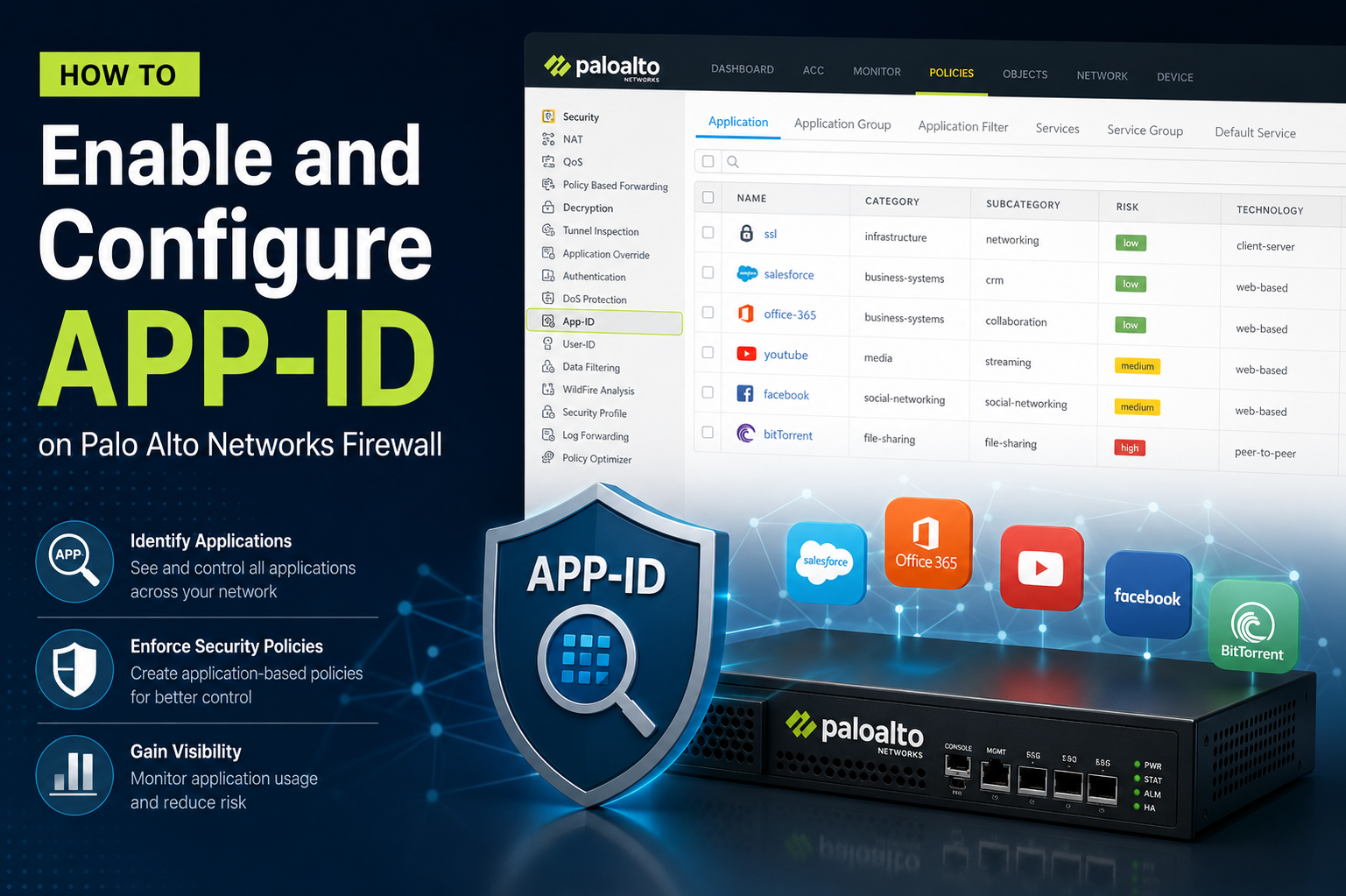
App-ID is one of the core technologies used in Palo Alto Networks firewalls to identify applications traversing the network regardless of port, protocol, or encryption. Traditional firewalls relied heavily on port-based classification, which is no longer sufficient in modern environments where applications can dynamically switch ports or use common ports like 443 for multiple services. App-ID overcomes this limitation by using multiple identification techniques such as protocol decoding, application signatures, heuristics, and behavioral analysis.
When properly enabled and configured, App-ID provides granular visibility and control over applications, allowing administrators to create security policies based on actual application usage rather than generic network parameters. This improves security posture, reduces risk, and enhances traffic management efficiency.
Understanding How App-ID Works
App-ID functions through a layered inspection mechanism. The firewall first applies signature-based detection to identify known applications. If signatures are not sufficient, it uses protocol decoding to analyze packet structures. It may also apply heuristic analysis to detect unknown or evasive applications. Additionally, SSL decryption may be used when traffic is encrypted to allow deeper inspection.
The process is continuous and dynamic, meaning application identification is refined as traffic flows. This allows the firewall to classify applications even if they attempt to bypass traditional detection mechanisms.
Prerequisites Before Enabling App-ID
Before configuring App-ID, it is important to ensure that the firewall is operating in a supported mode, typically Layer 3 mode or Virtual Wire mode depending on deployment requirements. Security policies should also be planned in advance, as App-ID-based policies replace traditional port-based rules.
Administrators should also ensure that the latest application signature updates are installed. Without updated signatures, App-ID may not correctly identify newer applications or updated versions of existing applications.
Proper logging configuration is also recommended so that application visibility can be monitored effectively once App-ID is enabled.
Enabling App-ID on Palo Alto Firewall
App-ID is enabled by default on Palo Alto Networks firewalls, but its effectiveness depends on proper configuration of security policies and application filters. The first step is ensuring that security rules are not purely based on ports and instead use application-based definitions.
When creating or modifying a security policy, the application field should be set to specific applications, application groups, or application filters. This activates App-ID processing for traffic matching that rule.
It is also important to allow initial unknown traffic temporarily during implementation so that logs can be analyzed and applications can be properly identified before strict enforcement is applied.
Configuring Security Policies with App-ID
Security policies are the foundation of App-ID implementation. Instead of allowing traffic based on port numbers such as TCP 80 or TCP 443, policies should specify applications such as web-browsing, ssl, or specific business applications.
Each rule consists of source zone, destination zone, source address, destination address, user (if User-ID is integrated), application, service, action, and profile settings.
When configuring App-ID, the application field should not be left as “any” unless necessary. Using “any” disables granular control and reduces the effectiveness of App-ID. Instead, administrators should explicitly define allowed and denied applications.
For example, a rule may allow web-browsing and ssl while blocking peer-to-peer applications or unknown traffic categories. This ensures better control over bandwidth and security risks.
Using Application Filters and Groups
Application filters and application groups are powerful tools that simplify App-ID management.
Application groups allow multiple applications to be combined under a single policy object. This is useful when several related applications need similar security treatment. For example, all collaboration tools or all video streaming applications can be grouped together.
Application filters are more dynamic and allow policies based on application attributes such as category, subcategory, technology, or risk level. This enables automatic inclusion of new applications that match defined criteria without manually updating policies.
Using filters and groups significantly reduces administrative overhead while maintaining strong security enforcement.
Handling Unknown Applications
One of the most important aspects of App-ID configuration is managing unknown traffic. Unknown applications are those that the firewall cannot immediately classify.
It is recommended to create a temporary policy that allows unknown traffic with logging enabled. This helps administrators analyze traffic patterns and determine whether the unknown applications are legitimate or potentially malicious.
Once sufficient data is collected, rules can be refined to either allow, block, or further inspect these applications using advanced features like SSL decryption or custom signatures.
Enabling SSL Decryption for Better App-ID Accuracy
Many modern applications use encryption, which can limit App-ID visibility. To overcome this, SSL decryption can be configured.
When SSL decryption is enabled, the firewall can inspect encrypted traffic and accurately identify applications within it. This significantly improves detection accuracy and security enforcement.
There are two main types of SSL decryption: forward proxy decryption and inbound inspection. Forward proxy is used for outbound traffic, while inbound inspection is used for internal servers.
Proper certificate configuration is required for SSL decryption to function effectively without causing user trust issues.
Logging and Monitoring App-ID Traffic
Logging is essential for understanding how App-ID is performing in the environment. Traffic logs should be enabled for all security policies using App-ID.
These logs provide detailed information such as detected application, risk level, bytes transferred, session duration, and security action taken.
By regularly reviewing logs, administrators can fine-tune policies, identify shadow IT applications, and detect potential security threats.
Monitoring tools within the firewall interface can also be used to visualize application usage trends over time.
Best Practices for App-ID Configuration
A successful App-ID deployment requires adherence to best practices.
It is recommended to start with permissive policies that log traffic before enforcing strict blocking rules. This allows proper visibility into application usage patterns.
Regular updates of application signatures should always be maintained to ensure accurate detection.
Policies should be designed using least privilege principles, allowing only required applications and blocking everything else by default where possible.
Using a combination of App-ID, User-ID, and Content-ID provides the highest level of security enforcement.
It is also important to avoid overusing “any application” in rules, as this weakens App-ID effectiveness.
Troubleshooting App-ID Issues
Sometimes App-ID may not correctly identify applications. In such cases, several troubleshooting steps can be taken.
First, verify that the application signature database is up to date. Outdated signatures can lead to misidentification.
Second, check whether SSL decryption is required for the traffic in question. Encrypted traffic often hides application details.
Third, review session logs to determine how the firewall is classifying traffic and whether it is falling into unknown categories.
If necessary, packet captures can be used to analyze traffic behavior in detail.
Policy order should also be reviewed, as higher priority rules may override App-ID-based rules.
Performance Considerations
App-ID inspection introduces additional processing overhead because traffic must be deeply analyzed. However, Palo Alto Networks firewalls are optimized for this purpose using dedicated hardware acceleration.
To maintain performance, unnecessary rules should be minimized, and overly broad policies should be avoided. Enabling only required security profiles such as anti-malware, URL filtering, and intrusion prevention helps balance security and performance.
Proper hardware sizing is also important in high-traffic environments to ensure App-ID does not become a bottleneck.
Real-World Benefits of App-ID
App-ID significantly enhances network security by providing precise control over applications rather than relying on ports alone. It helps organizations prevent unauthorized applications, reduce malware exposure, and enforce acceptable use policies.
It also improves visibility into network behavior, enabling better decision-making for IT and security teams. Bandwidth can be optimized by prioritizing business-critical applications while limiting non-essential traffic.
Overall, App-ID transforms the firewall from a simple packet filter into an intelligent application-aware security platform.
Conclusion
Configuring App-ID on a Palo Alto Networks firewall is a critical step toward achieving modern, application-aware network security. While the technology is enabled by default, its true power is realized only through careful policy design, proper use of application groups and filters, and integration with features like SSL decryption and logging.
A well-configured App-ID environment allows organizations to move beyond traditional port-based security models and gain deep visibility into application behavior. This leads to stronger security enforcement, improved compliance, and better control over network resources.
By following structured configuration practices, continuously monitoring application traffic, and refining policies over time, organizations can fully leverage App-ID to build a resilient and intelligent security architecture capable of handling today’s complex application landscape.