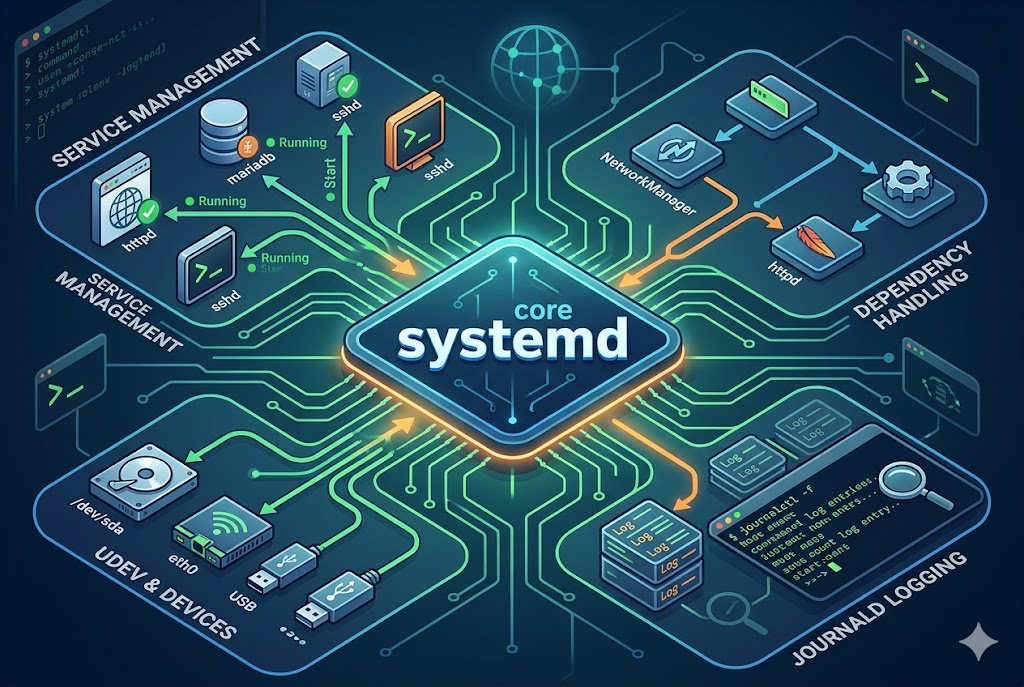
systemd is a central component of many modern Linux systems, designed to manage system processes and services during boot and while the system is running. It acts as an init system, meaning it is the first process started by the kernel after booting and it becomes the parent of all other processes. Beyond simply starting the system, it controls how services are launched, stopped, monitored, and managed throughout the system’s lifetime.
In traditional Linux systems, older init systems followed a sequential startup model, where services were started one after another. systemd introduced a more parallel and dependency-based approach, significantly improving boot speed and service management efficiency. It is not just limited to starting services; it also handles logging, device management, session tracking, and system state control.
Understanding systemd is essential for anyone who wants to manage Linux systems effectively, especially in server environments where uptime, performance, and service control are critical.
The Role of systemd in the Linux Boot Process
When a Linux system starts, the kernel initializes hardware and memory, then hands control over to the init system. In most modern distributions, that init system is systemd. It becomes the first user-space process and is assigned process ID 1.
From this point, systemd takes responsibility for bringing the system to a usable state. It reads configuration files called unit files, which define how different services, mounts, sockets, and other system components should behave. Based on dependencies defined in these unit files, systemd decides the optimal order and timing to start services.
Unlike older systems where scripts were executed in a fixed sequence, systemd evaluates dependencies dynamically. For example, a network service will only start after the network interface is available, but independent services can start in parallel, reducing boot time significantly.
Understanding systemd Units and Services
systemd manages everything through a concept called units. A unit is a configuration object that describes a system resource or service. Units can represent services, sockets, devices, mount points, timers, and more.
Service units are the most commonly used type. They define how a background service should behave, including how to start it, stop it, restart it, and what dependencies it has. Each service unit is defined in a file, usually stored in system directories such as system or user-specific locations.
A key feature of systemd is its ability to track dependencies between units. This ensures that services start only when required resources are available. For example, a database service might depend on storage being mounted and the network being active.
How systemd Manages Services
One of the most important roles of systemd is service management. It allows users to start, stop, restart, enable, or disable services easily. Services can run in the background continuously or be triggered on demand.
When a service is started, systemd reads its unit file, checks dependencies, and executes the necessary commands. If a service fails, systemd can automatically restart it based on predefined rules. This makes systems more stable and self-healing.
Services can also be enabled to start automatically at boot time. When enabled, systemd creates symbolic links that ensure the service is included in the system startup sequence.
Additionally, systemd monitors running services and keeps track of their status. If a service crashes or exits unexpectedly, systemd can log the event and attempt recovery depending on configuration.
systemd Targets and System States
systemd uses targets to define system states. A target is a collection of units that represent a specific operating mode of the system. For example, one target might represent a multi-user environment, while another represents a graphical desktop environment.
Targets help systemd decide what services should be active in a given state. When the system boots, it reaches a default target, which then pulls in all required services.
Targets are flexible and replace the older concept of runlevels found in traditional Linux systems. They allow more complex and dynamic system configurations, where multiple services can be grouped logically.
Switching between targets allows administrators to change system behavior without rebooting. For example, a system can move from a graphical environment to a command-line mode by switching targets.
systemd and Logging with the Journal
Another important feature of systemd is its logging system, known as the journal. The journal collects logs from the kernel, system services, and applications into a centralized location.
This logging system replaces traditional text-based log files in many Linux distributions. It stores logs in a structured binary format, allowing for faster searching, filtering, and querying.
The journal provides detailed information about service behavior, system errors, boot messages, and security events. Administrators can use it to diagnose issues, track system performance, and analyze service failures.
Logs can be filtered by time, service, or severity level, making troubleshooting more efficient. Because everything is centralized, there is no need to manually check multiple log files scattered across the system.
Controlling systemd with systemctl
The primary tool used to interact with systemd is a command-line utility called systemctl. This tool allows users and administrators to manage services, inspect system state, and control system behavior.
With systemctl, users can start and stop services manually. They can also restart services when changes are made to configuration files. It is also used to enable or disable services so they automatically start or remain inactive during boot.
systemctl can display the status of services, showing whether they are active, inactive, or failed. It also provides detailed information such as process IDs, resource usage, and recent log entries.
In addition to service control, systemctl can be used to manage system targets, reboot or shut down the system, and switch between different operating modes.
Dependency Management and Parallel Execution
One of systemd’s major improvements over older init systems is its dependency management model. Instead of executing scripts in a fixed order, systemd builds a dependency graph of all units.
This graph allows systemd to determine which services can run simultaneously and which must wait for others to complete. As a result, system startup becomes faster and more efficient.
For example, services that do not depend on network access can start immediately, while network-dependent services wait until connectivity is available. This intelligent scheduling reduces delays and improves overall system responsiveness.
Socket Activation and On-Demand Services
systemd introduces a concept called socket activation, which allows services to start only when they are needed. Instead of running continuously, a service can remain inactive until a request is made through a network socket or inter-process communication channel.
When a request arrives, systemd automatically starts the corresponding service and passes the request to it. This reduces resource usage and improves efficiency, especially on systems with many services.
Socket activation also improves boot speed because not all services need to start immediately. Only essential services are launched at boot, while others are triggered on demand.
Timers and Scheduled Tasks in systemd
systemd includes a built-in mechanism for scheduling tasks using timers. These timers act as replacements for traditional cron jobs in many systems.
A timer unit defines when a specific service should run, whether at a fixed time, after a delay, or at regular intervals. When the timer condition is met, systemd triggers the associated service automatically.
This approach integrates scheduling into the system’s service management framework, making it easier to track and control scheduled tasks alongside other system components.
System Stability and Self-Healing Features
systemd is designed with stability and reliability in mind. It continuously monitors services and can automatically restart them if they fail. It also isolates services from each other to prevent cascading failures.
If one service crashes, systemd ensures it does not affect unrelated services. This isolation improves system robustness, especially in production environments where uptime is critical.
systemd also records failure information, allowing administrators to diagnose issues quickly and take corrective action.
Security and Resource Control
systemd includes built-in features for controlling resource usage and improving system security. It can limit CPU, memory, and I/O usage for individual services.
It also provides sandboxing features that restrict what a service can access on the system. For example, a service can be prevented from accessing certain files or network resources.
These security controls help reduce the risk of system compromise and ensure that services run within defined boundaries.
Conclusion
systemd plays a fundamental role in modern Linux systems by managing services, system states, logging, and resource control. It replaces older, less efficient init systems with a more structured and parallel approach to system initialization and management.
Through units, targets, and dependency management, systemd provides a flexible and powerful framework for controlling how a Linux system operates. Its integration of logging, scheduling, and service supervision makes system administration more efficient and reliable.
Working with systemd primarily involves understanding its unit system and using tools like systemctl to manage services and system states. Once mastered, it gives administrators deep control over system behavior, allowing them to optimize performance, improve stability, and maintain better visibility into system operations.