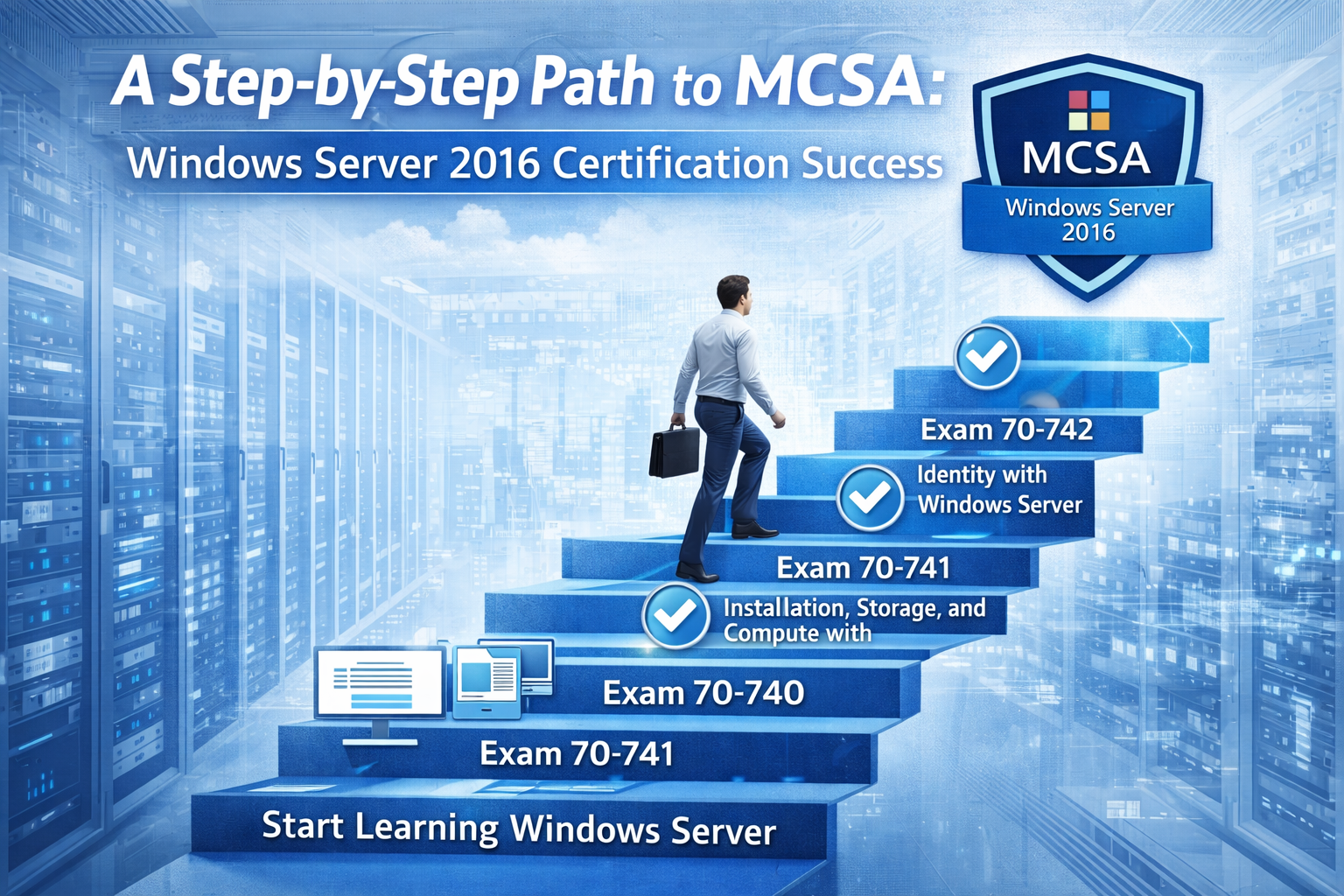
The MCSA: Windows Server 2016 certification is designed for individuals who want to build strong skills in managing enterprise-level server environments. It focuses on real-world system administration tasks, including installation, configuration, management, and troubleshooting of Windows Server infrastructure. Success in this certification is not about memorizing theory alone but about developing practical confidence in handling server systems. A structured and disciplined approach makes the entire journey more manageable and effective.
This certification evaluates your ability to work with core server technologies that support business operations in modern IT environments. These include identity services, networking infrastructure, storage systems, virtualization, and system security. Each of these areas plays a critical role in ensuring that enterprise networks remain stable, secure, and scalable.
Building the Right Foundation Before Starting
Before beginning preparation, it is important to establish a strong foundation in basic IT concepts. Understanding how operating systems function, how networks communicate, and how data is stored and accessed will make advanced topics easier to grasp. Familiarity with Windows operating systems at a user level is helpful, but administrative-level understanding is even more valuable.
A beginner should focus on learning how servers differ from standard desktop systems. Servers are designed to handle multiple users, manage centralized resources, and provide services continuously without interruption. This fundamental understanding creates clarity when moving into more complex topics like Active Directory and domain management.
Developing Core Windows Server Knowledge
Once the foundation is clear, the next step is to focus on core Windows Server concepts. This includes understanding installation methods, server roles, and initial configuration settings. Learning how to deploy a server from scratch is essential because it forms the base for all advanced configurations.
Active Directory is one of the most important components in this certification. It manages users, computers, and permissions across a network. A strong understanding of domain controllers, organizational units, and group policies is necessary for managing enterprise environments effectively. DNS and DHCP services are also critical, as they ensure proper name resolution and IP address assignment across networks.
Importance of Hands-On Practice
Practical experience is the most important part of preparation. Reading theory alone is not enough to pass the certification or to work confidently in real environments. Setting up a virtual lab allows you to simulate enterprise systems without needing physical hardware.
In a lab environment, you can install Windows Server, configure Active Directory, create users, manage group policies, and simulate network scenarios. This type of practice builds problem-solving skills and helps you understand how different services interact with each other. Repeating tasks multiple times improves memory and builds confidence.
Troubleshooting is another important skill that develops through practice. Real-world server environments often face issues like service failures, permission errors, or network misconfigurations. Learning how to diagnose and fix these problems is a key part of becoming a competent system administrator.
Understanding Server Roles and Features
Windows Server 2016 includes many roles and features that support enterprise operations. These roles define what a server does within a network. Common roles include file services, web services, directory services, and remote access services.
Each role must be understood in terms of its purpose, configuration, and maintenance. For example, file services manage shared storage, while web services support hosting applications and websites. Learning how to install and configure these roles correctly is essential for exam success and real-world application.
Features such as Windows Server Backup, Failover Clustering, and Hyper-V also play an important role in system management. These features ensure data protection, high availability, and virtualization capabilities within enterprise environments.
Networking Concepts for Server Administration
Networking is a core component of server administration. Without proper networking knowledge, managing servers becomes difficult. Understanding IP addressing, subnetting, DNS resolution, and routing is essential.
DNS allows devices to translate domain names into IP addresses, while DHCP automates the assignment of IP addresses to devices on a network. Both services are heavily used in enterprise environments and are key topics in the certification.
Firewall configuration and network security also play an important role. Administrators must ensure that servers are protected from unauthorized access while still allowing legitimate communication across the network.
Active Directory Deep Understanding
Active Directory is the backbone of Windows Server environments. It provides centralized management of users, groups, and devices. Understanding how domains and forests are structured helps in managing large organizations efficiently.
Group Policy Objects are used to enforce security settings and system configurations across multiple devices. Learning how to create and apply these policies is critical for maintaining consistency and security in a network.
User and computer management within Active Directory requires careful attention to permissions and organizational structure. Proper design ensures smooth operations and reduces administrative complexity.
Storage Management and Data Handling
Storage is another important area in Windows Server administration. Understanding how data is stored, accessed, and secured is essential for maintaining system reliability.
Windows Server provides tools for managing disk partitions, volumes, and file systems. Administrators must also understand backup and recovery strategies to protect data from loss or corruption.
Storage Spaces and file sharing configurations allow organizations to manage large amounts of data efficiently. Learning how to configure shared folders and control access permissions is essential for secure data management.
Virtualization with Hyper-V
Virtualization is widely used in modern IT environments to reduce hardware costs and improve efficiency. Hyper-V is the built-in virtualization platform in Windows Server 2016.
Understanding how to create and manage virtual machines is a key skill. This includes allocating resources, configuring virtual networks, and managing virtual disks.
Virtualization also allows administrators to test configurations in isolated environments without affecting production systems. This makes it an essential tool for both learning and real-world administration.
Security and System Protection
Security is a major focus in server administration. Protecting systems from unauthorized access, malware, and data breaches is critical.
Windows Server includes multiple security features such as Windows Defender, BitLocker encryption, and access control mechanisms. Understanding how to configure and manage these tools ensures that systems remain secure.
Role-based access control helps limit user permissions based on job responsibilities. This reduces security risks and ensures that users only access the resources they need.
Effective Study Strategy for Certification Success
A structured study plan is essential for success. Instead of rushing through topics, it is better to study consistently over time. Breaking down topics into smaller sections helps improve understanding and retention.
Revision plays a key role in preparation. Regularly revisiting previously studied topics ensures that knowledge remains fresh. Practice tests are also helpful for evaluating progress and identifying weak areas.
Time management is important during both preparation and the exam itself. Practicing under timed conditions helps improve speed and accuracy.
Common Challenges and How to Overcome Them
Many learners face challenges such as difficulty understanding Active Directory, confusion with networking concepts, or lack of hands-on experience. These challenges can be overcome with consistent practice and patience.
Setting up a lab environment and repeating configurations multiple times helps eliminate confusion. Watching system behavior during changes improves understanding of how different components interact.
Another common challenge is information overload. Focusing on one topic at a time and avoiding unnecessary complexity helps maintain clarity.
Building Confidence for the Exam
Confidence comes from preparation and practice. The more time spent working with real configurations, the easier it becomes to answer scenario-based questions.
Understanding how to approach problems logically is more important than memorizing answers. Most exam questions are designed to test practical knowledge and decision-making skills.
Staying calm during the exam is also important. Careful reading of questions and eliminating incorrect options improves accuracy.
Long-Term Value of Certification Skills
The skills gained during MCSA: Windows Server 2016 preparation are not limited to the exam. They are highly valuable in real-world IT environments.
System administration, network management, and infrastructure maintenance are in demand across many industries. This certification builds a strong foundation for advanced IT roles and further certifications.
It also improves problem-solving abilities and technical confidence, which are essential for career growth in system administration and IT infrastructure management.
Strengthening Real-World Administrative Skills
Moving beyond foundational knowledge, the next stage of preparation focuses on developing strong real-world administrative skills. At this level, the goal is not just to understand individual components of Windows Server 2016 but to see how everything works together in a complete enterprise environment. Server administration is a continuous process where systems, users, and services interact dynamically, and understanding this interaction is essential for success.
In practical environments, administrators are responsible for ensuring that servers run smoothly, services remain available, and users experience minimal disruption. This requires a deep understanding of system monitoring, performance tuning, and proactive maintenance. Learning how to observe system behavior and identify potential issues before they escalate is a key professional skill.
Mastering Active Directory Administration in Depth
Active Directory becomes significantly more important at this stage, as it is the central management system for users, computers, and security policies. A deeper understanding of domain structure is required, including forests, trees, trusts, and replication processes. These elements ensure that large organizations can operate efficiently across multiple locations.
Managing users and groups in a structured way is essential for maintaining order and security. Administrators must learn how to design organizational units logically so that policies can be applied efficiently. Proper structure reduces complexity and ensures that system management remains scalable as organizations grow.
Group Policy management also becomes more advanced at this stage. Policies are used not only for security but also for controlling system behavior across multiple devices. Understanding how policies are applied, inherited, and enforced helps in building consistent and secure environments.
Advanced Networking Configuration and Troubleshooting
Networking knowledge becomes more critical as scenarios become more complex. Understanding how data flows between servers, clients, and services is essential for diagnosing and resolving issues. IP configuration, routing concepts, and subnet design must be clearly understood to manage enterprise networks effectively.
DNS troubleshooting is one of the most important skills at this stage. Many system issues are related to incorrect name resolution, and being able to identify and fix these problems quickly is essential. Similarly, DHCP configuration and troubleshooting ensure that devices receive correct network settings automatically.
Firewall rules and network security configurations must also be understood in detail. Administrators often need to balance security with accessibility, ensuring that systems are protected while still allowing legitimate communication between services.
Server Roles in Complex Environments
As preparation advances, server roles must be understood in more complex, integrated environments. File servers, web servers, application servers, and remote access servers often work together in enterprise systems.
File server management includes not only sharing folders but also controlling permissions, quotas, and access levels. Proper configuration ensures that sensitive data is protected while still being accessible to authorized users.
Web and application servers are used to host services and applications that support business operations. Understanding how these roles are installed, configured, and maintained helps ensure smooth service delivery.
Remote access services allow users to connect to systems from different locations. This requires careful configuration to ensure security while maintaining usability.
Hyper-V and Virtual Infrastructure Management
Virtualization becomes more significant as organizations increasingly rely on virtual environments. Hyper-V allows multiple virtual machines to run on a single physical server, improving resource efficiency and reducing costs.
At this level, administrators must understand how to allocate resources such as CPU, memory, and storage effectively. Poor resource allocation can lead to performance issues, while proper planning ensures smooth operation of virtual machines.
Virtual networking also becomes important. Virtual switches, network adapters, and virtual LAN configurations must be understood to ensure proper communication between virtual machines and physical networks.
Backup and snapshot management are also critical. Virtual environments must be protected just like physical systems, and understanding recovery options is essential for maintaining system reliability.
System Maintenance and Performance Optimization
Maintaining system performance is a continuous responsibility in server administration. Administrators must monitor system logs, resource usage, and service performance regularly. Identifying performance bottlenecks early helps prevent system failures.
Disk management and storage optimization are also important. Over time, systems accumulate data that must be organized efficiently. Proper storage planning ensures that systems remain fast and reliable.
Windows Server tools such as Event Viewer and Performance Monitor provide valuable insights into system behavior. Learning how to interpret this data is essential for diagnosing issues and improving system performance.
Backup, Recovery, and Disaster Planning
Data protection is one of the most critical responsibilities of a system administrator. Backup strategies ensure that data can be restored in case of failure, corruption, or accidental deletion.
Understanding different types of backups, such as full, incremental, and differential, helps in designing efficient backup systems. Recovery planning ensures that systems can be restored quickly with minimal downtime.
Disaster recovery planning goes beyond simple backups. It involves preparing for major system failures, natural disasters, or infrastructure breakdowns. Having a clear recovery plan ensures business continuity even in unexpected situations.
Security Management and Access Control
Security management becomes more advanced at this stage of preparation. Administrators must ensure that systems are protected at multiple levels, including user access, network security, and data protection.
Understanding authentication methods and authorization processes is essential. Users must be verified before accessing systems, and permissions must be carefully controlled to prevent unauthorized access.
Security policies must be consistently applied across all systems. This includes password policies, account lockout settings, and encryption methods. Proper configuration reduces the risk of security breaches.
Monitoring security logs also helps in identifying suspicious activity. Early detection of potential threats allows administrators to take corrective action before damage occurs.
Troubleshooting Methodology and Problem Solving
Effective troubleshooting is one of the most valuable skills in system administration. Rather than guessing solutions, administrators must follow a structured approach to identify the root cause of problems.
This process includes identifying symptoms, analyzing logs, isolating potential causes, and testing solutions. A logical approach ensures that issues are resolved efficiently without introducing new problems.
Experience plays a major role in troubleshooting. The more scenarios an administrator encounters, the better they become at identifying patterns and solving issues quickly.
Building Exam Readiness Through Practice Scenarios
At this stage, preparation should focus heavily on practice scenarios that simulate real exam conditions. These scenarios help in applying theoretical knowledge to practical situations.
Scenario-based questions often require analyzing a problem and choosing the best solution rather than recalling direct facts. This tests both understanding and decision-making ability.
Practicing under time constraints also helps improve speed and accuracy. It ensures that candidates can manage their time effectively during the actual exam.
Developing Professional Confidence in Administration Tasks
Confidence in system administration comes from repeated exposure to real configurations and problem-solving situations. As familiarity increases, tasks become easier and more intuitive.
A confident administrator can handle unexpected issues calmly and efficiently. This ability is highly valued in real-world IT environments where system downtime must be minimized.
Confidence also improves communication with team members and helps in managing complex projects more effectively.
Final Preparation Mindset for Certification Success
As the certification exam approaches, focus should shift from learning new concepts to reinforcing existing knowledge. Revision of key topics, reviewing weak areas, and practicing scenarios are essential.
Maintaining a calm and focused mindset is important during final preparation. Stress can negatively affect performance, so balanced study routines are recommended.
Understanding the exam format and question style helps reduce uncertainty and improves confidence during the actual test.
Advanced Integration of Windows Server Services
At this stage of preparation, the focus shifts toward understanding how different Windows Server services integrate to form a complete enterprise infrastructure. In real environments, no service operates in isolation. Active Directory, DNS, DHCP, file services, virtualization, and security policies all work together to support business operations. Developing the ability to see these connections is essential for mastering system administration.
When services are properly integrated, they create a stable and efficient environment where users can access resources without interruption. Misconfiguration in one area can affect the entire system, so administrators must understand dependencies between services. This holistic understanding is what separates basic learners from professional-level administrators.
Deepening Identity and Access Management Skills
Identity management becomes more advanced as environments grow in size and complexity. Administrators must manage not only users but also devices, groups, and access permissions across multiple departments and locations. Proper identity structure ensures that resources are accessed securely and efficiently.
Understanding authentication methods is critical. Systems must verify user identities before granting access, and this process must remain secure and reliable at all times. Authorization policies then determine what users are allowed to do once they are authenticated. These two processes form the foundation of enterprise security.
Delegation of administrative control is another important concept. Instead of giving full access to a single administrator, responsibilities can be distributed across multiple users with limited permissions. This improves security while maintaining operational efficiency.
Enterprise-Level Group Policy Management
Group Policy becomes significantly more powerful in enterprise environments. It is used to enforce security rules, configure system settings, and standardize user environments across multiple machines. Understanding how policies are applied in hierarchical structures is essential.
Policies can be applied at different levels, including domain, site, and organizational unit levels. The order of application determines how settings are enforced, and conflicts between policies must be resolved carefully. Learning how inheritance and filtering work is key to avoiding configuration issues.
Advanced policy settings include software deployment, security restrictions, and system behavior controls. These allow administrators to manage large environments efficiently without manually configuring each system.
Advanced DNS and DHCP Configuration Scenarios
DNS and DHCP services become more complex in larger networks. DNS is responsible for translating domain names into IP addresses, and any misconfiguration can lead to widespread connectivity issues. Administrators must understand zone management, record types, and replication processes.
Forward and reverse lookup zones play a critical role in network resolution. Proper configuration ensures that devices can communicate efficiently using both names and IP addresses. Troubleshooting DNS issues requires a structured approach and careful analysis of records and queries.
DHCP configuration also becomes more advanced, including scope management, reservation settings, and lease handling. Proper DHCP configuration ensures that devices receive correct network settings automatically, reducing manual configuration errors.
File System Management and Data Security
File system management is a core responsibility in enterprise environments. Administrators must ensure that data is stored securely, organized efficiently, and accessible only to authorized users. NTFS permissions play a major role in controlling access at a granular level.
Shared folder permissions must be carefully configured to balance accessibility and security. Incorrect permission settings can lead to data exposure or access denial issues. Understanding how NTFS and share permissions interact is essential for proper configuration.
Data security also includes encryption methods that protect sensitive information. Administrators must ensure that confidential data remains protected even if storage devices are compromised.
High Availability and Fault Tolerance Concepts
Enterprise systems must remain operational even in the event of hardware or software failures. High availability ensures that services remain accessible with minimal downtime. Fault tolerance techniques are used to prevent system failures from affecting users.
Failover clustering is an important concept in Windows Server environments. It allows multiple servers to work together, so if one server fails, another can take over automatically. This ensures continuous service availability.
Load balancing is another technique used to distribute workloads across multiple servers. This improves performance and prevents any single server from becoming overloaded.
Advanced Hyper-V Management and Optimization
Virtualization environments require careful management to ensure optimal performance. Hyper-V administrators must understand how to manage virtual machine resources efficiently, including CPU allocation, memory usage, and storage distribution.
Dynamic memory allocation allows virtual machines to adjust resource usage based on demand. This improves efficiency and ensures that resources are used effectively across the system.
Virtual machine replication and backup strategies are also important. These features ensure that virtual environments can be restored quickly in case of failure, minimizing downtime.
Monitoring, Logging, and System Diagnostics
System monitoring is essential for maintaining server health. Administrators must regularly check system logs, performance metrics, and service statuses to ensure everything is functioning properly.
Event Viewer is a key tool used to analyze system activity and identify potential issues. Understanding how to interpret log entries helps in diagnosing problems quickly and accurately.
Performance monitoring tools provide insights into CPU usage, memory consumption, disk activity, and network traffic. These metrics help administrators identify bottlenecks and optimize system performance.
Security Hardening and Risk Mitigation
Security hardening involves strengthening systems to reduce vulnerabilities. This includes disabling unnecessary services, applying security updates, and configuring strict access controls.
Administrators must also implement policies that protect against external threats such as malware and unauthorized access attempts. Regular updates and patch management are essential for maintaining system security.
Encryption, secure authentication methods, and firewall configurations all contribute to a secure environment. Understanding how these elements work together is crucial for protecting enterprise systems.
Disaster Recovery and Business Continuity Planning
Disaster recovery planning ensures that systems can be restored after major failures. This includes planning for hardware failures, data corruption, cyberattacks, and natural disasters.
A well-designed recovery plan includes backup strategies, system restoration procedures, and alternative infrastructure setups. The goal is to minimize downtime and ensure business continuity.
Testing recovery plans regularly is essential. Without testing, it is impossible to know whether a recovery strategy will work effectively during a real crisis.
Exam Strategy and Scenario-Based Thinking
At this level of preparation, exam success depends heavily on scenario-based thinking. Questions often present real-world problems that require analytical thinking rather than simple memorization.
Candidates must learn how to break down problems, identify relevant information, and choose the most appropriate solution. This skill is developed through consistent practice and exposure to different scenarios.
Time management is also critical during the exam. Spending too much time on a single question can reduce overall performance, so practicing under timed conditions is highly beneficial.
Professional Development Beyond Certification
The knowledge gained during MCSA preparation extends far beyond the certification itself. These skills are directly applicable in real IT environments, making candidates valuable assets to organizations.
System administrators with strong Windows Server skills are responsible for maintaining critical infrastructure, ensuring security, and supporting business operations. This makes the certification an important step in long-term career development.
Continuous learning is also important in the IT field. Technologies evolve over time, and staying updated ensures long-term career growth and relevance.
Final Mindset for Certification Achievement
Success in the MCSA: Windows Server 2016 certification depends on consistency, discipline, and practical experience. Understanding concepts deeply and applying them in real or simulated environments leads to strong performance.
Confidence comes from preparation, and preparation comes from repeated practice. A calm and focused mindset during the exam improves decision-making and accuracy.
With the right approach, this certification becomes not just an achievement but a strong foundation for advanced IT roles and future certifications.
Mastering Real Enterprise Deployment Scenarios
At this stage of preparation, the focus moves toward understanding how Windows Server 2016 is deployed in real enterprise environments. Unlike isolated lab setups, production environments involve multiple servers, interconnected services, and strict security requirements. Administrators must be able to design, deploy, and maintain systems that support hundreds or even thousands of users without interruption.
Deployment planning is a critical skill here. Before installing any server role or service, it is important to understand system requirements, network architecture, and organizational needs. A well-planned deployment reduces configuration errors and ensures long-term stability. This includes deciding server roles, naming conventions, IP structures, and domain design strategies.
Enterprise Active Directory Architecture Design
At an advanced level, Active Directory is no longer just about managing users and computers. It becomes a structured identity management system for the entire organization. Designing a proper Active Directory architecture involves planning forests, domains, and organizational units in a way that reflects the business structure.
Large organizations may require multiple domains or even multiple forests depending on security boundaries and administrative needs. Trust relationships between domains must be configured properly to allow secure communication while maintaining separation where needed.
Replication between domain controllers is another critical concept. Changes made in one location must be synchronized across the network efficiently. Understanding replication topology helps ensure data consistency and reduces delays in authentication and resource access.
Advanced Group Policy Strategy Implementation
Group Policy becomes a powerful tool for enforcing organizational standards at scale. In complex environments, administrators must design policies carefully to avoid conflicts and performance issues. Poorly structured policies can lead to system delays or unexpected behavior.
A layered policy approach is often used, where baseline security settings are applied at the domain level and more specific settings are applied at lower organizational levels. This ensures consistency while allowing flexibility where needed.
Advanced policy management also includes security filtering and WMI filtering. These allow administrators to target specific systems or users based on defined conditions, making policy application more precise and efficient.
Network Infrastructure Optimization in Large Environments
In enterprise networks, performance and reliability are top priorities. Administrators must ensure that network infrastructure is optimized for speed, stability, and security. This includes proper subnet design, efficient routing, and redundancy planning.
DNS infrastructure must be highly available, often requiring multiple DNS servers across different locations. Proper zone replication and caching strategies help improve resolution speed and reduce network load.
DHCP also plays a larger role in enterprise environments. Administrators must carefully manage IP address scopes, ensure lease availability, and prevent IP conflicts. Reservation management is often used for critical devices such as servers and printers.
Advanced Storage Solutions and Data Architecture
Modern enterprise environments require scalable and reliable storage systems. Windows Server 2016 provides advanced storage solutions such as Storage Spaces Direct and distributed storage configurations.
Administrators must understand how to design storage systems that balance performance, redundancy, and cost. RAID configurations, disk pooling, and tiered storage strategies are commonly used in enterprise environments.
Data classification also becomes important at this stage. Not all data has the same importance, so administrators must design storage policies that prioritize critical business data while optimizing storage usage.
Advanced Hyper-V Cluster Environments
Virtualization at an enterprise level often involves multiple Hyper-V hosts working together in a cluster. This allows virtual machines to move between hosts without downtime, ensuring high availability.
Live migration is a key feature in clustered environments. It allows running virtual machines to be moved between physical hosts without interrupting services. This is essential for maintenance and load balancing.
Resource optimization becomes more complex in clustered systems. Administrators must ensure that workloads are distributed efficiently across all hosts to avoid performance bottlenecks.
System Security in Enterprise Infrastructure
Security in large environments requires a layered approach. Administrators must protect systems at the network, application, and user levels. This includes implementing firewalls, intrusion detection mechanisms, and strict access controls.
Security policies must be consistently enforced across all systems. Regular audits help ensure compliance and identify potential vulnerabilities.
Credential management is also critical. Administrators must ensure that privileged accounts are protected and monitored to prevent unauthorized access. Role-based access control is widely used to limit administrative privileges.
Performance Tuning and System Optimization
As systems grow in size and complexity, performance tuning becomes essential. Administrators must monitor system resources continuously and make adjustments to maintain optimal performance.
CPU, memory, disk, and network usage must be balanced to prevent system overload. Identifying performance bottlenecks requires careful analysis of system metrics and logs.
Indexing, caching, and resource allocation strategies can significantly improve system performance when configured correctly. Optimization is an ongoing process rather than a one-time task.
Backup Architecture for Large-Scale Systems
In enterprise environments, backup systems must be highly reliable and scalable. Data loss can have serious consequences, so backup strategies must be carefully designed.
Offsite backups, incremental backup strategies, and automated scheduling are commonly used to ensure data protection. Administrators must also ensure that backup systems do not interfere with system performance.
Recovery testing is essential to verify that backup systems work correctly. Without testing, backups may fail when they are needed most.
Troubleshooting Complex Enterprise Issues
At this level, troubleshooting involves multiple systems interacting together. Problems may not always have a single cause, so administrators must analyze different layers of the infrastructure.
Issues may originate from network misconfigurations, Active Directory replication failures, or storage limitations. A structured troubleshooting approach helps isolate the root cause efficiently.
Experience plays a major role in this process. The more complex environments an administrator works with, the better they become at identifying patterns and resolving issues quickly.
Exam Simulation and Final Preparation Techniques
As certification exams approach, simulation becomes an important part of preparation. Practicing real-world scenarios under exam conditions helps build confidence and improve decision-making speed.
Time management becomes critical. Candidates must learn how to prioritize questions and avoid spending too much time on difficult scenarios.
Reviewing weak areas is also important. Focusing on difficult topics ensures balanced preparation and reduces the risk of unexpected challenges during the exam.
Professional Growth Through Certification Skills
The skills developed during this certification journey extend far beyond the exam itself. They form the foundation for advanced roles in system administration, cloud infrastructure, and enterprise IT management.
Professionals with strong Windows Server skills are capable of managing complex infrastructures, ensuring system reliability, and supporting business-critical operations.
Continuous learning remains important, as technology evolves rapidly. Staying updated ensures long-term career growth and adaptability in the IT industry.
Final Mindset for Certification Mastery
Success in MCSA: Windows Server 2016 certification is achieved through consistent effort, practical experience, and structured learning. Understanding concepts deeply and applying them in real environments is the key to mastery.
A calm, focused, and confident mindset improves performance during both preparation and the exam. With disciplined study and hands-on practice, success becomes a natural outcome.
Conclusion
The journey toward MCSA: Windows Server 2016 certification is built on consistent learning, hands-on practice, and the ability to understand how complex server environments operate as a unified system. From foundational concepts to advanced enterprise-level administration, each stage strengthens your technical confidence and problem-solving ability.
Success in this certification is not achieved through memorization alone but through repeated real-world practice, where Active Directory, networking, storage, virtualization, and security all come together. As these elements become more familiar, managing and troubleshooting systems becomes more intuitive and efficient.
Ultimately, this certification represents more than an exam milestone. It reflects a solid understanding of core Windows Server administration skills that are essential in professional IT environments. With dedication, structured preparation, and practical exposure, it becomes a strong stepping stone toward advanced infrastructure roles and long-term career growth in system administration and enterprise IT management.