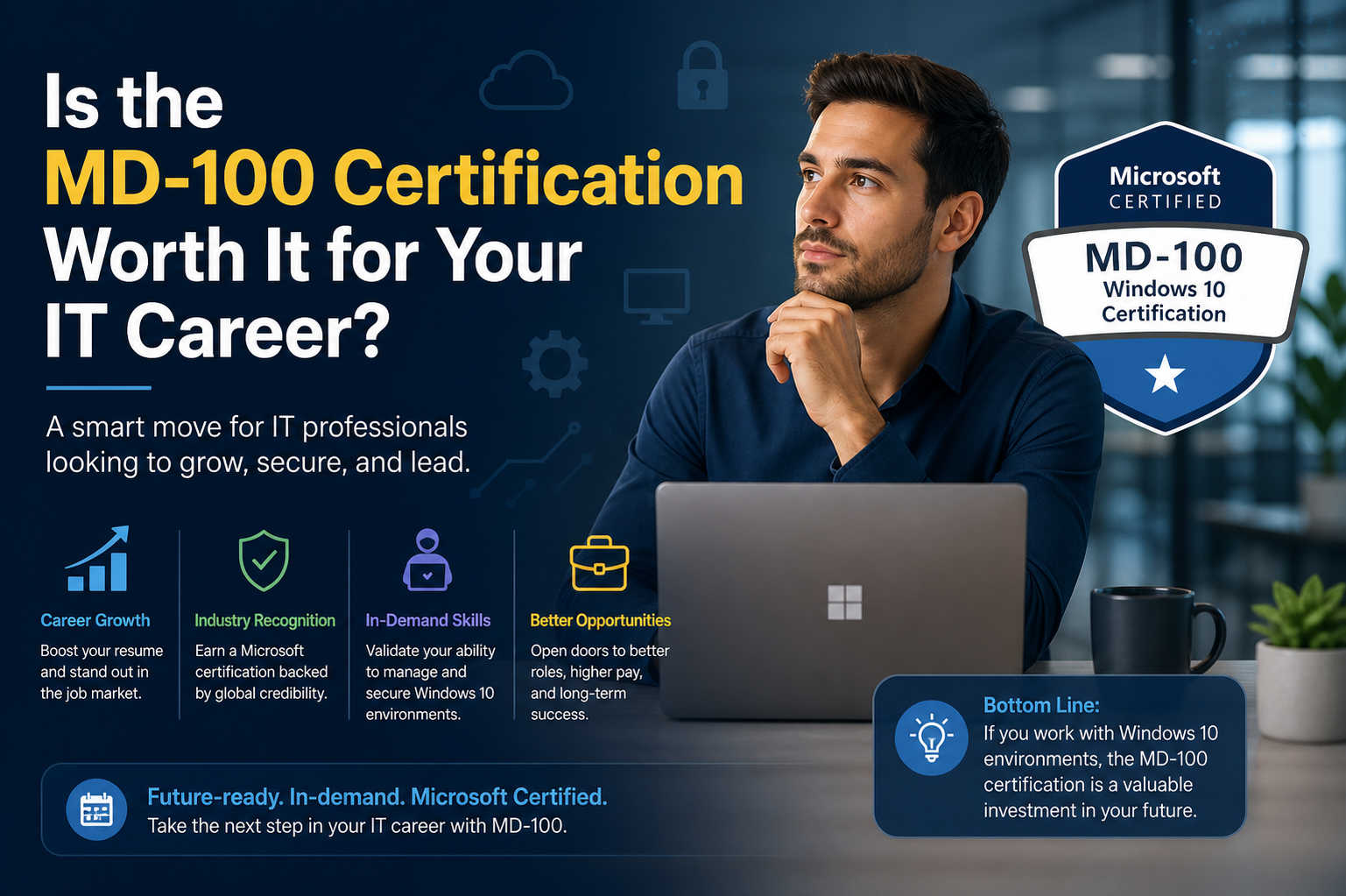
The MD-100 certification no longer exists as a standalone exam, but its role has been absorbed into a more modern and practical certification structure focused on today’s enterprise environments. The current approach emphasizes real-world device management across Windows 10 and Windows 11, cloud integration, and centralized administration through modern Microsoft services.
This shift reflects how IT environments have changed. Earlier desktop administration was heavily focused on on-premises systems, manual configuration, and localized device management. Today, organizations rely more on hybrid environments where cloud services, identity platforms, and automated deployment tools play a major role. As a result, the skill expectations for entry-level administrators have also expanded.
Instead of focusing only on operating system deployment, modern certifications now include identity management, security policies, endpoint protection, and cloud-based device control. This broader scope better reflects what junior IT professionals actually deal with in workplaces today.
How Windows Administration Has Evolved in Real Environments
Windows administration is no longer just about installing operating systems or fixing local device issues. In most organizations, devices are connected to centralized systems that control updates, security policies, and user access. Administrators are expected to manage devices remotely and ensure consistent configurations across entire fleets of machines.
In the past, a technician might physically configure each system. Now, tools allow administrators to deploy configurations to hundreds or thousands of devices simultaneously. This reduces manual workload but increases the need for structured knowledge of how systems interact within enterprise ecosystems.
Modern IT environments also demand stronger security awareness. Administrators must understand how devices interact with identity systems, how permissions are enforced, and how data protection policies are applied across endpoints. These responsibilities extend far beyond traditional desktop support roles.
Core Skills That Remain Relevant from MD-100 Content
Even though the MD-100 exam is retired, the skills it focused on are still highly relevant in IT careers today. Understanding Windows installation, configuration, and maintenance remains fundamental for anyone working in desktop or systems administration.
Device management is one of the most important areas. Professionals must know how to configure operating systems correctly, apply updates, and ensure system stability. This includes handling user profiles, managing system resources, and resolving common operational issues.
Connectivity and storage management are also essential. Administrators often need to troubleshoot network access issues, configure shared resources, and ensure that devices can communicate properly within enterprise environments. These skills directly impact productivity in organizations.
Maintenance skills are equally important. Keeping systems secure, updated, and optimized requires ongoing attention. Even with automation tools in place, administrators must understand what happens behind the scenes to effectively manage and troubleshoot systems when problems occur.
Career Growth and Entry-Level IT Pathways
For individuals entering IT, foundational Windows administration skills remain one of the most common starting points. Many professionals begin their careers in help desk or desktop support roles, where they are responsible for resolving user issues and maintaining device functionality.
These roles serve as a gateway into more advanced positions such as systems administration, network engineering, or security analysis. The ability to understand how Windows environments operate provides a strong foundation for growth in any of these directions.
As experience increases, professionals often move toward managing larger infrastructure systems or specializing in areas such as identity management, endpoint security, or cloud administration. The knowledge originally covered in MD-100-level material remains useful even in these advanced roles.
The Importance of Enterprise Environment Understanding
One of the most valuable aspects of Windows administration training is understanding how enterprise environments function. Unlike personal computers, enterprise systems are part of a larger ecosystem where devices, users, policies, and applications are interconnected.
Administrators must consider how changes in one area can affect the entire system. For example, modifying user permissions can impact access to applications, shared data, and network resources. Similarly, deploying updates must be carefully managed to avoid disrupting business operations.
This systems-level thinking is what separates basic computer users from professional IT administrators. It requires both technical knowledge and an understanding of organizational structure and workflow.
Comparison with Other Entry-Level Certifications
In the IT certification landscape, Windows administration certifications often sit alongside networking and cloud fundamentals. While networking certifications focus on connectivity and infrastructure, Windows certifications focus on endpoint management and user environments.
Cloud certifications, on the other hand, emphasize virtual infrastructure, scalability, and service-based architecture. However, there is overlap between all these areas, especially in modern hybrid environments where on-premises and cloud systems work together.
A professional with Windows administration skills often finds it easier to transition into cloud-based roles because many concepts such as identity management, access control, and system configuration are shared across environments.
Real-World Application of Windows Administration Skills
In day-to-day IT operations, Windows administration skills are applied constantly. When a user cannot access their files, the administrator investigates permissions and network connectivity. When a device runs slowly, they analyze system performance and resource usage.
When new employees join a company, administrators ensure their devices are properly configured, accounts are created, and access is granted to necessary systems. When security updates are released, administrators ensure they are deployed across all devices without disrupting operations.
These tasks require both technical knowledge and problem-solving ability. They also require familiarity with standard procedures and tools used in enterprise environments.
Challenges Faced by New IT Professionals
One of the biggest challenges for new IT professionals is the gap between theoretical knowledge and real-world environments. Even if someone understands how Windows works in general, enterprise systems introduce additional complexity.
Policies, permissions, group structures, and centralized management tools can be difficult to understand at first. New administrators often need time to adjust to the scale and structure of business environments compared to personal computer use.
Another challenge is troubleshooting under pressure. In many IT roles, issues must be resolved quickly to minimize disruption to business operations. This requires not only technical knowledge but also the ability to think clearly and systematically under time constraints.
Effective Learning Approaches for Windows Administration
The most effective way to learn Windows administration is through a combination of structured study and hands-on practice. Reading about system configuration is helpful, but practical experience is essential for developing real understanding.
Working with virtual environments allows learners to experiment safely without affecting real systems. This includes setting up operating systems, configuring users, managing permissions, and simulating network scenarios.
Following structured learning paths helps ensure that all important topics are covered systematically. It also helps learners understand how different components of a Windows environment interact with each other.
Common Mistakes When Learning Windows Administration
One common mistake is focusing too much on memorization rather than understanding. Windows administration is not just about remembering steps but understanding why those steps are necessary.
Another mistake is ignoring foundational concepts like networking and identity management. These areas are critical in enterprise environments, and lack of understanding can lead to confusion when troubleshooting issues.
Some learners also underestimate the importance of security. Modern IT environments require strong awareness of access control, authentication systems, and data protection practices.
Long-Term Value of Windows Administration Knowledge
Even though specific certifications evolve over time, the core knowledge behind Windows administration remains valuable. Systems continue to rely on structured device management, user authentication, and centralized control systems.
Professionals who understand these fundamentals are better prepared to adapt to new technologies and platforms. Whether working in on-premises environments, cloud systems, or hybrid infrastructures, these skills remain relevant.
As IT environments continue to grow in complexity, the ability to manage and understand endpoints becomes even more important. Administrators who build strong foundational skills early in their careers often find it easier to progress into more advanced technical roles.
Final Perspective on Learning and Career Impact
Developing Windows administration skills is less about a single certification and more about building long-term capability in managing enterprise systems. While exams like MD-100 were designed to validate specific knowledge areas, the underlying skills remain important in modern IT careers.
For anyone entering the IT field, understanding how Windows environments operate provides a strong foundation for future growth. It opens opportunities in support, administration, networking, and security roles.
The value lies not just in passing an exam but in gaining the ability to confidently manage systems that are critical to business operations.
Transition from Traditional Desktop Administration to Modern Endpoint Management
The way organizations manage devices has changed dramatically over the past decade. Traditional desktop administration, which was heavily dependent on manual configuration and on-site support, has largely been replaced by centralized endpoint management systems. This shift has redefined what skills are expected from IT professionals entering the field.
Instead of physically interacting with every machine, administrators now rely on cloud-connected tools that allow them to manage devices remotely. This includes deploying operating systems, enforcing security policies, and monitoring system health across entire networks from a single console. The role has become less about individual device handling and more about managing systems at scale.
This evolution is one of the key reasons older certifications like MD-100 were eventually retired and replaced. The industry moved toward more integrated skill sets that combine Windows administration with cloud services, identity platforms, and security frameworks.
The Role of Identity in Modern Windows Environments
Identity management has become one of the most important components of modern IT infrastructure. Instead of relying solely on local user accounts, organizations now use centralized identity systems that control access across multiple services and devices.
Administrators must understand how user identities are created, managed, and secured within these systems. This includes assigning roles, controlling permissions, and ensuring that users only have access to the resources they need. Identity is now the foundation of security in most enterprise environments.
In modern setups, a single user identity often connects to email, file storage, applications, and even device login systems. This integration improves efficiency but also increases the importance of proper configuration and monitoring. A mistake in identity management can have wide-reaching consequences across an entire organization.
Security Expectations in Today’s IT Roles
Security has become a central responsibility for all IT professionals, not just specialized security teams. Even entry-level administrators are expected to understand basic security principles and apply them in daily operations.
This includes managing user permissions carefully, ensuring devices are updated with the latest security patches, and understanding how data protection policies are enforced. Administrators must also be aware of potential vulnerabilities and how to mitigate them.
Modern environments often use layered security approaches, where multiple systems work together to protect devices and data. This includes endpoint protection tools, encryption systems, and access control policies. Understanding how these layers interact is essential for maintaining a secure environment.
Automation and Its Impact on Administrative Work
Automation has significantly changed the nature of IT administration. Many tasks that were once performed manually are now automated using scripts, policies, or centralized management tools. This includes software deployment, system updates, and configuration management.
For administrators, this means less time spent on repetitive tasks and more focus on monitoring, troubleshooting, and strategic planning. However, it also requires a deeper understanding of how automation systems work.
Rather than manually configuring each device, administrators must now design and manage policies that apply automatically across multiple systems. This requires careful planning to ensure consistency and avoid unintended consequences.
Cloud Integration in Windows Ecosystems
Cloud technology has become deeply integrated into Windows environments. Most organizations now use cloud-based services for identity management, file storage, communication, and device management.
This integration allows for greater flexibility and scalability. Employees can access their work from anywhere, and administrators can manage systems remotely without being physically present.
However, cloud integration also introduces new complexities. Administrators must understand how cloud services interact with on-premises systems, how data is synchronized, and how security is maintained across different environments.
Device Lifecycle Management in Enterprises
Managing the lifecycle of devices is a key responsibility in IT environments. This includes everything from initial setup and deployment to maintenance, updates, and eventual replacement.
When new devices are introduced into an organization, they must be configured according to company standards. This includes installing the operating system, applying security policies, and ensuring connectivity to required services.
Over time, devices require updates, performance monitoring, and troubleshooting. Eventually, they are retired and replaced with newer hardware. Each stage of this lifecycle requires careful planning and execution to maintain operational efficiency.
User Support and Troubleshooting Responsibilities
Even with advanced automation and centralized management, user support remains a critical part of IT operations. Administrators are often the first point of contact when users experience technical issues.
Troubleshooting requires both technical knowledge and logical thinking. Administrators must be able to identify the root cause of problems, which may involve hardware issues, software conflicts, or network connectivity problems.
Effective troubleshooting also requires communication skills. IT professionals must often explain technical issues in simple terms to non-technical users while working to resolve the problem efficiently.
Importance of Structured Learning in IT Careers
Structured learning plays an important role in developing IT skills. Without a clear learning path, it can be difficult to understand how different technologies connect and interact.
Certifications and training programs provide a framework for learning essential concepts in a logical order. This helps learners build a strong foundation before moving on to more advanced topics.
Practical experience combined with structured learning is especially effective. It allows individuals to apply theoretical knowledge in real-world scenarios, reinforcing understanding and improving problem-solving ability.
Common Enterprise Tools Used in Windows Administration
Modern Windows environments rely on a variety of tools to manage devices and users. These tools allow administrators to control systems efficiently and maintain consistency across large networks.
Device management platforms enable remote configuration and monitoring of endpoints. Identity platforms manage user access and authentication. Security tools protect against threats and ensure compliance with organizational policies.
Understanding how these tools work together is essential for effective administration. Each tool plays a specific role, but they are most powerful when used as part of an integrated system.
Challenges of Scaling IT Infrastructure
As organizations grow, managing IT infrastructure becomes more complex. More users, devices, and applications mean more potential points of failure and increased administrative workload.
Scaling infrastructure requires careful planning and coordination. Systems must be designed to handle increased demand without compromising performance or security.
Administrators must also ensure that policies remain consistent across all systems. This becomes more difficult as the number of devices and users increases.
The Importance of Documentation in IT Operations
Documentation is a critical but often overlooked aspect of IT administration. Proper documentation ensures that systems can be understood, maintained, and updated effectively over time.
This includes recording system configurations, troubleshooting steps, and administrative procedures. Good documentation helps teams work more efficiently and reduces the risk of errors.
In larger organizations, documentation also ensures continuity when team members change. It allows new administrators to understand existing systems quickly and effectively.
Collaboration Between IT Teams
Modern IT environments require collaboration between different teams, including systems administrators, network engineers, and security specialists. Each team has its own responsibilities, but their work is interconnected.
Effective communication between teams is essential for maintaining system stability. Changes made by one team can affect others, so coordination is necessary to avoid conflicts.
Collaboration tools and processes help ensure that information is shared efficiently and that all teams are aligned in their objectives.
Future Direction of Windows Administration Skills
The future of Windows administration is closely tied to cloud computing, automation, and security integration. As technology continues to evolve, administrators will need to adapt to new tools and workflows.
Traditional manual administration will continue to decrease, while automated and policy-driven management will become more common. This shift will require administrators to focus more on system design and less on repetitive tasks.
Security will remain a top priority, with increasing emphasis on identity protection, threat detection, and data governance. Administrators will need to stay updated with evolving security practices and technologies.
Long-Term Career Opportunities in IT Administration
IT administration offers a wide range of long-term career opportunities. Professionals can progress into roles such as systems engineer, cloud administrator, IT manager, or security analyst.
Each of these roles builds on foundational skills in system management and expands into more specialized areas. Experience with Windows environments provides a strong base for advancement in many directions.
As organizations continue to rely on digital infrastructure, the demand for skilled IT professionals remains strong. Those who continuously update their skills and adapt to new technologies are likely to find long-term career stability and growth.
Final Reflection on the Value of Foundational IT Knowledge
Foundational IT knowledge remains one of the most important aspects of building a successful career in technology. Even as tools and certifications change, the underlying principles of system administration stay consistent.
Understanding how operating systems work, how users interact with systems, and how networks support communication provides a strong base for all advanced IT roles.
While specific certifications like MD-100 may no longer exist, the knowledge they represented continues to be relevant. Professionals who invest in learning these fundamentals are better prepared to succeed in an evolving technological landscape.
The Expanding Role of Endpoint Security in Modern IT Environments
Endpoint security has become one of the most critical responsibilities in modern IT administration. Every device connected to a corporate network represents a potential entry point for threats, which means administrators must ensure that each endpoint is properly secured, monitored, and maintained.
Unlike earlier computing environments where security was focused mainly on centralized servers, today’s systems require protection at every level. Laptops, desktops, mobile devices, and even virtual machines must all follow consistent security policies. This shift has made endpoint management a core part of IT operations rather than a secondary task.
Administrators are now expected to understand how antivirus systems, firewall configurations, encryption methods, and access controls work together. These components form a layered defense strategy that helps prevent unauthorized access and data breaches.
Identity-Based Security as a Foundation of Protection
Modern security models are heavily based on identity rather than just network location. Instead of assuming that everything inside a network is safe, systems now verify user identity continuously before granting access to resources.
This approach requires administrators to manage authentication systems carefully. Users must be verified through secure methods, and their access must be restricted based on roles and responsibilities. This reduces the risk of internal misuse and external attacks.
Identity-based security also supports remote work environments, where users access corporate systems from various locations and devices. In such cases, identity verification becomes the primary method of ensuring secure access.
The Importance of Patch Management and System Updates
Keeping systems updated is one of the most important responsibilities in IT administration. Software vulnerabilities are frequently discovered, and vendors release updates to fix these issues. If systems are not updated regularly, they become vulnerable to exploitation.
Patch management involves deploying updates across all devices in a controlled and organized manner. Administrators must ensure that updates do not disrupt business operations while still maintaining security standards.
In large organizations, this process is often automated, but administrators still need to monitor results, handle exceptions, and troubleshoot any issues that arise during updates.
Remote Work and Its Impact on Device Management
The rise of remote work has significantly changed how IT environments are managed. Employees now access company systems from home networks, public connections, and mobile devices, increasing the complexity of security and management.
Administrators must ensure that remote devices comply with organizational policies regardless of location. This includes enforcing encryption, requiring secure authentication, and monitoring device health.
Remote management tools allow IT teams to configure and support devices without physical access. This capability has become essential for maintaining productivity in distributed work environments.
Configuration Management and Policy Enforcement
Configuration management ensures that all devices within an organization follow a consistent set of rules and settings. This reduces errors, improves security, and simplifies troubleshooting.
Policies define how devices behave, what users can access, and how systems respond to different situations. These policies are applied automatically across all managed devices.
Administrators must carefully design and test policies to avoid conflicts or unintended consequences. Poorly configured policies can disrupt workflows or restrict necessary access.
User Account Management in Enterprise Systems
Managing user accounts is a fundamental part of IT administration. Each user must have appropriate access to systems and resources based on their role within the organization.
This includes creating accounts, assigning permissions, and removing access when employees leave the organization. Proper account management ensures both security and operational efficiency.
Administrators must also monitor account activity to detect unusual behavior that could indicate security risks or policy violations.
The Role of Group Policies in Windows Environments
Group policies are a powerful tool used to control settings across multiple devices. They allow administrators to enforce rules consistently without configuring each device individually.
These policies can control everything from password requirements to software installation settings. They help maintain consistency and reduce the risk of configuration errors.
Understanding how group policies work is essential for managing large-scale Windows environments effectively.
Monitoring System Performance and Reliability
System performance monitoring helps administrators ensure that devices are running efficiently. This includes tracking CPU usage, memory consumption, disk activity, and network performance.
When performance issues are detected, administrators must investigate and resolve the underlying causes. This may involve optimizing configurations, removing unnecessary software, or upgrading hardware.
Reliable systems are essential for business continuity, so performance monitoring plays a key role in IT operations.
Backup and Recovery Strategies
Data protection is a critical part of IT administration. Backup systems ensure that important information can be restored in case of hardware failure, accidental deletion, or cyberattacks.
Recovery strategies define how systems and data are restored after an incident. These strategies must be tested regularly to ensure they work when needed.
Administrators must balance backup frequency, storage capacity, and recovery speed to create an effective protection plan.
Virtualization and Its Role in Modern Infrastructure
Virtualization allows multiple operating systems to run on a single physical machine. This technology is widely used in enterprise environments to improve efficiency and flexibility.
Administrators use virtual machines for testing, development, and production environments. Virtualization also helps reduce hardware costs and simplifies system management.
Understanding how virtual environments operate is important for modern IT professionals, as many enterprise systems rely heavily on virtualization.
Software Deployment and Application Management
Deploying software across multiple devices is a common task in IT administration. Instead of installing applications manually, administrators use centralized systems to distribute software efficiently.
This ensures that all users have access to the same tools and versions, reducing compatibility issues. It also allows organizations to maintain control over what software is installed on company devices.
Application management includes monitoring usage, updating software, and removing outdated programs when necessary.
Incident Response and Problem Resolution
When technical issues occur, administrators must respond quickly to minimize disruption. Incident response involves identifying the problem, diagnosing the cause, and implementing a solution.
This process requires both technical knowledge and structured problem-solving skills. Administrators often work under pressure to restore systems as quickly as possible.
Effective incident response also involves documenting issues and solutions to improve future troubleshooting efforts.
The Growing Importance of Cloud-Based Administration Tools
Cloud-based tools have transformed how IT systems are managed. These tools allow administrators to control devices, users, and applications from centralized online platforms.
This approach improves flexibility and scalability while reducing the need for physical infrastructure. It also enables real-time monitoring and faster response to issues.
Cloud administration requires understanding how online services interact with local systems and how data is synchronized between environments.
Hybrid IT Environments and Their Complexity
Many organizations now use hybrid environments that combine on-premises infrastructure with cloud services. This creates additional complexity for administrators, who must manage both types of systems simultaneously.
Hybrid environments require careful coordination to ensure that data, users, and applications remain consistent across platforms.
Administrators must understand how different systems integrate and how to troubleshoot issues that span multiple environments.
The Evolution of IT Skill Requirements
IT skill requirements continue to evolve as technology advances. Professionals are now expected to understand a broader range of systems and tools than ever before.
In addition to traditional system administration skills, modern IT roles require knowledge of cloud platforms, cybersecurity, automation, and data management.
This evolution reflects the increasing complexity of digital environments and the growing reliance on technology in business operations.
Continuous Learning as a Career Necessity
In IT, continuous learning is not optional. Technologies change rapidly, and professionals must stay updated to remain effective in their roles.
This includes learning new tools, understanding emerging threats, and adapting to changes in system architecture.
Professionals who invest in ongoing learning are more likely to advance in their careers and adapt to new opportunities.
The Value of Hands-On Experience
Practical experience is one of the most important factors in IT development. While theoretical knowledge provides a foundation, real-world experience builds confidence and problem-solving ability.
Working with actual systems helps professionals understand how different components interact and how issues arise in live environments.
Hands-on practice is essential for developing the skills needed to manage complex IT infrastructures.
Career Progression in IT Administration
IT administration offers a clear path for career progression. Entry-level roles often lead to more advanced positions with greater responsibility and specialization.
Professionals may move into areas such as cloud engineering, cybersecurity, infrastructure management, or IT leadership.
Each step in this progression builds on foundational skills and introduces new challenges and opportunities.
Final Perspective on the Value of Foundational IT Knowledge
Foundational IT knowledge remains essential regardless of how technology evolves. Understanding how systems operate, how users interact with technology, and how networks support communication is critical for success in any IT role.
Even though specific certifications may change or be retired, the skills they represent continue to be relevant in modern environments.
Professionals who build strong foundational knowledge are better equipped to adapt to new technologies and succeed in long-term IT careers.
The Increasing Role of Automation in Modern IT Administration
Automation has become one of the defining features of modern IT environments. Many of the tasks that once required manual effort are now handled through automated systems, reducing workload and improving consistency across enterprise networks. This shift has significantly changed the responsibilities of IT administrators.
Instead of performing repetitive configuration tasks, administrators now focus more on designing, managing, and monitoring automated processes. These processes can include software deployment, system updates, security enforcement, and even troubleshooting workflows. Automation ensures that these tasks are performed uniformly across all devices, reducing the chances of human error.
However, automation also introduces new responsibilities. Administrators must understand how automated systems function, how to configure them correctly, and how to troubleshoot issues when they arise. A poorly designed automation process can impact hundreds or even thousands of devices at once, making careful planning essential.
Modern Device Management at Scale
Managing devices in large organizations is no longer a manual process. Enterprises often handle thousands of endpoints spread across multiple locations, including remote employees and mobile users. This requires advanced device management systems that can operate at scale.
These systems allow administrators to deploy configurations, enforce policies, and monitor device health from a centralized platform. Devices can be enrolled automatically, configured remotely, and updated without physical interaction.
Scalability is one of the biggest advantages of modern device management systems. They allow organizations to grow without increasing administrative overhead at the same rate. However, this also means administrators must develop a deeper understanding of system architecture and policy design.
The Shift Toward Cloud-Centric IT Infrastructure
Cloud computing has fundamentally changed how IT systems are designed and managed. Instead of relying solely on local servers and infrastructure, organizations now use cloud services for storage, applications, identity management, and device control.
This shift allows for greater flexibility, as systems can be accessed from anywhere and scaled easily based on demand. It also reduces the need for physical hardware maintenance and on-site infrastructure management.
For IT administrators, this means developing skills beyond traditional system management. Understanding how cloud services integrate with local systems is now essential. Hybrid environments, where cloud and on-premises systems work together, are increasingly common in modern organizations.
Security in a Cloud-Connected World
As IT environments become more connected, security becomes more complex. Data is no longer stored in a single location, and users access systems from various devices and networks. This increases the number of potential security risks.
Administrators must ensure that security policies are consistently applied across both cloud and local environments. This includes identity verification, data encryption, access control, and continuous monitoring.
Modern security strategies focus on prevention, detection, and response. Systems are designed to prevent unauthorized access, detect suspicious activity, and respond quickly to potential threats. IT administrators play a key role in implementing and maintaining these strategies.
The Importance of Endpoint Visibility and Monitoring
Visibility into endpoint activity is essential for maintaining system health and security. Administrators need to know what is happening on each device, including performance metrics, software usage, and security status.
Monitoring tools provide real-time insights into device behavior, allowing administrators to detect issues early. This can prevent small problems from escalating into larger system failures.
In addition to technical monitoring, visibility also supports compliance and auditing requirements. Organizations often need to demonstrate that systems are secure and properly managed, and monitoring data provides the evidence needed for this.
Change Management in IT Environments
Change management refers to the process of introducing updates or modifications to IT systems in a controlled and structured way. This is critical in environments where even small changes can impact business operations.
Administrators must evaluate the potential impact of changes before implementing them. This includes testing updates, planning deployment strategies, and communicating with stakeholders.
A well-managed change process reduces the risk of system failures and ensures that updates are applied smoothly across all devices.
The Role of IT Documentation and Knowledge Sharing
Documentation plays a crucial role in maintaining efficient IT operations. It ensures that system configurations, processes, and troubleshooting steps are recorded and accessible to the entire team.
Good documentation improves consistency and reduces dependency on individual knowledge. It allows teams to respond faster to issues and makes onboarding new staff more efficient.
Knowledge sharing is equally important. IT environments are complex, and collaboration between team members helps ensure that problems are solved effectively and efficiently.
Evolving Expectations for IT Professionals
The expectations placed on IT professionals continue to increase as technology evolves. It is no longer enough to simply understand basic system operations. Professionals are now expected to have knowledge across multiple domains, including networking, security, cloud computing, and automation.
This broad skill set reflects the interconnected nature of modern IT systems. Changes in one area often affect multiple others, requiring professionals to think holistically about system design and management.
Adaptability is now one of the most important traits for IT success. Professionals who can learn new tools and adjust to changing environments are more likely to succeed in long-term careers.
The Role of Certifications in Career Development
Certifications continue to play an important role in IT career development, even as specific exams evolve or are retired. They provide structured learning paths and help validate technical skills in a standardized way.
While certifications alone do not guarantee job success, they can significantly improve career opportunities by demonstrating knowledge and commitment. They also help individuals stand out in competitive job markets.
More importantly, certifications encourage structured learning, which helps professionals build strong foundational knowledge before moving into advanced topics.
Bridging the Gap Between Theory and Practice
One of the biggest challenges in IT education is bridging the gap between theoretical knowledge and real-world application. Understanding concepts is important, but applying them in live environments requires additional skill and experience.
Hands-on practice helps reinforce learning by allowing individuals to see how systems behave in real situations. It also helps develop problem-solving skills, which are essential in IT roles.
The combination of theory and practice creates well-rounded professionals who are capable of handling complex technical environments.
Long-Term Relevance of Windows Administration Skills
Even though specific certifications like MD-100 have been retired, the skills they represented remain highly relevant. Windows systems continue to be widely used in enterprise environments, and the need for skilled administrators has not decreased.
Understanding how to deploy, configure, and maintain Windows systems is still a valuable skill set. It provides a foundation for working with more advanced technologies such as cloud platforms and security systems.
These foundational skills also make it easier to transition into specialized roles within IT.
Career Growth Opportunities in IT Infrastructure
IT infrastructure offers a wide range of career growth opportunities. Professionals can specialize in areas such as systems administration, network engineering, cybersecurity, cloud architecture, or IT management.
Each of these paths builds on foundational knowledge of system operations and expands into more advanced areas. Experience and continuous learning are key factors in career progression.
As organizations continue to rely on digital systems, the demand for skilled IT professionals remains strong across industries.
Final Conclusion
The MD-100 certification, while no longer active, represented an important stage in the evolution of Windows administration training. It focused on building foundational skills in deploying, managing, and maintaining Windows environments within enterprise settings.
Although the certification has been replaced by more modern alternatives, the core knowledge it covered remains essential for IT professionals. Skills such as device management, user administration, system configuration, and basic security practices continue to form the backbone of IT support roles.
Modern IT environments have evolved significantly, shifting toward cloud integration, automation, and identity-based security. However, these advancements still rely on the same foundational principles that MD-100 was designed to teach.
For individuals entering IT careers, the most important takeaway is that learning never stops. Certifications may change, tools may evolve, and systems may become more complex, but the underlying need for strong technical understanding remains constant.
Building a solid foundation in Windows administration and enterprise IT concepts provides long-term value. It opens the door to multiple career paths and prepares professionals for the continuous evolution of technology in modern workplaces.