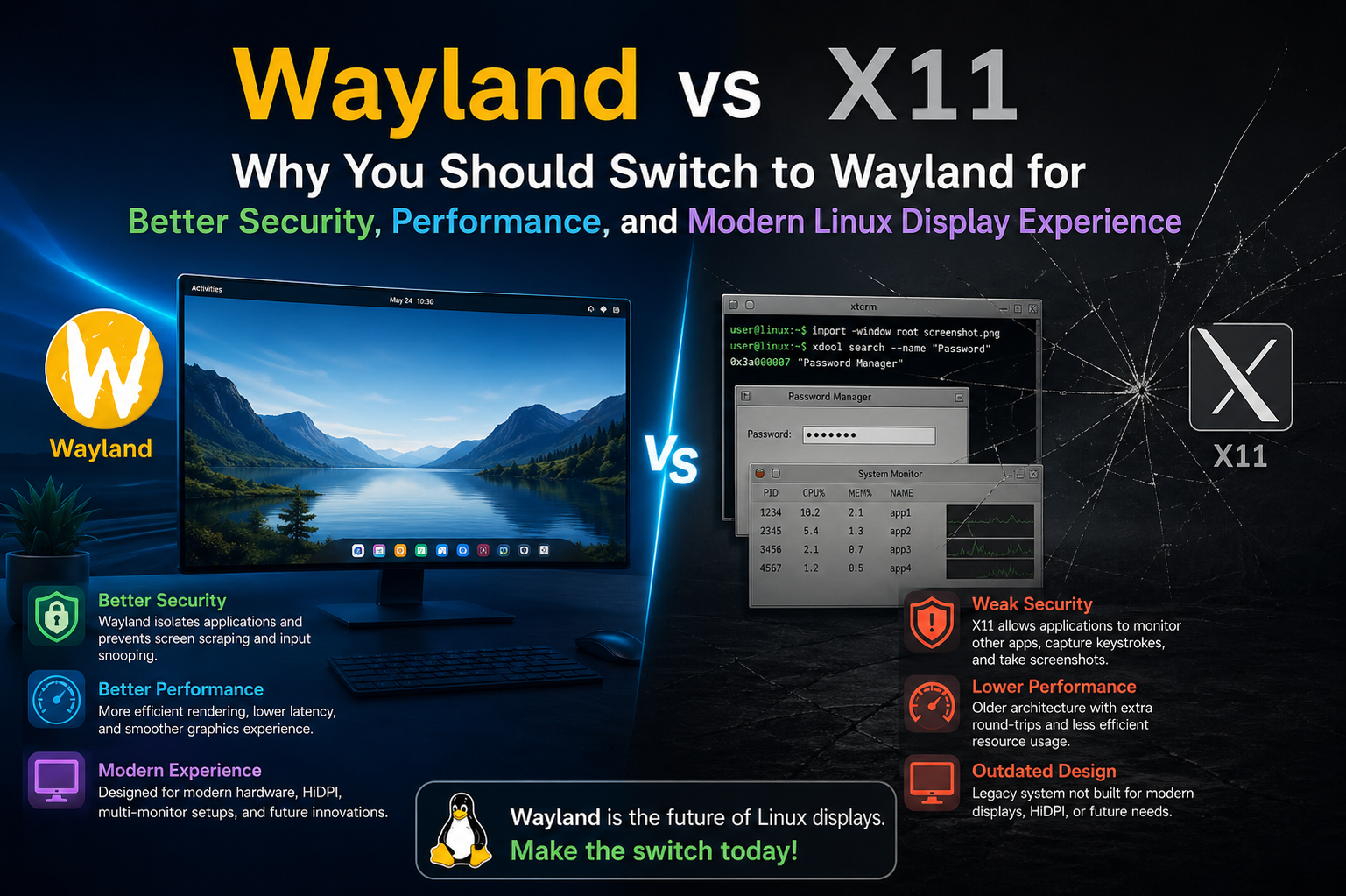
Wayland and X11 represent two fundamentally different approaches to handling graphical output in Linux systems. While X11 has been the traditional backbone of Unix-like graphical environments for decades, Wayland introduces a modern design that addresses many of its limitations. To understand why the Linux ecosystem is gradually moving toward Wayland, it is important to explore how both systems work under the hood and what practical differences they create for everyday users.
The Legacy of X11 and Its Historical Importance
X11, also known as the X Window System, was designed in an era when computing needs were very different from today. It was built to support network transparency, meaning applications could run on one machine while displaying output on another. This was a powerful concept at the time and contributed significantly to the adoption of Unix systems in academic and enterprise environments.
However, this flexibility came at a cost. X11 accumulated layers of complexity over the years, as new features were added to support modern hardware and graphical requirements. Instead of being redesigned, it evolved incrementally, which resulted in a system that is powerful but also difficult to maintain and optimize. Many of its internal mechanisms still reflect design decisions from the 1980s and 1990s.
Wayland’s Modern Design Philosophy
Wayland was created to simplify this outdated architecture. Instead of relying on a central display server that mediates all interactions, Wayland shifts much of the responsibility to the compositor. The compositor is responsible for drawing windows, managing input, and handling display output in a unified way.
This design eliminates many redundant steps found in X11. In X11, applications communicate with the server, which then communicates with the hardware, often introducing delays and inefficiencies. Wayland reduces this chain, allowing applications to render more directly through the compositor, resulting in smoother and more efficient performance.
Security Improvements in Everyday Use
One of the most significant weaknesses of X11 is its lack of strict security boundaries between applications. Under X11, any application can potentially observe or interact with other applications’ input and output. This means that a malicious program could, in theory, capture keystrokes, record screen content, or inject fake input events without the user’s knowledge.
Wayland addresses this issue by enforcing isolation at the protocol level. Applications are only allowed to access their own input and output unless explicit permission is granted. For example, screen recording or global input capture requires additional authorization through secure interfaces rather than being freely accessible.
This change significantly reduces the attack surface for malicious software and makes Wayland a more secure foundation for modern desktop environments, especially in an era where privacy concerns are increasingly important.
Performance Gains and Reduced Latency
Performance is another area where Wayland shows clear advantages. Because it removes the extra communication layer between applications and the display server, rendering paths are shorter and more efficient. This leads to lower input latency, smoother animations, and better frame consistency.
In X11, graphical updates often pass through multiple stages before reaching the screen. Each stage introduces potential delays, especially under heavy system load or when dealing with complex window compositions. Wayland reduces these overheads by allowing the compositor to directly manage rendering pipelines, which can be optimized more effectively for modern GPUs.
As a result, users often experience more responsive window dragging, faster UI reactions, and improved performance in full-screen applications such as games and video playback.
Handling of Modern Display Technologies
Modern computing environments frequently use high-resolution displays, scaling factors, and multi-monitor setups. X11 was not originally designed with these requirements in mind, which leads to inconsistent behavior across different configurations.
Wayland, on the other hand, was designed with modern displays as a core consideration. It provides native support for fractional scaling, per-monitor DPI settings, and smoother handling of mixed-resolution setups. This results in more consistent visual clarity and reduces issues such as blurry text or incorrectly scaled interface elements.
Multi-monitor support is also more coherent under Wayland. Each display can operate independently with its own refresh rate and scaling factor, which improves flexibility for users with complex workstation setups.
Input Handling and User Experience Improvements
Input handling in Wayland is more streamlined compared to X11. In X11, input events are processed through a centralized server, which can introduce inconsistencies in how events are delivered to applications. This sometimes leads to issues such as input lag or inconsistent behavior in high-performance scenarios.
Wayland processes input more directly through the compositor, reducing delays and improving synchronization with display output. This tighter integration helps create a more stable and predictable user experience, especially in fast-paced applications like gaming or design software.
Additionally, Wayland improves touch support and gesture handling, making it better suited for modern laptops, tablets, and hybrid devices.
Screen Sharing and Remote Desktop Challenges
One area where X11 historically had an advantage is screen sharing and remote desktop functionality. Because X11 allows applications broad access to the display server, capturing screen content or remote controlling sessions was relatively straightforward.
Wayland takes a more restrictive approach for security reasons. Screen sharing and remote desktop operations require dedicated protocols and permission systems. While this initially made some workflows more complicated, modern implementations are rapidly improving, and most common desktop environments now support secure screen sharing mechanisms.
This trade-off reflects Wayland’s broader philosophy: prioritizing security and controlled access over unrestricted system-wide visibility.
Compatibility and Application Support
One of the biggest concerns during the transition from X11 to Wayland has been application compatibility. Many older applications were built specifically for X11 and rely on its features. To address this, compatibility layers such as XWayland allow X11 applications to run within a Wayland session.
This hybrid approach ensures that users are not forced to abandon older software while still benefiting from Wayland’s improvements. Over time, more applications are being updated to support Wayland natively, reducing reliance on compatibility layers.
Most modern desktop environments and toolkits have already embraced Wayland support, making the transition smoother than in earlier years.
Stability and Crash Isolation
Another important improvement in Wayland is better crash isolation. In X11, because the display server is shared and centralized, a crash in one part of the system can sometimes affect other components or require restarting the entire session.
Wayland’s design reduces this risk by isolating components more effectively. If a single application crashes, it is less likely to impact the rest of the system. The compositor remains in control of the session, which helps maintain overall stability.
This architecture leads to a more resilient desktop environment where failures are more contained and less disruptive to the user experience.
Energy Efficiency and Mobile Performance
Wayland also contributes to better energy efficiency, especially on laptops and mobile devices. By reducing unnecessary processing steps and improving GPU utilization, it can lower power consumption during graphical operations.
This is particularly important for battery-powered devices, where even small efficiency gains can translate into longer usage times. X11’s older architecture tends to be less optimized for modern power management strategies, making Wayland a more suitable choice for portable systems.
The Transition Period and Current Reality
Despite its advantages, Wayland is still in a transitional phase. X11 remains widely used, especially in enterprise environments and workflows that depend on legacy software. However, major Linux distributions and desktop environments are increasingly adopting Wayland as the default session.
This gradual shift reflects a balancing act between innovation and compatibility. Users may still encounter X11 in certain scenarios, but Wayland is steadily becoming the standard for new installations and modern hardware configurations.
A Clear Direction for the Future
Wayland represents a significant evolution in Linux graphical systems. By addressing long-standing issues in X11’s architecture, it provides a more secure, efficient, and modern foundation for desktop computing.
While X11 has played a crucial role in the development of graphical Unix systems, its limitations are increasingly apparent in today’s computing landscape. Wayland offers a cleaner, more streamlined alternative that aligns better with current hardware capabilities and security expectations.
As adoption continues to grow, Wayland is positioned to become the default graphical system for Linux, shaping a more responsive and secure desktop experience for the future.
Wayland vs X11: Deeper Technical Differences and Real-World Impact
Continuing from the earlier discussion, the comparison between Wayland and X11 becomes even more interesting when you look at how their internal architecture affects real-world usage. Beyond performance and security, the differences influence everything from graphics rendering to how smoothly applications behave under heavy workloads.
Rendering Model and Compositing Differences
One of the most fundamental differences lies in how each system handles rendering. In X11, applications do not draw directly to the screen. Instead, they send drawing commands to the X server, which processes them and forwards the results to a separate compositor if one is being used. This multi-step pipeline introduces inefficiencies and sometimes causes visual artifacts like screen tearing.
Wayland simplifies this process by integrating compositing directly into the system design. Each application renders its content, and the compositor is responsible for combining everything into the final image displayed on the screen. This reduces overhead and eliminates unnecessary intermediate steps, resulting in smoother and more consistent visuals.
Because compositing is built into Wayland’s core design rather than being an optional layer, visual output tends to be more predictable and stable across different systems.
Elimination of Screen Tearing Issues
Screen tearing has long been a common complaint in X11 environments, especially when vertical synchronization is not properly configured. It occurs when the display shows parts of multiple frames at once, leading to a visually broken image.
Wayland significantly reduces this issue by synchronizing frame presentation more tightly with the display refresh cycle. Since the compositor controls final rendering directly, it can ensure that only complete frames are displayed. This leads to smoother animations and a more polished visual experience without requiring complex configuration from the user.
GPU Utilization and Modern Graphics APIs
Another important improvement in Wayland is its better alignment with modern graphics APIs such as Vulkan and OpenGL. X11 was designed long before these technologies existed, which means integration often requires additional translation layers.
Wayland, by contrast, was built with modern GPU acceleration in mind. It allows applications to communicate more efficiently with graphics hardware, reducing overhead and improving rendering performance. This is particularly noticeable in graphically intensive applications such as 3D games, video editing tools, and high-resolution media playback.
By minimizing abstraction layers, Wayland enables more direct and efficient use of GPU resources, which can lead to higher frame rates and lower latency.
Window Management and System Integration
In X11, window management is handled by separate window managers that operate independently from the core display server. This separation allows flexibility but also introduces inconsistencies between different desktop environments.
Wayland integrates window management into the compositor itself. This means that the same component is responsible for drawing windows, handling input, and managing layout. As a result, the system feels more unified and consistent.
This integration also allows desktop environments to implement more advanced features more easily, such as smooth animations, dynamic tiling, and adaptive layouts that respond better to user interactions.
Clipboard Handling and Data Sharing
Clipboard management in X11 is relatively simple but also insecure. Any application can potentially access clipboard data without explicit permission, which raises privacy concerns.
Wayland improves this by introducing more controlled clipboard mechanisms. Applications must request access, and data sharing is handled in a more structured way. While this can sometimes feel more restrictive, it significantly reduces the risk of unwanted data exposure between applications.
This is particularly important in environments where sensitive information is frequently copied and pasted, such as development or enterprise workflows.
Input Device Management and Precision
Wayland provides more accurate and flexible input device handling compared to X11. Devices such as mice, keyboards, touchpads, and styluses are managed more directly through the compositor.
This leads to better support for features like high-resolution scrolling, gesture recognition, and pressure-sensitive input. In X11, these capabilities often depend on additional drivers or external tools, which can result in inconsistent behavior.
Wayland’s unified input system ensures that devices behave more consistently across different applications and environments, improving overall usability.
Fractional Scaling and Visual Clarity
Modern displays often require scaling to ensure that text and interface elements remain readable at high resolutions. X11 struggles with fractional scaling, often relying on workarounds that can lead to blurry or improperly sized interfaces.
Wayland handles scaling at the compositor level, allowing more precise control over how content is displayed. This results in sharper text and more consistent interface scaling across different monitors, especially in mixed-DPI setups.
Users with high-resolution laptops or multi-monitor configurations benefit significantly from this improvement, as it eliminates many of the visual inconsistencies found in older systems.
Latency Reduction in Interactive Applications
Latency plays a crucial role in how responsive a system feels. Even small delays between input and visual feedback can make a desktop feel sluggish.
Wayland reduces latency by streamlining the communication path between input devices, applications, and the display output. Because there are fewer intermediaries involved, input events are processed and rendered more quickly.
This improvement is especially noticeable in fast-paced environments such as gaming, digital drawing, and real-time editing, where even minor delays can impact user experience.
Security Boundaries in Multi-User Systems
In multi-user or shared environments, security becomes even more critical. X11’s permissive model makes it easier for applications to observe or interfere with each other’s sessions, which can be a serious concern in enterprise or educational settings.
Wayland enforces stricter separation between processes, ensuring that each application operates within its own secure boundary. This reduces the risk of unauthorized access and improves overall system integrity.
These security improvements align with modern expectations for privacy and data protection, especially in systems connected to networks or handling sensitive information.
Remote Desktop and Virtualization Evolution
While X11 historically supported remote desktop functionality quite naturally, Wayland initially faced challenges in this area due to its stricter security model. However, modern solutions have emerged that provide secure screen sharing and remote access without compromising Wayland’s design principles.
These newer implementations rely on explicit user permission and secure protocols, ensuring that remote access is both functional and safe. Virtualization environments are also adapting to Wayland, enabling modern virtual desktops that maintain performance and security benefits.
Developer Experience and Toolkit Support
From a development perspective, Wayland encourages the use of modern toolkits that abstract away low-level display handling. Frameworks like GTK and Qt now include strong Wayland support, allowing developers to build applications without needing to worry about the underlying protocol details.
This shift reduces fragmentation and encourages consistency across applications. Developers benefit from cleaner APIs, while users gain more uniform behavior across different software.
The Gradual Decline of X11 Relevance
Although X11 is still widely used, its role in the Linux ecosystem is gradually shrinking. Many of its remaining users rely on legacy applications or specific workflows that have not yet transitioned to Wayland.
However, as compatibility layers improve and more applications adopt native Wayland support, the dependency on X11 continues to decrease. Over time, it is expected to become a fallback option rather than the default graphical system.
Perspective on the Transition
The shift from X11 to Wayland is not just a technical upgrade but a fundamental redesign of how graphical systems operate in Linux. It reflects a broader move toward simplicity, security, and efficiency.
While X11 remains an important part of Linux history and continues to serve specific use cases, Wayland represents the direction of future development. Its architecture is better suited for modern hardware, contemporary security requirements, and evolving user expectations.
As adoption continues, Wayland is likely to define the standard Linux desktop experience, offering a smoother, more secure, and more consistent graphical environment for years to come.
Wayland vs X11: Real-World Adoption, Limitations, and What Still Needs Improvement
Even though Wayland is becoming the default on many Linux systems, the transition is not fully complete. The real-world shift involves more than just technical superiority; it also depends on application compatibility, user workflows, and how quickly the ecosystem adapts to a new standard. Understanding the current limitations and adoption challenges helps explain why X11 still exists alongside Wayland.
Current Adoption Across Linux Desktops
Most major Linux desktop environments have already added strong support for Wayland. Desktop systems such as GNOME and KDE Plasma now offer Wayland sessions that are usable for everyday work. For many users, the experience is already stable enough for browsing, development, media consumption, and general productivity.
However, X11 is still offered as a fallback option in most distributions. This dual-support approach ensures that users who rely on older applications or specific workflows can continue working without disruption. The coexistence of both systems reflects a gradual transition rather than a sudden replacement.
Application Compatibility Challenges
One of the biggest barriers to full Wayland adoption is application compatibility. Many older Linux applications were designed specifically for X11 and rely on its assumptions about window management, input handling, and screen access.
While XWayland provides a compatibility layer that allows these applications to run inside a Wayland session, it is not always perfect. Some applications may experience minor graphical glitches, input inconsistencies, or limited feature support when running through this translation layer.
As a result, developers are slowly updating applications to support Wayland natively, but this process takes time, especially for large or complex software projects.
Professional and Enterprise Software Considerations
In professional environments, stability and predictability are often more important than adopting the newest technology. Many enterprise applications, especially in fields like engineering, finance, or scientific computing, still depend on X11 behavior.
This is one reason why X11 remains relevant in certain industries. Organizations are cautious about migrating critical systems until they are confident that Wayland-based workflows can fully replace existing setups without loss of functionality.
Over time, as more enterprise software gains Wayland support, this resistance is expected to decrease, but the transition will remain gradual.
Gaming and Performance-Intensive Applications
Gaming has historically been one of the most demanding areas for Linux graphics systems. X11 has long been the default for gaming due to its mature ecosystem and predictable behavior with graphics drivers.
Wayland has made significant progress in this area, especially with modern compositors and improvements in GPU driver support. Many games now run smoothly under Wayland, and performance is often comparable or even better in some cases due to reduced input latency and improved frame synchronization.
However, certain edge cases still exist, particularly with older games or specialized launchers that assume X11 behavior. These issues are gradually being resolved, but gaming remains one of the final frontiers for full Wayland adoption.
Screen Recording, Streaming, and Content Creation
Screen recording and streaming workflows have been a major challenge in the Wayland ecosystem. Under X11, capturing screen content is straightforward due to its open access model. Wayland’s security restrictions, however, require more controlled methods.
Modern solutions now use secure APIs that request user permission before capturing the screen or specific windows. This approach is more secure but initially caused friction for streamers and content creators who depended on X11’s simpler model.
Today, most popular recording and streaming tools have adapted to Wayland, but the experience can still vary depending on the desktop environment and configuration.
Remote Access and Virtual Desktop Evolution
Remote desktop usage has also undergone significant changes. X11’s architecture naturally supported remote sessions, making it popular for server environments and remote administration.
Wayland initially lacked equivalent functionality, but newer protocols and tools have filled this gap. Secure remote desktop solutions now exist that respect Wayland’s permission-based model while still enabling full remote access.
Virtual desktop environments are also evolving to support Wayland, making it increasingly viable for cloud-based systems and remote work setups.
Hardware Driver and Vendor Support
Hardware driver support plays a crucial role in the success of any display system. Most modern GPU drivers now support Wayland well, including those from major vendors.
However, early adoption challenges included inconsistent support between open-source and proprietary drivers. These gaps have largely been reduced, but occasional compatibility issues can still arise depending on hardware configuration.
As driver ecosystems continue to mature, Wayland compatibility is expected to become even more seamless across a wider range of devices.
User Experience Consistency Across Desktop Environments
One of Wayland’s strengths is its potential for consistency, but in practice, user experience can still vary between different desktop environments. Since compositors are responsible for many core functions, each environment can implement features differently.
This flexibility is powerful but can also lead to slight inconsistencies in behavior, shortcuts, or feature availability across systems. Over time, standardization efforts are helping reduce these differences, but X11’s long-standing uniformity still influences expectations.
Debugging and Development Tooling
For developers, debugging Wayland applications can sometimes be more complex than X11 due to its different architecture. X11’s long history has resulted in a wide range of mature debugging tools and documentation.
Wayland is still building this ecosystem, and while modern tools exist, developers may occasionally encounter a steeper learning curve when diagnosing graphical issues or input behavior problems.
Despite this, newer development frameworks are increasingly abstracting away low-level details, making application development smoother over time.
The Role of XWayland as a Transitional Bridge
XWayland plays a critical role in bridging the gap between X11 and Wayland. It allows X11 applications to run within a Wayland session without modification, ensuring backward compatibility.
This compatibility layer is one of the main reasons Wayland adoption has been successful so far. Without it, the transition would have required a complete rewrite of many applications, significantly slowing down progress.
While XWayland is not a permanent solution, it provides a practical path forward that allows ecosystems to evolve gradually rather than forcing abrupt changes.
Why X11 Still Exists Today
Despite its limitations, X11 continues to exist because of its maturity, stability, and widespread integration. It has been refined over decades and supports countless edge cases that are still relevant in certain environments.
For systems where stability and legacy compatibility are more important than modern optimization, X11 remains a reliable choice. This is especially true in specialized industrial systems, older hardware setups, and niche workflows.
However, its role is increasingly becoming one of maintenance rather than innovation.
The Future Direction of Linux Graphics
The long-term direction of Linux graphics clearly points toward Wayland. Its design aligns better with modern computing needs, including security-first design, GPU acceleration, high-resolution displays, and responsive user interfaces.
As more applications transition to native Wayland support and compatibility layers continue to improve, the remaining gaps will gradually close. The ecosystem is already moving in that direction, even if the transition is not yet complete.
In the coming years, X11 is expected to gradually fade into the background, remaining only for legacy compatibility while Wayland becomes the default foundation for Linux desktop systems.
The Transition Landscape
The shift from X11 to Wayland is not just about replacing one system with another; it represents a broader evolution in how graphical computing is designed on Linux. Wayland introduces a cleaner, more secure, and more efficient model, but it also requires the ecosystem to adapt.
While X11 still plays an important role in maintaining compatibility and supporting legacy workflows, its limitations are increasingly apparent in modern computing environments. Wayland’s steady progress across desktops, applications, and drivers shows that it is becoming the new standard.
Ultimately, the transition reflects a balance between innovation and continuity, ensuring that Linux remains both modern and practical for a wide range of users.
Wayland vs X11: Advanced Use Cases, Edge Cases, and the Final Transition Phase
As the Linux ecosystem continues evolving, the comparison between Wayland and X11 becomes less about simple feature differences and more about how each system behaves in complex, real-world scenarios. At this stage of the transition, the focus shifts toward advanced workflows, edge cases, and how close Wayland is to fully replacing X11 in everyday computing.
High-Performance Computing and Specialized Workflows
In high-performance computing environments, graphical systems are often used alongside compute-heavy workloads such as simulations, data visualization, and scientific modeling. X11 has traditionally been favored in these environments due to its long-standing stability and predictable behavior across remote sessions.
Wayland is gradually entering this space, but adoption depends heavily on the surrounding infrastructure. Since many HPC systems rely on remote visualization and network-based workflows, compatibility layers and secure remote protocols must work seamlessly for Wayland to fully replace X11 in these scenarios.
In practice, X11 remains common in legacy HPC setups, while Wayland is slowly gaining ground in newer systems designed with modern security and GPU acceleration in mind.
Complex Multi-GPU and Hybrid Graphics Setups
Modern systems often include hybrid graphics configurations, such as integrated GPUs paired with dedicated graphics cards. Managing these setups efficiently is critical for performance and power consumption.
X11 handles multi-GPU environments through external configuration and driver-specific solutions, which can sometimes be complex or inconsistent. Wayland simplifies this by delegating rendering decisions to the compositor, which can dynamically manage GPU resources more intelligently.
This leads to better power efficiency on laptops and smoother transitions between integrated and dedicated GPUs. However, edge cases still exist depending on hardware and driver maturity, meaning some configurations may still require fine-tuning.
Virtual Machines and Containerized Desktop Environments
Virtualization is another area where display systems play an important role. X11 has been widely used in virtual machines due to its simplicity and mature integration with remote display protocols.
Wayland support in virtualized environments has improved significantly, but it introduces additional complexity because of its security-first design. Instead of exposing a shared display server, Wayland requires more controlled interfaces for rendering and input forwarding.
Containerized desktop environments are also adapting, with modern toolkits enabling Wayland sessions inside isolated environments. This is particularly relevant for cloud-based desktops and remote development platforms.
Accessibility and Assistive Technologies
Accessibility is a critical aspect of any desktop environment. X11 has a long history of accessibility tools and assistive technologies built around its architecture.
Wayland initially faced challenges in this area because its strict isolation model limited direct system-wide access. However, modern accessibility frameworks are now being integrated more deeply into Wayland compositors.
Screen readers, input helpers, and assistive overlays are becoming more stable, but the ecosystem is still catching up in terms of maturity compared to X11. This is one of the final areas where full parity is actively being developed.
Advanced Input Devices and Professional Hardware
Professional users often rely on advanced input devices such as drawing tablets, multi-button mice, MIDI controllers, and specialized industrial hardware.
Wayland provides more consistent low-level input handling, which improves precision and reduces inconsistencies across applications. This is particularly beneficial for digital artists, designers, and engineers who depend on accurate input response.
However, some niche hardware still depends on X11-specific behaviors or legacy drivers, meaning compatibility layers may still be required in certain professional environments.
Compositor Diversity and Ecosystem Fragmentation
Unlike X11, which relies on a centralized server model, Wayland allows multiple compositors to exist, each defining its own behavior and feature set.
This flexibility is powerful but can lead to fragmentation. Different desktop environments may implement slightly different behaviors for window management, gestures, or shortcuts. While this encourages innovation, it can also create inconsistencies for users switching between environments.
Over time, standardization efforts and shared protocols are reducing these differences, but the ecosystem is still more diverse compared to the uniform structure of X11.
Security Model in Advanced Threat Scenarios
Wayland’s security advantages become even more important in advanced threat scenarios. In environments where sensitive data is processed, X11’s permissive access model can be a liability because applications can potentially observe each other’s input or output.
Wayland’s strict isolation model significantly reduces this risk. Applications must explicitly request permission for actions like screen capture or input monitoring, making unauthorized data access much harder.
This design aligns better with modern security expectations, especially in enterprise, government, and privacy-focused systems.
Real-Time Applications and Latency-Sensitive Workloads
Applications such as live audio processing, real-time video editing, and competitive gaming rely heavily on low latency. Even small delays in input or rendering can affect performance.
Wayland’s streamlined architecture helps reduce these delays by minimizing communication overhead between components. The compositor directly manages frame timing and input synchronization, resulting in more predictable responsiveness.
While X11 can still perform well in many cases, it often requires additional tuning to achieve similar levels of consistency.
The Role of Legacy Systems in the Transition
Despite Wayland’s rapid adoption, legacy systems continue to play a significant role in keeping X11 relevant. Many organizations run long-term stable systems that prioritize reliability over modernization.
These systems often include custom software, industrial applications, or hardware dependencies that are deeply tied to X11 behavior. Migrating such environments requires careful planning and testing, which slows down full adoption.
As a result, X11 is expected to remain present in the ecosystem for the foreseeable future, even as Wayland becomes the default for new systems.
User Perception and Transition Experience
From a user perspective, the transition from X11 to Wayland is often subtle rather than dramatic. Many users may not even notice which system they are using unless they encounter specific edge cases or compatibility issues.
For everyday tasks such as browsing, coding, media playback, and general productivity, Wayland already provides a smooth and stable experience. The differences become more noticeable only in specialized workflows or older applications.
This gradual transition approach has helped reduce friction and allowed users to adapt naturally over time.
Future Outlook for Linux Graphics Systems
The future of Linux graphics is clearly moving toward a Wayland-centered ecosystem. As compositors mature and application support expands, the remaining gaps between Wayland and X11 continue to shrink.
Improvements in tooling, compatibility layers, and driver support are accelerating this transition. At the same time, the Linux community is increasingly designing new applications with Wayland in mind from the beginning, reducing dependency on legacy systems.
Over the next few years, Wayland is expected to become the dominant graphical system across most Linux distributions, while X11 gradually transitions into a maintenance-focused legacy role.
Final Perspective on the Long-Term Evolution
The evolution from X11 to Wayland represents more than just a technical upgrade; it reflects a shift in priorities toward security, efficiency, and modern hardware integration.
X11’s legacy remains important, as it laid the foundation for decades of graphical computing on Unix-like systems. However, its architecture is increasingly misaligned with current expectations.
Wayland offers a cleaner, more secure, and more efficient approach that is better suited for today’s computing landscape. While the transition is still ongoing, the direction is clear, and the ecosystem is steadily converging toward a Wayland-first future.
Conclusion
The comparison between Wayland and X11 ultimately highlights a clear generational shift in how Linux handles graphical systems. X11 has played a foundational role in shaping Unix-like desktop environments and remains deeply embedded in many workflows due to its stability, maturity, and long history of compatibility. However, its architecture reflects older computing assumptions that no longer align well with modern security expectations, hardware capabilities, and performance demands.
Wayland represents a redesign rather than an incremental improvement. It simplifies the display stack, reduces unnecessary layers, and introduces a more secure model where applications are isolated from each other by default. This design significantly improves system security by preventing unrestricted access between applications, which was a long-standing weakness in X11.
From a performance perspective, Wayland delivers a more responsive and efficient experience by reducing latency and streamlining rendering through the compositor. This results in smoother animations, better input handling, and improved synchronization with modern GPUs and high-refresh-rate displays. It is also better suited for contemporary hardware trends, including high-DPI screens, multi-monitor setups, and hybrid graphics systems.
At the same time, the transition is not without challenges. X11 remains important for legacy applications, specialized workflows, and environments where long-term stability is critical. Compatibility layers like XWayland have made it possible for both systems to coexist, ensuring users are not forced into abrupt changes. However, this coexistence is temporary by design, as native Wayland support continues to expand across applications and desktop environments.
In practical terms, most users already benefit from Wayland without realizing it, especially on modern Linux distributions. Everyday tasks such as browsing, development, media consumption, and general productivity are increasingly smooth and stable under Wayland. The remaining gaps are primarily found in niche or legacy use cases, which are gradually being addressed as the ecosystem matures.