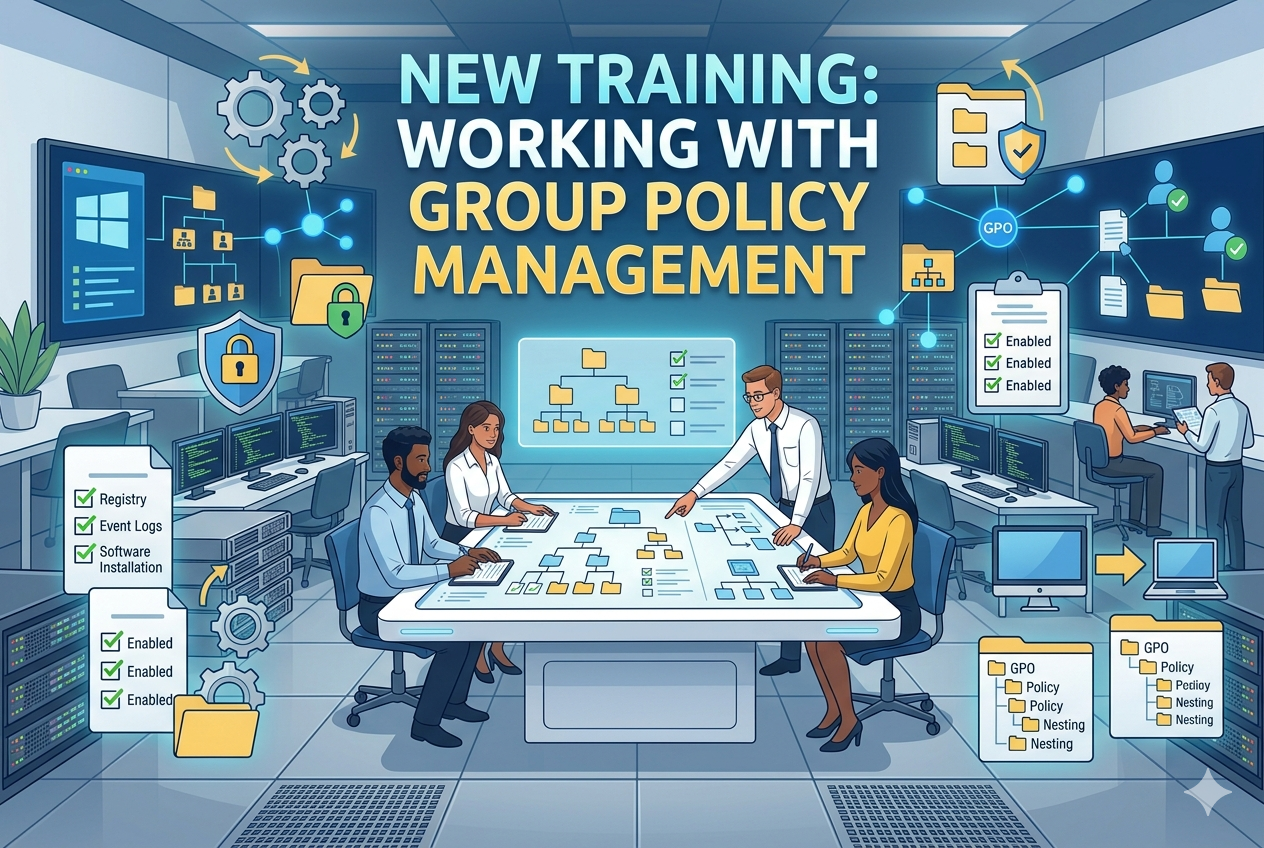
Group Policy Management operates as a centralized framework that allows administrators to control and standardize computing environments across multiple systems. To understand it deeply, it is important to explore how policies are structured, processed, and applied within an enterprise environment. The system is designed in a layered and hierarchical way so that configurations can be both flexible and scalable, while still maintaining consistent enforcement of rules.
Group Policy Architecture
At its core, Group Policy is built on a structured architecture that integrates directory services, policy storage, and client-side processing. Policies are stored in a central repository and are retrieved by client systems during startup or user logon. Each system evaluates applicable policies and applies them based on its location within the organizational structure. This architecture ensures that administrators can manage thousands of systems from a single point without needing to manually configure each device.
The architecture is divided into two main components: the Group Policy container and the Group Policy template. The container holds information about the policy within the directory structure, including version details and scope. The template contains the actual configuration settings that will be applied to systems. Together, these components ensure that policies are both discoverable and enforceable across the network environment.
Policy Processing and Application Order
When a computer starts or a user logs in, the system performs a process known as Group Policy processing. During this process, the system retrieves all applicable policies and applies them in a specific order. This order is designed to ensure predictability and consistency. Policies are applied starting from the most general level and moving toward the most specific level. Local system policies are applied first, followed by broader organizational policies, and finally more targeted policies linked to specific organizational units.
This layered approach allows more specific configurations to override general settings when necessary. It ensures that administrators can define baseline rules while still allowing flexibility for department-specific or role-specific requirements. The processing system also includes background refresh cycles, meaning policies are periodically re-evaluated and re-applied without requiring a system restart or user logoff.
Inheritance and Precedence
Inheritance is a key concept in Group Policy management. It refers to the way policies flow from higher levels of the organizational structure down to lower levels. A policy applied at a higher level will automatically affect all lower levels unless it is specifically blocked or overridden. This creates a cascading effect where general rules apply broadly, while specific rules can be applied to narrower groups.
Precedence determines which policy takes effect when conflicting settings exist. More specific policies generally override less specific ones. However, administrators can also enforce policies to ensure they cannot be overridden by lower-level configurations. This combination of inheritance and precedence allows for both flexibility and strict control depending on organizational requirements.
Security Filtering and Access Control
Security filtering is used to control which users or computers a policy applies to. Instead of applying a policy to an entire group indiscriminately, administrators can define security permissions that restrict policy application. This ensures that only authorized systems or users receive specific configurations.
Access control within Group Policy is critical because it prevents unintended application of sensitive settings. Permissions can be adjusted to include or exclude specific groups, allowing precise targeting. This mechanism ensures that policies remain both secure and relevant to their intended audience.
WMI Filtering and Conditional Application
WMI filtering provides a way to apply policies based on system characteristics. Instead of applying a policy universally, administrators can define conditions such as operating system version, hardware configuration, or installed software. When a system processes Group Policy, it evaluates these conditions and determines whether the policy should be applied.
This conditional approach is particularly useful in environments with diverse hardware and software configurations. It allows administrators to tailor policies without creating multiple versions of the same configuration. For example, a policy might only apply to systems with a certain amount of memory or a specific operating system version.
Loopback Processing
Loopback processing is a specialized Group Policy feature used in scenarios where user settings need to be determined by the computer being used rather than the user account itself. This is often used in environments such as public terminals or shared workstations. In such cases, the user’s settings are replaced or merged with the settings defined for the computer.
This ensures that regardless of who logs into a system, the environment remains consistent and controlled. Loopback processing is particularly useful in kiosk environments, training labs, and shared office systems where user behavior needs to be tightly regulated.
Software Deployment through Group Policy
Group Policy can be used to deploy software applications across multiple systems. This eliminates the need for manual installation on each device. Software packages can be assigned or published depending on organizational requirements. When assigned, the software is automatically installed for users or computers. When published, the software becomes available for users to install if needed.
This centralized deployment method ensures consistency in software versions and reduces administrative overhead. It also helps maintain security by ensuring that only approved applications are installed within the environment.
Folder Redirection and User Environment Control
Folder redirection allows administrators to redirect user folders such as documents, desktop, and downloads to a network location. This ensures that user data is stored centrally rather than locally on individual machines. It improves data security, simplifies backup processes, and allows users to access their data from any system within the environment.
User environment control extends beyond folder redirection and includes managing desktop layouts, start menu configurations, and application access. These settings ensure that users have a consistent experience regardless of which system they log into.
Group Policy Preferences
Group Policy Preferences provide additional flexibility compared to traditional policy settings. They allow administrators to configure settings that can be changed or overridden by users if necessary. Preferences can be used for mapping drives, creating shortcuts, configuring registry settings, and managing printer connections.
Unlike strict policy enforcement, preferences are designed to provide a baseline configuration while still allowing user flexibility. This makes them useful for non-critical settings that enhance user experience without enforcing strict restrictions.
Monitoring and Resultant Policy Analysis
Understanding which policies are applied to a system is essential for troubleshooting and validation. Resultant policy analysis allows administrators to view the final set of policies that are active on a system after all inheritance, filtering, and conflicts have been resolved.
This analysis helps identify unexpected behavior or configuration issues. It provides a clear view of how different policies interact and which settings ultimately take effect. Regular monitoring ensures that policy deployment remains consistent with organizational intent.
Troubleshooting Common Issues
Group Policy environments can sometimes experience issues such as policies not applying correctly or conflicting settings. Common causes include incorrect linking of policies, insufficient permissions, replication delays, or filtering misconfigurations. Troubleshooting typically involves verifying policy scope, checking security settings, and forcing policy refresh on client systems.
System commands can be used to refresh policies immediately and display applied configurations. This helps administrators quickly identify whether a system is receiving the correct policies or if there are underlying issues preventing proper application.
Centralized Management and Scalability
One of the most powerful aspects of Group Policy is its ability to scale across large environments. Centralized management ensures that a single change can be applied across thousands of systems simultaneously. This reduces administrative workload and ensures consistency across the entire infrastructure.
As organizations grow, Group Policy remains a key tool for maintaining control over system configurations. It allows administrators to adapt policies to new requirements without redesigning the entire management structure.
Security Hardening and Compliance
Group Policy plays a critical role in enforcing security standards and regulatory compliance. It can be used to enforce password policies, restrict access to system functions, disable unnecessary services, and configure security auditing. These settings help protect systems from unauthorized access and reduce vulnerability exposure.
By standardizing security configurations, organizations can ensure compliance with internal policies and external regulations. This centralized approach reduces the risk of misconfiguration and strengthens overall system security.
Performance Considerations
While Group Policy is powerful, it must be managed carefully to avoid performance issues. Excessive or poorly designed policies can slow down system startup and user logon times. Efficient policy design involves minimizing unnecessary settings and avoiding overly complex configurations.
Proper structuring and optimization ensure that policy processing remains fast and efficient even in large environments. Regular review and cleanup of unused policies also help maintain system performance.
Group Policy Management is a foundational component of Windows-based network administration. Its layered structure, flexible application methods, and centralized control capabilities make it essential for managing modern IT environments. Understanding its architecture, processing behavior, and advanced features allows administrators to build secure, efficient, and scalable systems that remain consistent across all users and devices.
Advanced Policy Design and Organizational Strategy
Group Policy design becomes significantly more powerful when it is approached as an organizational strategy rather than a collection of isolated settings. In larger environments, policies must be structured in a way that reflects business units, roles, and security requirements. A well-planned design reduces complexity and ensures that policies remain manageable as the environment grows. Poor design, on the other hand, often leads to conflicts, duplication, and troubleshooting difficulties.
A key principle in advanced design is separation of concerns. This means that different types of configurations should be split into distinct policies instead of combining everything into a single large configuration set. For example, security settings, user experience settings, and software deployment rules should be separated. This improves clarity and makes it easier to modify or disable specific functionality without affecting unrelated areas.
Another important consideration is scalability. As organizations expand, the number of users, systems, and departments increases. A scalable policy structure anticipates this growth by using reusable policy templates and consistent naming conventions. This prevents administrative overhead from increasing at the same rate as infrastructure growth.
Policy Linking and Organizational Units
The placement of policies within the organizational structure has a direct impact on how they are applied. Policies are typically linked to logical groupings of users and computers rather than being applied globally without distinction. These groupings are designed to reflect real-world organizational roles or functional areas.
By linking policies to specific structures, administrators can ensure that only relevant systems receive specific configurations. This reduces unnecessary processing and avoids conflicts between unrelated settings. It also makes it easier to isolate issues when troubleshooting because each policy has a clearly defined scope.
Careful planning of this structure is essential. If policies are linked too broadly, they may apply to systems where they are not needed. If they are too narrowly defined, management becomes fragmented and difficult to maintain. A balanced approach ensures both control and simplicity.
Policy Conflicts and Resolution Logic
Conflicts between policies are inevitable in complex environments. These conflicts occur when two or more policies attempt to configure the same setting differently. The system resolves these conflicts using a defined precedence model.
In general, more specific policies override more general ones. However, administrators can influence this behavior by enforcing certain policies or blocking inheritance. This adds flexibility but also introduces complexity, which must be managed carefully.
Understanding conflict resolution is essential for troubleshooting unexpected behavior. In many cases, issues arise not because a policy is incorrect, but because another policy is overriding it. Proper analysis of applied settings helps identify the source of the conflict and allows for targeted adjustments.
Administrative Templates and Configuration Scope
Administrative templates provide a large set of predefined settings that control system behavior and user experience. These templates cover a wide range of areas including system security, control panel access, network behavior, and interface restrictions.
Because of their wide scope, administrative templates are often used as the foundation for most policy configurations. They allow administrators to enforce consistent rules across large environments without needing custom scripting or manual configuration.
However, due to their power, these settings must be used carefully. Incorrect configuration can unintentionally restrict functionality or degrade user experience. Testing before deployment is critical to ensure that changes behave as expected.
Registry-Based Policy Management
Many Group Policy settings ultimately translate into registry modifications on the client system. This means that policies are enforced at a low system level, ensuring persistence and consistency. Even if a user attempts to modify settings manually, the policy will reapply during the next refresh cycle.
This mechanism ensures strong enforcement but also requires careful management. Incorrect registry-based policies can lead to system instability or unintended restrictions. As a result, administrators must fully understand the impact of each configuration before applying it broadly.
Registry-based policies also allow for deep system customization that goes beyond standard configuration tools. This provides flexibility for advanced system management scenarios.
Policy Refresh and Background Processing
Group Policy is not applied only at startup or login. It also refreshes periodically in the background. This ensures that any changes made by administrators are eventually applied without requiring user intervention.
The refresh process is designed to minimize disruption. Only changed settings are re-evaluated, which helps reduce system load. However, in large environments, refresh cycles must be carefully managed to avoid network congestion.
Administrators can also trigger manual refreshes when immediate application is required. This is particularly useful during testing or troubleshooting scenarios where changes need to be validated quickly.
Client-Side Extension Processing
When a system receives Group Policy updates, different components of the operating system are responsible for processing specific types of settings. These components are known as client-side extensions. Each extension handles a different category of configuration, such as security settings, software installation, or folder redirection.
This modular approach allows the system to efficiently process only relevant settings. It also makes the policy system extensible, meaning new features can be added without redesigning the entire framework.
Understanding how client-side extensions work is important for diagnosing issues where specific settings are not being applied. In many cases, the problem lies within a specific extension rather than the policy itself.
Group Policy and Security Enforcement
One of the most critical uses of Group Policy is enforcing security standards across all systems in an environment. This includes password policies, account lockout rules, audit settings, and access restrictions.
By centralizing security enforcement, organizations reduce the risk of inconsistent configurations that could lead to vulnerabilities. It also ensures that all systems adhere to minimum security requirements.
Security policies are often tightly controlled and rarely modified outside of approved change processes. This helps maintain a stable security baseline and reduces the risk of accidental misconfiguration.
User Environment Personalization Control
Group Policy also plays a significant role in controlling user environments. This includes restricting access to system tools, customizing desktop layouts, and managing application availability.
In managed environments such as corporate systems or shared workstations, controlling the user experience is essential. It ensures consistency and prevents users from making changes that could impact system stability or security.
At the same time, policies must be balanced to avoid overly restricting users. Excessive restrictions can negatively impact productivity and user satisfaction.
Policy Replication Across Systems
In environments with multiple management servers, policies must be replicated to ensure consistency. This replication ensures that all systems receive the same configuration data regardless of which server they connect to.
Replication delays can sometimes cause temporary inconsistencies between systems. These issues typically resolve automatically once replication completes. However, in complex environments, monitoring replication status is important to ensure timely policy distribution.
Change Management and Policy Governance
Effective Group Policy management requires strong governance and change control processes. Because policies can affect large numbers of systems, even small changes can have widespread impact.
Change management involves reviewing, approving, testing, and documenting all policy modifications before deployment. This reduces the risk of unexpected issues and ensures accountability.
Governance also includes maintaining clear documentation of all policies, their purpose, and their scope. This helps administrators understand the overall structure and prevents duplication or conflict.
Performance Optimization in Large Environments
As the number of policies increases, performance considerations become more important. Systems must process all applicable policies during startup and login, which can impact response times if not optimized.
Best practices include reducing the number of unnecessary policies, avoiding redundant settings, and consolidating configurations where possible. Efficient design ensures that systems remain responsive even in large-scale environments.
Regular auditing of policies helps identify unused or outdated configurations that can be safely removed.
Troubleshooting Advanced Policy Issues
Advanced troubleshooting often involves analyzing policy application logs, checking inheritance structures, and reviewing filtering rules. Issues may arise due to conflicts, replication delays, or misconfigured scopes.
A systematic approach is required to isolate the root cause. This includes verifying which policies are applied, identifying conflicting settings, and testing changes in controlled environments.
Understanding the full policy lifecycle is essential for resolving complex issues efficiently.
Advanced Implementation Concepts
Advanced Group Policy Management is not just about applying settings but about designing a structured, scalable, and secure administrative framework. It requires careful planning, ongoing monitoring, and disciplined governance. When implemented correctly, it provides powerful centralized control over system behavior, security enforcement, and user experience across large and complex environments.
Group Policy Security Architecture and Hardening Principles
Group Policy plays a central role in system security architecture because it defines how users and computers are allowed to behave within an environment. Security hardening through policy is not only about restricting access but also about reducing attack surfaces, enforcing least privilege principles, and ensuring consistent compliance across all systems. A well-designed security policy framework ensures that no system operates outside of defined security boundaries.
Security configuration through Group Policy typically focuses on authentication rules, access control mechanisms, auditing requirements, and system restrictions. These settings work together to create a layered defense model. Instead of relying on a single protective measure, multiple overlapping controls are enforced to reduce risk. This layered approach makes it significantly harder for unauthorized actions to succeed.
Hardening systems through policy requires careful planning. Overly aggressive restrictions can break legitimate functionality, while weak configurations can expose systems to threats. The balance between usability and security must be carefully maintained, especially in environments where users require different levels of access.
Authentication and Account Policy Enforcement
Authentication policies define how users prove their identity before accessing systems. These policies include password complexity rules, password expiration settings, lockout thresholds, and authentication protocols. By enforcing these rules centrally, organizations ensure that all accounts meet minimum security standards.
Account policies also control how long passwords remain valid and how often they must be changed. Lockout policies are used to protect against repeated unauthorized login attempts by temporarily disabling accounts after a defined number of failures. These mechanisms significantly reduce the risk of brute force attacks.
In advanced environments, authentication policies are often combined with additional security mechanisms such as multi-factor authentication integration and smart card usage enforcement. This strengthens identity verification beyond simple password-based systems.
Access Control and Permission Management
Access control defines what users and systems are allowed to do after authentication. Group Policy helps enforce these permissions by restricting access to system tools, administrative functions, and sensitive configuration areas.
By limiting access to critical system components, administrators reduce the risk of accidental or intentional misconfiguration. This is particularly important in environments where multiple users share the same system or where users do not require administrative privileges.
Permission management also extends to network resources, ensuring that users can only access data and services relevant to their role. This reinforces the principle of least privilege, which states that users should only have the minimum level of access necessary to perform their tasks.
Audit Policy and Activity Monitoring
Audit policies are used to track and record system activity. These policies determine which events are logged, such as login attempts, file access, policy changes, and system modifications. Centralized auditing is essential for detecting suspicious behavior and maintaining accountability.
When properly configured, audit logs provide a detailed history of system activity. This information is critical for security investigations, compliance reporting, and forensic analysis. It allows administrators to reconstruct events and identify potential security breaches.
However, excessive auditing can generate large volumes of log data, which may impact system performance and storage requirements. Therefore, audit policies must be carefully designed to capture meaningful events without overwhelming the system.
Security Templates and Baseline Configuration
Security templates provide predefined sets of security configurations that can be applied consistently across systems. These templates serve as a baseline for system hardening and ensure that all devices meet minimum security standards.
By applying a standard baseline, organizations reduce variability between systems. This consistency makes it easier to manage security and identify deviations from expected configurations. It also simplifies compliance with regulatory requirements.
Security baselines are often reviewed and updated periodically to reflect evolving threats and changing organizational needs. Regular updates ensure that systems remain protected against new vulnerabilities.
Software Restriction and Application Control
Application control policies are used to regulate which software can run on a system. This helps prevent unauthorized or malicious applications from executing. By controlling application execution, administrators reduce the risk of malware infections and unauthorized software usage.
These policies can be configured to allow only approved applications or to block specific high-risk programs. In more restrictive environments, only digitally signed or pre-approved software may be permitted.
Application control is a critical component of endpoint security because it directly limits what users and processes can execute. This reduces the attack surface and helps maintain system integrity.
Device and Removable Media Restrictions
Controlling access to external devices such as USB drives is an important security measure. Group Policy allows administrators to enable or disable the use of removable storage devices to prevent data leakage and malware introduction.
In secure environments, restricting external media helps prevent unauthorized data transfer and reduces the risk of infection from external sources. These restrictions are often applied selectively based on user roles or device types.
Device control policies can also be used to allow read-only access, ensuring that data can be accessed but not modified or copied. This provides a balance between usability and security.
Network Security and Communication Policies
Network-related policies control how systems communicate with each other and external networks. These policies may include firewall rules, network access restrictions, and encryption requirements.
By enforcing network security centrally, administrators ensure that all systems adhere to consistent communication standards. This reduces vulnerabilities caused by misconfigured or unprotected network connections.
Encryption policies ensure that sensitive data transmitted across networks is protected from interception. This is especially important in environments where systems communicate over shared or untrusted networks.
System Service and Feature Hardening
System services are background processes that support operating system functionality. Group Policy can be used to disable unnecessary services, reducing the number of active components that could be exploited by attackers.
Disabling unused services reduces system complexity and improves security by limiting potential entry points. However, care must be taken to avoid disabling services required for essential functionality.
Feature hardening also includes restricting access to system utilities, control interfaces, and administrative tools. This prevents unauthorized users from making system-level changes.
Policy-Based Software Deployment Security
When deploying software through centralized policies, security considerations must be taken into account. Only trusted and verified software packages should be deployed across systems.
Software deployment policies should include version control to ensure that all systems run consistent and up-to-date applications. Outdated software can introduce vulnerabilities that compromise system security.
Controlled deployment also reduces the risk of unauthorized software installation, which is a common source of security issues in unmanaged environments.
User Environment Security Restrictions
User environment policies are used to restrict what users can access and modify within their session. This includes disabling access to system settings, restricting desktop customization, and limiting access to command-line tools.
These restrictions help prevent users from making changes that could compromise system stability or security. They also ensure a consistent user experience across all systems.
In shared environments, user restrictions are particularly important because they prevent one user from affecting the configuration of another user’s session.
Advanced Filtering for Security Targeting
Advanced filtering techniques allow policies to be applied based on detailed system characteristics. This enables highly specific security configurations tailored to different system types or user roles.
Filtering can be based on hardware attributes, operating system versions, or other system properties. This ensures that security policies are only applied where they are relevant.
By using advanced filtering, administrators can create highly customized security frameworks without needing to create multiple separate policies.
Monitoring Security Policy Effectiveness
Monitoring is essential to ensure that security policies are functioning as intended. This involves reviewing logs, analyzing system behavior, and verifying compliance with defined standards.
Regular monitoring helps identify gaps in security coverage and ensures that systems remain aligned with organizational security goals. It also provides early detection of potential issues before they escalate into serious problems.
Security effectiveness monitoring is an ongoing process that requires continuous attention and adjustment.
Incident Response and Policy Adjustment
When security incidents occur, Group Policy often plays a role in both detection and response. Policies can be adjusted to contain threats, restrict affected systems, or enforce additional security controls.
Rapid policy changes allow administrators to respond quickly to emerging threats. However, these changes must be carefully managed to avoid unintended side effects.
Incident-driven policy adjustments are typically followed by review and refinement to ensure long-term stability and improved protection.
Security-focused Group Policy management is a foundational element of enterprise protection strategies. It enables centralized enforcement of authentication, access control, auditing, and system hardening measures. When properly designed, it creates a strong defensive structure that reduces risk, enforces compliance, and maintains system integrity across all managed environments.
Advanced Troubleshooting Methodology for Group Policy
Troubleshooting Group Policy issues requires a structured and analytical approach because problems rarely come from a single source. In most environments, policy failures are caused by a combination of inheritance conflicts, filtering misconfigurations, replication delays, or client-side processing issues. A systematic troubleshooting process helps isolate the exact layer where the issue occurs instead of guessing or making random changes.
The first step in advanced troubleshooting is identifying whether the policy is being delivered to the client system at all. If a policy is not appearing on a device, the issue is usually related to scope, linking, or security filtering. If the policy is visible but not applying correctly, the problem often lies in processing order, conflict resolution, or client-side extension errors. This distinction is critical because it determines the direction of investigation.
Another important aspect is verifying policy inheritance. Since policies flow through multiple layers, an unexpected override from a higher or lower level can completely change the final result. Understanding the full inheritance chain allows administrators to trace exactly where a setting is being modified or blocked.
Client-Side Processing Analysis
On the client system, Group Policy is processed through multiple components, each responsible for a specific category of settings. When issues occur, it is often necessary to determine which component failed to apply the configuration correctly. Some components handle security settings, others handle user interface configurations, and others manage software deployment.
Failures in client-side processing can occur due to corrupted local policy cache, network connectivity issues, or incomplete system updates. In some cases, the system may partially apply a policy, leading to inconsistent behavior that is difficult to detect without detailed analysis.
A key part of troubleshooting is ensuring that the client system is properly communicating with the policy source and that it is receiving the latest version of configuration data. If communication is interrupted or delayed, outdated settings may persist longer than expected.
Policy Conflict Detection and Resolution
Policy conflicts are one of the most common causes of unexpected behavior. These conflicts occur when multiple policies attempt to control the same setting in different ways. The system resolves these conflicts based on precedence rules, but the final result may not always match the administrator’s intention.
Detecting conflicts requires analyzing the final applied configuration and comparing it with individual policy definitions. This process helps identify which policy is overriding another and why. In complex environments, multiple layers of inheritance can make this analysis challenging.
Resolving conflicts typically involves restructuring policy design rather than simply changing settings. This may include reorganizing policy links, adjusting scope, or separating conflicting configurations into distinct policies.
Policy Replication and Synchronization Issues
In environments with multiple management points, policies must be replicated across systems to ensure consistency. Replication delays or failures can result in different systems receiving different versions of the same policy.
This inconsistency can cause unpredictable behavior, especially when changes are made frequently. Systems that have not yet received updated policies may continue operating under outdated configurations.
Diagnosing replication issues involves checking synchronization status, verifying update timestamps, and ensuring that all management nodes are functioning correctly. Once replication stabilizes, policy consistency is typically restored automatically.
Performance Optimization and Policy Efficiency
As environments grow, the number of applied policies can significantly impact system performance. Each policy requires processing during system startup and user login, which can increase delay if not properly optimized.
Performance issues often arise from excessive policy complexity, redundant configurations, or unnecessary settings being applied to large numbers of systems. Optimizing policy design involves reducing the number of active policies, consolidating similar configurations, and eliminating outdated rules.
Efficient policy structures ensure that systems remain responsive while still maintaining full control over configurations. Regular review of policy usage helps identify opportunities for optimization.
Policy Documentation and Administrative Control
Proper documentation is a critical but often overlooked aspect of Group Policy management. Without clear documentation, it becomes difficult to understand the purpose and scope of individual policies, especially in large environments with multiple administrators.
Each policy should have a clearly defined purpose, scope, and expected behavior. This ensures that future changes can be made safely without unintentionally breaking existing configurations.
Administrative control also includes defining responsibility for policy changes. In well-managed environments, policy modifications are typically subject to approval processes to prevent accidental or unauthorized changes.
Change Management in Policy Environments
Group Policy changes can have widespread impact, making change management essential. Every modification should follow a controlled process that includes planning, testing, approval, and deployment stages.
Testing is especially important because even small changes can have unexpected effects when applied across multiple systems. Changes should always be validated in controlled environments before being deployed broadly.
Change management also ensures accountability by tracking who made changes and when they were applied. This helps in both troubleshooting and auditing scenarios.
Security Validation and Compliance Monitoring
Ensuring that systems remain compliant with defined security policies requires continuous validation. This involves regularly checking whether systems are applying the correct configurations and whether any deviations have occurred.
Compliance monitoring helps identify systems that are not following required standards. These deviations may be caused by misconfigurations, failed updates, or intentional bypass attempts.
Regular validation ensures that security policies remain effective over time and that systems continue to meet organizational requirements.
Policy Lifecycle Management
Group Policy configurations go through a lifecycle that includes creation, deployment, maintenance, and eventual retirement. Managing this lifecycle properly ensures that policies remain relevant and effective.
Over time, some policies become outdated or redundant due to changes in infrastructure or business requirements. These policies should be reviewed and removed when no longer needed to reduce complexity.
Proper lifecycle management prevents policy sprawl, which can make environments difficult to manage and troubleshoot.
Best Practices for Long-Term Stability
Long-term stability in Group Policy environments depends on consistent design principles and disciplined administration. Policies should be structured logically, kept as simple as possible, and regularly reviewed for relevance.
Avoiding unnecessary complexity is one of the most important practices. Overly complex policy structures increase the likelihood of conflicts and make troubleshooting more difficult.
Another best practice is maintaining consistency in naming conventions and organizational structure. This improves readability and reduces confusion among administrators.
Strategic Role of Group Policy in Enterprise Management
Group Policy is not just a technical tool but a strategic management system that defines how an entire computing environment behaves. It plays a central role in enforcing security, maintaining consistency, and enabling scalable administration.
When used effectively, it allows organizations to enforce rules across thousands of systems without manual intervention. This significantly reduces administrative effort while improving reliability and security.
Its strategic importance increases as environments grow larger and more complex, making it a foundational component of enterprise IT management.
Conclusion
Group Policy Management is a powerful and essential framework for controlling and standardizing computing environments. It provides centralized control over security, user experience, system configuration, and software deployment, making it a critical tool for modern IT administration.
Understanding its structure, processing behavior, and advanced features allows administrators to design efficient, secure, and scalable environments. Proper implementation requires careful planning, consistent governance, and ongoing monitoring to ensure stability and performance.
When managed correctly, Group Policy becomes more than just a configuration tool—it becomes a complete system for enforcing organizational standards, protecting infrastructure, and maintaining operational consistency across all systems.