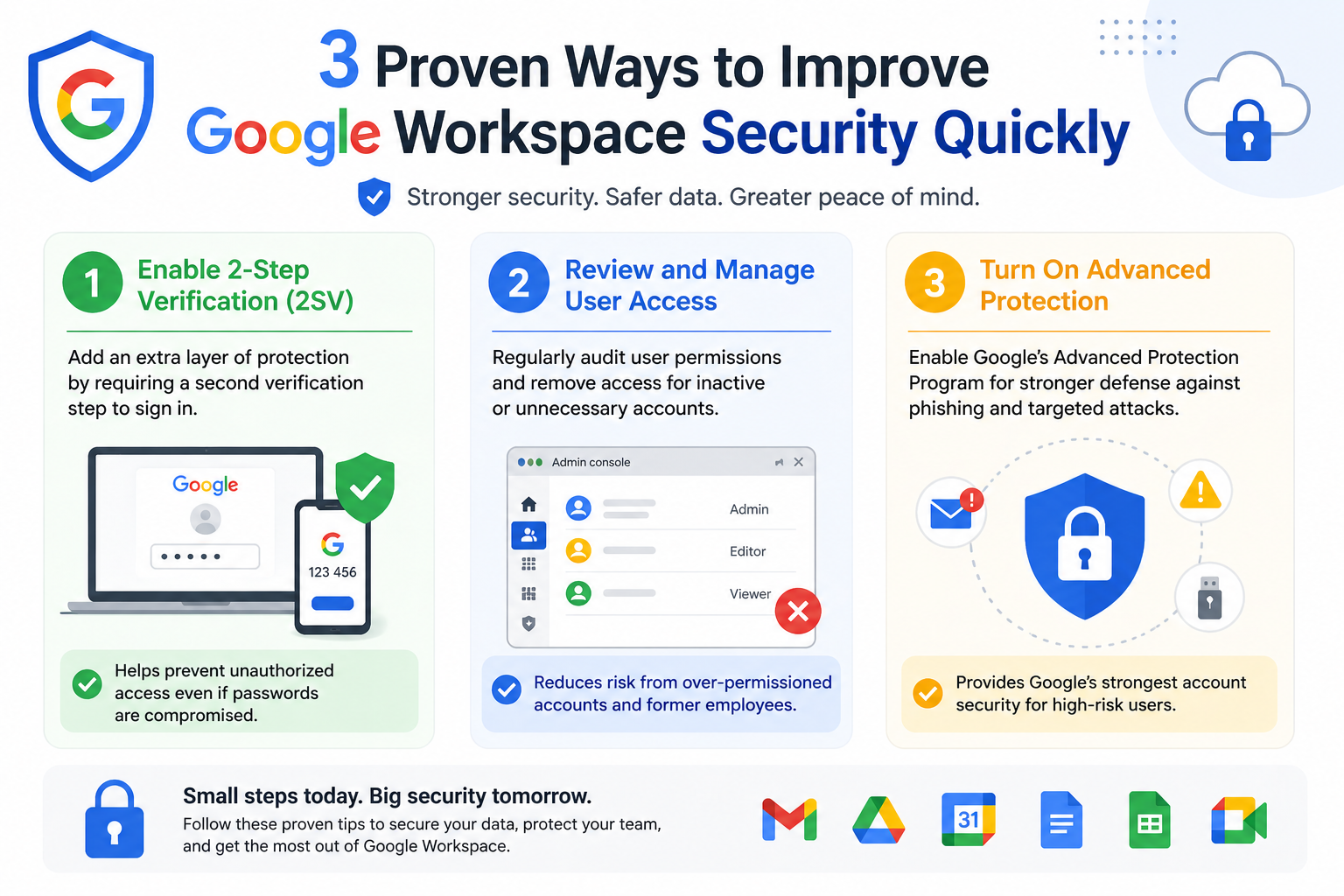
Strong identity management is one of the most critical layers in improving Google Workspace security. Beyond basic login credentials, organizations should focus on building a structured identity system that continuously verifies user authenticity. This includes enforcing single sign-on where possible, so users can access multiple services through a unified authentication process that is easier to control and monitor. Identity-based access policies should adapt based on user location, device type, and behavior patterns to reduce risk from unfamiliar or suspicious login attempts.
Another important aspect is enforcing context-aware access. This means access decisions are not only based on username and password but also on environmental signals such as IP reputation or device health. If a login attempt appears unusual, additional verification can be required automatically. Regular audits of identity configurations also ensure that inactive accounts, orphaned credentials, and outdated access rights are removed before they become security risks. By strengthening identity management, organizations create a controlled environment where every access request is verified with multiple layers of trust.
Strengthen Email Security and Anti-Phishing Protections
Email remains one of the most common entry points for cyber threats, making it essential to reinforce protections within Google Workspace. Phishing attacks often rely on deception, so implementing advanced filtering systems that detect suspicious content, attachments, and sender behavior is crucial. These systems help identify malicious emails before they reach users’ inboxes, reducing the chance of accidental interaction.
User awareness also plays a significant role in email security. Training employees to recognize suspicious messages, unexpected attachments, and urgent financial requests helps reduce human error. In addition, enabling automatic quarantine for high-risk emails ensures that potentially dangerous content is isolated for further review instead of being delivered directly. Administrators should also monitor email logs to detect patterns of spoofing or repeated targeting attempts. Strengthening email security creates a strong barrier against one of the most widely used attack methods.
Use Data Loss Prevention Policies Effectively
Protecting sensitive data is a key priority in any Google Workspace environment, and Data Loss Prevention policies help achieve this by controlling how information is shared and transmitted. These policies allow administrators to define rules that prevent sensitive content such as financial records, customer data, or internal documents from being shared outside the organization without approval.
By setting up automated scanning for sensitive keywords, patterns, or file types, organizations can stop data leaks before they happen. For example, if a user attempts to send confidential information through email or upload it to an unauthorized location, the system can block or flag the action. It is also important to regularly update these policies based on evolving business needs and new regulatory requirements. Proper use of data loss prevention ensures that critical information remains within secure boundaries while still allowing employees to collaborate effectively.
Secure Mobile and Endpoint Devices
As employees increasingly access Google Workspace from multiple devices, securing endpoints becomes essential. Every device that connects to company data represents a potential entry point for threats. Implementing device management policies helps ensure that only compliant and secure devices can access organizational resources. This includes requiring encryption, enforcing screen locks, and ensuring operating systems are updated regularly.
Mobile devices should be monitored with strict control policies that allow administrators to remotely wipe data if a device is lost or compromised. Endpoint security tools can also detect unusual behavior such as unauthorized applications or suspicious network activity. By maintaining strict control over devices, organizations significantly reduce the chances of data breaches originating from compromised endpoints.
Enable Strong Logging and Continuous Monitoring
Visibility is a key component of security, and continuous monitoring ensures that suspicious activity is detected quickly. Google Workspace provides detailed logs that track user behavior, file access, sharing activity, and administrative actions. Regularly reviewing these logs allows security teams to identify anomalies such as unexpected downloads, multiple failed login attempts, or unusual file sharing patterns.
Setting up automated alerts enhances this process by providing real-time notifications when specific security thresholds are triggered. This allows administrators to respond quickly before issues escalate. Long-term log analysis can also reveal trends in user behavior, helping organizations strengthen their security policies over time. Effective monitoring creates a proactive security posture rather than a reactive one.
Control Third-Party Application Access
Many organizations integrate third-party applications into Google Workspace to improve productivity, but these integrations can introduce security risks if not properly managed. It is important to carefully evaluate every external application before granting access to organizational data. Only trusted and necessary apps should be approved, while unnecessary or risky integrations should be blocked.
Regular audits of connected applications help ensure that outdated or unused services are removed. Administrators should also restrict the level of data access granted to third-party tools, ensuring they only receive the minimum permissions required to function. Monitoring how these applications interact with organizational data further reduces risk. Proper control of third-party access ensures that external tools do not become weak points in the security system.
Implement Strong Encryption Practices
Encryption plays a vital role in protecting data both in transit and at rest. Within Google Workspace, ensuring that sensitive information is always encrypted helps prevent unauthorized access even if data is intercepted. While many systems already include built-in encryption, organizations should verify that all services and integrations comply with strong encryption standards.
It is also important to control how encrypted data is shared. Even when information is protected, improper sharing practices can still expose sensitive content. Combining encryption with strict access controls ensures that only authorized users can view or modify important data. Regularly reviewing encryption policies helps maintain alignment with evolving security standards and best practices.
Improve Administrative Security Controls
Administrative accounts hold the highest level of access within Google Workspace, making them a prime target for attackers. Strengthening administrative security is therefore essential. Limiting the number of super administrators reduces the risk of misuse or compromise. Each administrative action should be logged and reviewed regularly to ensure accountability.
Separating administrative roles based on responsibilities also helps reduce risk. Instead of granting full control to a single account, permissions can be divided across different roles such as security management, user management, and system configuration. This separation of duties ensures that no single account has excessive control over the entire environment. Strengthening administrative controls significantly enhances overall system resilience.
Conduct Regular Security Training and Awareness Programs
Human error remains one of the leading causes of security incidents, making ongoing training essential. Employees should be regularly educated on security best practices, including recognizing phishing attempts, handling sensitive data, and following proper access protocols. Training should not be a one-time activity but an ongoing process that evolves with new threats.
Simulated attack scenarios can help employees practice identifying and responding to potential risks in a safe environment. Reinforcing positive security behavior through continuous awareness programs builds a stronger organizational culture. When users understand their role in protecting data, the overall security posture of Google Workspace improves significantly.
Establish a Clear Incident Response Plan
Even with strong preventive measures, security incidents can still occur, so having a structured response plan is essential. An effective incident response strategy defines clear steps for identifying, containing, and resolving security breaches. It also assigns specific roles and responsibilities to ensure quick action when needed.
Regular testing of the response plan through drills or simulations helps identify weaknesses and improve readiness. Communication protocols should also be clearly defined so that internal teams can coordinate effectively during an incident. A well-prepared response plan minimizes damage, reduces downtime, and ensures faster recovery from security events.
Regular Security Configuration Reviews and Hardening
Maintaining a secure Google Workspace environment requires ongoing review of system configurations rather than treating security as a one-time setup. Over time, settings can drift due to new users, updated business needs, or rushed administrative changes. Regular security reviews help ensure that all configurations still align with best practices and current threat landscapes. This includes checking sharing settings, external collaboration permissions, and organizational unit structures to ensure nothing has been unintentionally left exposed.
Hardening the environment means tightening default settings wherever possible. For example, limiting external file sharing, restricting public link access, and disabling unnecessary services reduces the number of potential attack paths. Administrators should also periodically review security baselines and compare them against current configurations. This process ensures that even small misconfigurations do not accumulate into larger vulnerabilities over time. Consistent review and hardening create a stable and resilient security foundation.
Manage File Sharing and Collaboration Controls Carefully
Collaboration is one of the strengths of Google Workspace, but it can also become a security risk if not properly controlled. File sharing policies should clearly define who can share documents externally and under what conditions. Allowing unrestricted sharing can lead to sensitive data being exposed outside the organization without oversight.
It is important to enforce restrictions on public link sharing and ensure that files containing sensitive information are only accessible to authorized users. Expiration settings for shared links can further reduce long-term exposure by automatically revoking access after a set period. Monitoring shared files regularly helps identify content that may have been overexposed. By balancing collaboration with strict sharing controls, organizations can maintain productivity without compromising security.
Protect Against Insider Threats with Behavioral Controls
Not all security risks come from external attackers; internal users can also pose threats either intentionally or accidentally. Monitoring user behavior patterns helps detect unusual activities that may indicate insider risks. For example, large file downloads, repeated access to sensitive folders, or unusual login times can signal potential issues.
Behavior-based security systems can help flag these activities early and allow administrators to investigate further. In some cases, additional verification steps can be triggered when abnormal behavior is detected. It is also important to enforce clear internal policies regarding data handling and access responsibilities. By combining monitoring with well-defined policies, organizations reduce the risk of insider-related incidents while maintaining trust within the workforce.
Strengthen Backup and Recovery Strategies
A strong security strategy is incomplete without reliable backup and recovery systems. Even with advanced protections in place, data loss can still occur due to accidental deletion, malicious activity, or system failures. Regular backups ensure that critical information can be restored quickly when needed.
It is important to test recovery processes periodically to confirm that backups are functioning correctly and can be restored without issues. Recovery plans should include clear timelines for restoring data and minimizing downtime. Version history features within Google Workspace can also help recover earlier versions of files, adding an additional layer of protection. A well-designed backup strategy ensures business continuity even during unexpected disruptions.
Implement Strong Session Management Policies
Session security plays an important role in preventing unauthorized access after a user has logged in. If sessions remain active for too long or are not properly controlled, they can become a target for attackers. Setting session timeouts ensures that inactive sessions are automatically closed after a period of inactivity.
Additionally, limiting simultaneous logins from multiple devices can help reduce the risk of account misuse. Administrators should also monitor session activity for unusual patterns, such as multiple logins from different geographic locations within a short time frame. By managing sessions effectively, organizations reduce the chances of unauthorized access through hijacked or unattended sessions.
Enhance Security Through Automation and AI-Based Detection
Modern security systems benefit greatly from automation and machine learning capabilities. Within Google Workspace, AI-based detection can help identify suspicious behavior patterns that may not be obvious through manual monitoring. These systems analyze large volumes of activity data to detect anomalies such as unusual login attempts, abnormal file access, or potential phishing activity.
Automation can also be used to enforce security policies consistently without relying on manual intervention. For example, automated responses can block risky actions, quarantine suspicious emails, or revoke access when certain conditions are met. This reduces response time and ensures that threats are addressed immediately. By leveraging automation and intelligent detection, organizations can significantly improve their ability to prevent and respond to security incidents.
Maintain Strong Policy Governance and Documentation
Clear governance is essential for maintaining long-term security consistency. Without well-documented policies, security practices can become fragmented and inconsistent across teams. Establishing clear documentation for all security rules, access controls, and operational procedures ensures that everyone follows the same standards.
Governance also involves regularly updating policies to reflect new threats, technologies, and business requirements. Security teams should review documentation periodically and ensure that it remains accurate and relevant. Proper governance helps maintain accountability and ensures that security decisions are transparent and well-structured across the organization.
Limit Data Exposure Through Smart Retention Policies
Data retention policies help control how long information is stored and when it should be deleted. Keeping unnecessary or outdated data increases security risk because it creates more potential targets for attackers. Defining clear retention rules ensures that only relevant data is kept within the system.
Automated deletion policies can remove outdated files after a specified period, reducing the amount of sensitive information stored unnecessarily. It is also important to align retention policies with legal and compliance requirements to ensure that essential records are preserved while minimizing risk exposure. Proper data lifecycle management helps maintain a cleaner and more secure workspace environment.
Encourage a Security-First Organizational Culture
Technology alone cannot fully secure a system if users do not follow safe practices. Building a security-first culture ensures that every individual within the organization understands their role in protecting data. This involves encouraging responsible behavior, promoting awareness, and making security a shared responsibility rather than just an IT concern.
Leadership plays an important role in setting expectations and reinforcing good practices. When security is treated as a core value rather than an optional task, users are more likely to follow guidelines consistently. Over time, this cultural shift significantly strengthens overall protection and reduces the likelihood of avoidable security incidents.
Strengthen External Sharing Boundaries and Trust Models
Controlling how information leaves the organization is one of the most important layers of defense in Google Workspace security. External sharing should never be treated as a default setting but as a controlled exception. Organizations need to clearly define trusted domains and restrict file sharing outside these approved boundaries. This prevents accidental exposure of sensitive documents to unknown or unverified recipients.
A strong trust model also involves reviewing how external collaborators are added to shared drives and documents. Temporary access should be preferred over permanent permissions whenever possible. This ensures that external users only retain access for as long as they genuinely need it. Regular audits of externally shared content help identify files that may still be accessible outside the organization without proper justification. Tightening external trust boundaries significantly reduces data leakage risks.
Apply Continuous Risk Assessment Across the Workspace Environment
Security is not a static condition, and risks can change quickly as new threats emerge or organizational structures evolve. Continuous risk assessment helps identify vulnerabilities before they can be exploited. This involves regularly evaluating user behavior, system configurations, and data access patterns to detect weak points in the environment.
Risk scoring models can be used to prioritize areas that require immediate attention. For example, accounts with elevated privileges or unusual login behavior may require closer monitoring. Similarly, systems that handle sensitive data should always be assessed with higher scrutiny. By continuously evaluating risk levels, organizations can adapt their security posture in real time instead of reacting after incidents occur.
Improve Visibility Through Centralized Security Dashboards
Having a unified view of security activity across Google Workspace helps administrators make faster and more informed decisions. Centralized dashboards consolidate information from logs, alerts, and system events into a single interface. This makes it easier to identify trends, detect anomalies, and respond to incidents without delay.
Visibility tools should highlight key security indicators such as failed login attempts, file sharing spikes, and administrative changes. When this information is presented clearly, security teams can quickly prioritize critical issues instead of manually searching through scattered data. Improved visibility strengthens overall control and ensures that no important activity goes unnoticed.
Enforce Strict Control Over Data Export and Download Activities
One of the most overlooked security risks involves uncontrolled downloading or exporting of organizational data. Once information leaves a secure environment, it becomes significantly harder to protect. Restricting download permissions based on user roles and data sensitivity helps reduce this risk.
Organizations should also monitor bulk download activities, as they may indicate potential data exfiltration attempts. In some cases, sensitive documents can be configured to allow viewing but not downloading or copying. These restrictions ensure that data remains within controlled environments even when accessed by authorized users. Proper control over export activities plays a major role in preventing large-scale data leaks.
Strengthen API and Integration Security Controls
Google Workspace often integrates with external systems through APIs, which can introduce additional security risks if not properly managed. Each API connection should be reviewed carefully to ensure it only has the permissions it truly needs. Over-permissioned integrations can become an entry point for attackers if compromised.
It is also important to regularly rotate API keys and tokens to reduce the risk of long-term exposure. Monitoring API usage helps identify unusual activity such as unexpected data requests or excessive system calls. By maintaining strict control over integrations, organizations ensure that external systems do not weaken internal security boundaries.
Improve Passwordless and Modern Authentication Adoption
Traditional passwords alone are no longer sufficient to protect modern cloud environments. Moving toward passwordless authentication methods such as security keys or biometric verification significantly reduces the risk of credential theft. These methods eliminate the need for users to remember passwords while improving overall security strength.
Modern authentication systems also reduce exposure to phishing attacks because there are no reusable passwords that can be stolen. Encouraging the adoption of these technologies across all users helps create a more secure and seamless login experience. Gradual migration toward passwordless systems represents a strong long-term improvement in identity security.
Strengthen Security for Shared Drives and Team Collaboration Spaces
Shared drives are central to collaboration but can also become a source of uncontrolled data exposure if not properly managed. Clear ownership rules should be established for every shared drive to ensure accountability. Without defined ownership, permissions can become outdated or misconfigured over time.
Access to shared drives should be reviewed regularly, especially when team members change roles or leave the organization. Sensitive folders within shared environments should have additional access restrictions to prevent unnecessary visibility. Proper governance of shared collaboration spaces ensures that teamwork remains secure and structured.
Enhance Endpoint Compliance Through Policy Enforcement
Ensuring that every device complies with security standards is essential for protecting organizational data. Endpoint compliance policies help enforce requirements such as encryption, operating system updates, and antivirus protection before a device is allowed to connect to Google Workspace.
Non-compliant devices should be automatically restricted from accessing sensitive resources until they meet security standards. This reduces the risk of compromised devices becoming entry points for attackers. Continuous compliance checks ensure that security standards are always maintained across all endpoints.
Reduce Shadow IT Risks Across the Organization
Shadow IT occurs when employees use unauthorized applications or services without approval. While often done for convenience, this can introduce serious security risks because these tools are not monitored or controlled by the organization. Identifying and limiting shadow IT usage is essential for maintaining visibility over all data flows.
Organizations should provide approved alternatives that meet user needs while maintaining security standards. Monitoring network activity and application usage helps detect unauthorized tools early. By addressing shadow IT proactively, organizations maintain better control over their digital environment.
Build Long-Term Resilience Through Layered Defense Strategy
The strongest security approach is not based on a single solution but on multiple overlapping layers of protection. Each layer, from identity management to data control and monitoring, contributes to overall resilience. If one layer fails, others continue to provide protection, reducing the likelihood of a complete breach.
A layered defense strategy ensures that security is distributed across different systems and processes. This includes combining technical controls with user awareness, automated monitoring, and strict governance. Over time, this approach builds a resilient environment that can adapt to evolving threats while maintaining strong protection for organizational data.
Optimize Security for Remote and Hybrid Work Environments
As remote and hybrid work models become more common, securing access outside traditional office networks is essential. Employees often connect from home networks, public Wi-Fi, or personal devices, which can introduce additional risk if not properly managed. Organizations should enforce secure access policies that ensure all remote connections are authenticated, encrypted, and continuously verified.
Using secure connection standards helps protect data in transit, even when users are working from untrusted networks. Device checks before granting access also ensure that only compliant systems can interact with sensitive data. Remote work security should focus on balancing flexibility with strict verification, ensuring that productivity is not compromised while maintaining strong protection.
Implement Geographic and IP-Based Access Restrictions
Controlling where access attempts originate from can significantly reduce unauthorized login risks. Geographic restrictions allow organizations to limit access to specific regions where legitimate users are located. Any login attempt from an unexpected country or region can be flagged or blocked automatically.
IP-based restrictions provide another layer of control by allowing access only from trusted networks or known corporate ranges. This is especially useful for preventing brute-force attacks from unfamiliar locations. When combined with identity verification, location-based controls create a strong barrier against external threats attempting to exploit exposed credentials.
Improve Alert Prioritization and Security Signal Filtering
Security systems often generate a large volume of alerts, and not all of them require immediate action. Without proper prioritization, important warnings can get lost among low-risk notifications. Implementing alert filtering helps ensure that only high-impact events are escalated to administrators in real time.
Security signals should be categorized based on severity, user sensitivity, and potential impact. For example, a login attempt from a new country on an admin account should be treated with higher priority than a routine login failure. Fine-tuning alert systems improves response efficiency and reduces unnecessary noise, allowing security teams to focus on genuine threats.
Strengthen Account Recovery and Backup Authentication Methods
Account recovery processes are often targeted by attackers attempting to bypass security controls. Strengthening recovery mechanisms is essential to prevent unauthorized access through weak fallback options. Recovery email addresses and phone numbers should be regularly reviewed and updated to ensure they belong to trusted sources.
Backup authentication methods such as security keys or trusted devices should be prioritized over easily compromised options. Organizations should also limit how easily recovery settings can be changed without verification. Strengthening recovery pathways ensures that even backup systems maintain a high level of security.
Enforce Strict Controls on Admin Activity and Privileged Actions
Administrative actions have a significant impact on system security, making it essential to closely monitor and control them. Every privileged action should be logged and reviewed to ensure accountability. This includes changes to user accounts, security settings, and data access permissions.
Implementing approval workflows for high-risk administrative tasks adds an additional layer of protection. For example, critical changes can require secondary approval before being applied. Limiting administrative access to only essential personnel further reduces the risk of accidental or malicious configuration changes. Strong control over admin activity protects the core structure of the entire workspace environment.
Improve Data Classification and Sensitivity Labeling
Not all data carries the same level of sensitivity, and treating all information equally can lead to inefficiencies or unnecessary exposure risks. Data classification helps categorize information based on its importance, confidentiality, and usage requirements.
Sensitivity labels can be applied to documents and emails to indicate how they should be handled. For example, highly sensitive files may require encryption, restricted sharing, or additional authentication before access. Clear classification ensures that users understand how to handle data appropriately, reducing accidental leaks and improving overall governance.
Reduce Risk Through Automated Policy Enforcement Systems
Manual enforcement of security policies can lead to inconsistencies, especially in large organizations. Automated enforcement ensures that rules are applied consistently across all users and systems without delay. This includes automatically blocking risky actions, enforcing compliance requirements, and correcting misconfigurations.
Automation reduces reliance on human intervention and ensures faster response times when violations occur. It also helps maintain continuous compliance with internal policies and external regulations. By reducing manual workload and enforcing rules automatically, organizations achieve stronger and more reliable security outcomes.
Strengthen Communication Security Between Internal Teams
Internal communication channels also need protection, especially when sensitive information is shared between departments. Ensuring that messaging and collaboration tools are properly secured reduces the risk of internal data exposure. Access to communication platforms should be controlled based on roles and responsibilities.
Encryption of communication channels helps protect information even if it is intercepted. Additionally, monitoring shared content within internal messaging systems can help detect accidental sharing of sensitive data. Strong communication security ensures that internal collaboration remains both efficient and safe.
Improve Audit Readiness and Compliance Tracking
Many organizations must comply with regulatory standards that require detailed audit trails and security documentation. Maintaining audit readiness involves keeping accurate records of all system activity, access logs, and policy changes. These records should be easily accessible and organized for review when needed.
Compliance tracking ensures that security practices align with legal and industry requirements. Regular internal audits help identify gaps before external audits take place. A strong audit framework not only improves compliance but also enhances overall security discipline within the organization.
Develop a Proactive Threat Hunting Approach
Instead of only reacting to alerts, organizations can benefit from actively searching for hidden threats within their systems. Threat hunting involves analyzing logs, user behavior, and system activity to identify subtle signs of compromise. This proactive approach helps detect advanced attacks that may bypass automated defenses.
Security teams should regularly investigate unusual patterns, even if no alerts have been triggered. Over time, this helps uncover hidden vulnerabilities and improve detection capabilities. A proactive mindset ensures that threats are identified and addressed before they can cause significant damage.
Strengthen Encryption Key Management and Rotation Practices
Encryption is only as strong as the management of its keys, which makes proper key handling a critical part of Google Workspace security. Organizations should ensure that encryption keys are stored securely and accessed only by authorized systems or personnel. Poor key management can weaken even the most advanced encryption systems.
Regular rotation of encryption keys reduces the risk of long-term exposure if a key is ever compromised. Older keys should be retired in a controlled manner to avoid data access issues while maintaining security integrity. Keeping a structured lifecycle for key creation, usage, rotation, and deactivation ensures that encryption remains a reliable defense layer throughout the system.
Improve User Lifecycle Management from Onboarding to Offboarding
Managing user accounts throughout their entire lifecycle is essential for maintaining a secure environment. During onboarding, new users should be granted only the minimum access required for their roles. This prevents unnecessary exposure to sensitive data from the beginning.
Equally important is the offboarding process. When employees leave the organization or change roles, their access must be immediately reviewed and updated. Failing to remove old accounts or permissions can leave systems vulnerable to unauthorized access. A structured lifecycle process ensures that user access always reflects current organizational needs.
Enhance Security Through Continuous Patch and Update Management
Outdated systems often contain vulnerabilities that attackers can exploit, making regular updates essential for security. Ensuring that all applications, devices, and integrated tools are consistently updated reduces exposure to known threats. Patch management should be a continuous process rather than an occasional task.
Automated update systems can help ensure that critical security fixes are applied promptly without delay. Administrators should also monitor update compliance across all endpoints to confirm that no device is left behind. Keeping systems updated strengthens overall defense by closing security gaps before they can be exploited.
Establish Strong Governance for Data Ownership and Accountability
Clear data ownership ensures that every piece of information within Google Workspace has a responsible party. Without defined ownership, data can become unmanaged, outdated, or improperly shared. Assigning ownership at the folder, file, or project level creates accountability and improves oversight.
Owners should regularly review the data they are responsible for to ensure it is still relevant and properly secured. This includes removing outdated files, updating permissions, and verifying access lists. Strong governance ensures that data does not become uncontrolled over time and remains aligned with organizational policies.
Improve Protection Against Social Engineering Attacks
Social engineering remains one of the most effective methods used by attackers because it targets human behavior rather than technical systems. Training users to recognize manipulation attempts such as impersonation, urgency-based requests, or fake support messages is essential.
Organizations should also implement verification processes for sensitive requests, especially those involving financial transactions or access changes. Encouraging users to confirm requests through secondary channels reduces the risk of deception. Strengthening awareness around social engineering significantly reduces human-based security vulnerabilities.
Strengthen Network Security Integration with Workspace Access
Although Google Workspace is cloud-based, network security still plays an important role in protecting access. Organizations should ensure that connections to Workspace services are routed through secure networks where possible. Monitoring network traffic helps identify unusual patterns that may indicate unauthorized activity.
Network-level protections such as secure gateways and traffic filtering can help block malicious connections before they reach Workspace systems. Combining network security with identity and access controls creates a multi-layered defense that strengthens overall protection.
Ensure Transparent Security Reporting and Review Processes
Regular reporting helps organizations understand their security posture and identify areas for improvement. Security reports should include details on access activity, policy violations, and detected threats. These reports provide valuable insights into system behavior over time.
Reviewing security performance on a scheduled basis ensures that improvements are continuously made. Transparency in reporting also helps leadership understand risks and make informed decisions. A structured reporting process strengthens accountability and supports long-term security planning.
Maintain Balanced Security Without Hindering Productivity
While strong security is essential, it should not disrupt daily workflows or reduce productivity. Overly strict controls can lead to user frustration and encourage unsafe workarounds. The goal is to find a balance where security measures are effective but not intrusive.
This can be achieved by using intelligent security systems that adapt based on risk levels rather than applying rigid restrictions to every action. For example, low-risk activities can remain seamless while high-risk actions require additional verification. A balanced approach ensures both security and efficiency coexist effectively.
Conclusion
Improving Google Workspace security requires a comprehensive approach that goes beyond basic settings and focuses on long-term resilience. Strong identity management, strict access controls, continuous monitoring, and advanced threat detection all work together to build a secure environment. However, technology alone is not enough; user awareness, clear governance, and consistent policy enforcement are equally important.
A truly secure system is built through layered protection, continuous improvement, and proactive risk management. By combining technical safeguards with organizational discipline, businesses can significantly reduce vulnerabilities and protect sensitive data from both internal and external threats. Security is not a one-time setup but an ongoing process that evolves alongside emerging risks and changing work environments.