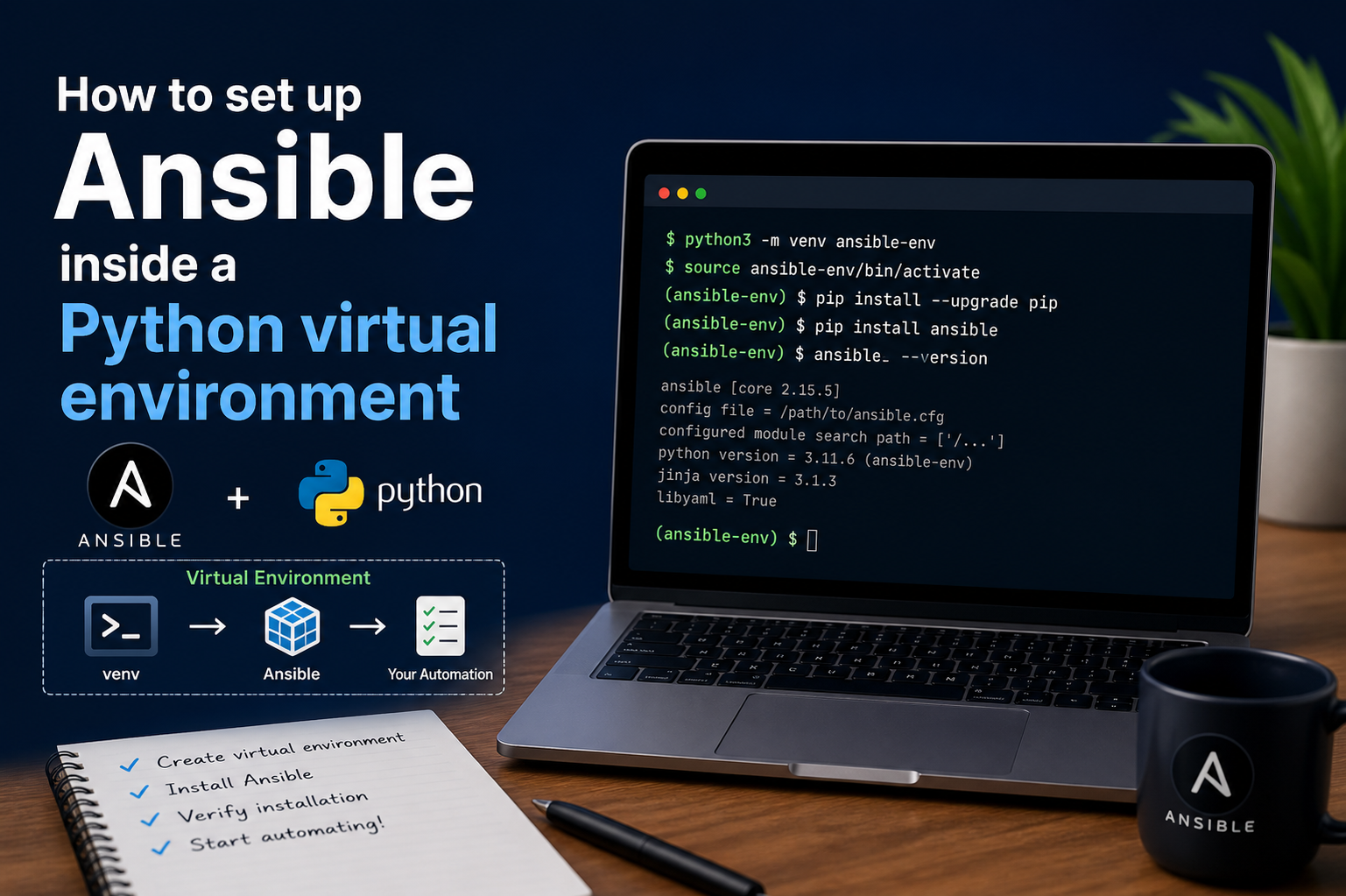
Building a stable and maintainable Ansible environment inside a Python virtual environment requires more than just installation. It involves understanding how each layer of the setup interacts with the system and how isolation improves reliability. Once the virtual environment is created and Ansible is installed, the workflow becomes about structuring your environment in a way that supports long-term automation tasks.
A well-structured setup typically begins with a clean directory layout. Inside your project folder, the virtual environment sits alongside configuration files, playbooks, and inventory definitions. This separation ensures that the environment remains predictable and easy to reproduce. When working in teams or across multiple machines, this consistency becomes extremely valuable.
The moment Ansible is installed in the isolated environment, it behaves independently from system-level Python packages. This means updates, removals, or changes inside the environment will not affect any other applications. This isolation is one of the main reasons professionals prefer virtual environments over global installations.
Understanding Dependency Isolation in Ansible
Ansible relies on multiple Python libraries to function correctly. These include networking libraries, templating engines, and cryptographic modules. Without isolation, upgrading one dependency can sometimes break another tool installed on the same system.
Inside a virtual environment, dependencies are locked to that specific environment. This prevents unexpected behavior when different projects require different versions of the same library. For example, one automation project might require a newer version of a networking library, while another project depends on an older stable version. Virtual environments solve this conflict elegantly.
This isolation also improves system stability. Since Ansible is not installed globally, system Python remains untouched. This is especially important on Linux systems where Python is often used by core utilities.
Structuring Ansible Configuration Files
Once Ansible is installed inside the virtual environment, the next step is organizing configuration files. Ansible uses a configuration file to control how it behaves. This file can define default inventory locations, connection settings, privilege escalation rules, and logging behavior.
Placing this configuration file inside the project directory ensures that every environment behaves consistently. When the virtual environment is activated, Ansible automatically detects the configuration file and applies its settings.
A properly structured configuration file reduces repetitive command-line arguments. Instead of specifying options each time a command is executed, default values can be stored centrally. This improves efficiency and reduces human error during automation execution.
Setting Up Inventory for Managed Systems
Inventory is one of the most important components in Ansible. It defines the systems that Ansible will manage. These systems can be physical servers, virtual machines, or cloud instances.
Inside a virtual environment setup, inventory files are typically stored within the same project directory. This keeps everything related to a project in one place. Inventory files can be simple lists of IP addresses or more advanced structures that group systems by roles or environments.
Grouping systems allows better control over automation tasks. For example, production servers can be separated from development servers. This separation ensures that playbooks are executed only on intended targets.
A well-organized inventory structure becomes increasingly important as infrastructure grows. Without proper grouping, managing large environments becomes difficult and error-prone.
Configuring Secure SSH Access
Ansible relies heavily on SSH for communication with remote systems. Proper SSH configuration is essential for smooth operation. In a virtual environment setup, SSH keys are typically generated and stored separately from system keys.
Using SSH keys instead of passwords improves security and automation reliability. Once keys are configured, Ansible can connect to remote systems without manual intervention. This is especially useful in automated workflows where human interaction is not possible.
It is important to ensure that SSH permissions are correctly set. Incorrect permissions can cause connection failures, even if everything else is configured properly. The virtual environment does not interfere with SSH settings, but proper coordination between both is necessary for successful execution.
Running First Ansible Commands Inside the Environment
After setup, running basic commands helps verify that everything is functioning correctly. A simple ping command can be used to test connectivity between Ansible and managed systems.
This step confirms that the virtual environment is active, Ansible is installed correctly, and inventory configuration is working. If any of these components are misconfigured, the test will fail, making it easier to identify issues early.
Running initial commands also helps validate SSH connectivity and permissions. This ensures that the automation layer is ready before executing more complex tasks.
Managing Multiple Virtual Environments
One of the strongest advantages of using virtual environments is the ability to maintain multiple isolated setups on the same system. This is particularly useful for professionals working on different projects simultaneously.
Each project can have its own Ansible version, dependencies, and configuration. This prevents version conflicts and allows safe testing of new features without affecting stable environments.
Switching between environments is simple. Activating a different environment changes the context of the shell session, ensuring that all commands apply only to that specific setup.
This flexibility is especially useful in testing scenarios where different versions of Ansible need to be compared for compatibility or performance.
Using Requirements Files for Dependency Management
In more advanced setups, dependencies can be managed using a requirements file. This file lists all Python packages required for a project, including Ansible and any additional modules.
By using a requirements file, environments can be recreated quickly on other systems. This is useful for collaboration, backups, or disaster recovery scenarios.
Instead of manually installing packages one by one, the entire environment can be rebuilt from a single file. This ensures consistency across different machines and reduces setup time significantly.
Automation Workflow Inside Virtual Environments
Once Ansible is fully set up, it becomes part of a larger automation workflow. Playbooks are executed within the virtual environment, ensuring that all dependencies are correctly resolved.
Automation tasks can include system configuration, software deployment, file management, and service orchestration. Since the environment is isolated, these tasks run predictably without interference from external Python packages.
This predictability is crucial in production environments where consistency is more important than flexibility. Virtual environments ensure that automation behavior remains identical across different executions.
Handling Errors and Debugging Setup Issues
Even with a proper setup, issues can occur. One common issue is environment activation failure. If the virtual environment is not activated, Ansible commands may not work or may reference a different installation.
Another common issue involves missing Python dependencies. This usually happens when the environment is not properly initialized or when pip installations fail due to network or permission problems.
Debugging typically starts by verifying environment activation, checking installed packages, and reviewing configuration files. Since everything is isolated, troubleshooting becomes easier because the scope of the problem is limited to the environment itself.
Security Considerations in Virtual Environments
Security is an important aspect of any automation setup. Virtual environments provide an additional layer of security by isolating dependencies and reducing exposure to system-level risks.
However, security still depends on proper configuration of SSH keys, inventory access, and privilege escalation rules. Even inside a virtual environment, improper configuration can lead to vulnerabilities.
It is important to limit access to sensitive inventory files and ensure that only authorized users can modify configuration settings. Automation tools should always follow the principle of least privilege.
Performance Considerations
Running Ansible inside a virtual environment does not introduce significant performance overhead. However, performance can be influenced by the number of installed dependencies and the complexity of automation tasks.
A clean environment with only required packages performs better and reduces the chance of conflicts. Avoid installing unnecessary libraries inside the environment, as this can increase complexity and maintenance effort.
Efficient inventory design and optimized playbooks also contribute to better performance during execution.
Best Practices for Long-Term Maintenance
Maintaining a virtual environment for Ansible requires discipline and consistency. One of the best practices is to regularly update dependencies while ensuring compatibility with existing playbooks.
It is also recommended to document the environment setup process. This includes Python version, installed packages, and configuration settings. Documentation ensures that environments can be recreated if needed.
Another best practice is to avoid mixing multiple automation tools inside a single environment unless they are closely related. Keeping environments focused improves clarity and reduces maintenance overhead.
Common Pitfalls to Avoid
One common mistake is installing Ansible globally and inside a virtual environment at the same time. This creates confusion about which version is being used.
Another mistake is failing to activate the environment before running commands. This leads to unexpected behavior and errors that can be difficult to diagnose.
Improper inventory organization is another issue. Without clear structure, managing systems becomes difficult as infrastructure grows.
Avoiding these mistakes ensures a smoother and more reliable automation experience.
Conclusion
Setting up Ansible inside a Python virtual environment provides a powerful and reliable foundation for automation. It ensures complete isolation of dependencies, improves system stability, and allows flexible management of multiple projects. The process begins with creating a virtual environment, activating it, and installing Ansible using pip. From there, proper configuration of inventory, SSH access, and project structure ensures that the environment is fully operational.
Beyond installation, the real strength of this approach lies in its scalability and maintainability. Whether managing small automation tasks or large enterprise infrastructure, virtual environments provide consistency and predictability. They eliminate dependency conflicts, simplify troubleshooting, and support long-term project organization.
By following structured setup practices and maintaining clean environments, Ansible becomes not just a tool but a stable automation framework capable of handling complex infrastructure requirements efficiently.