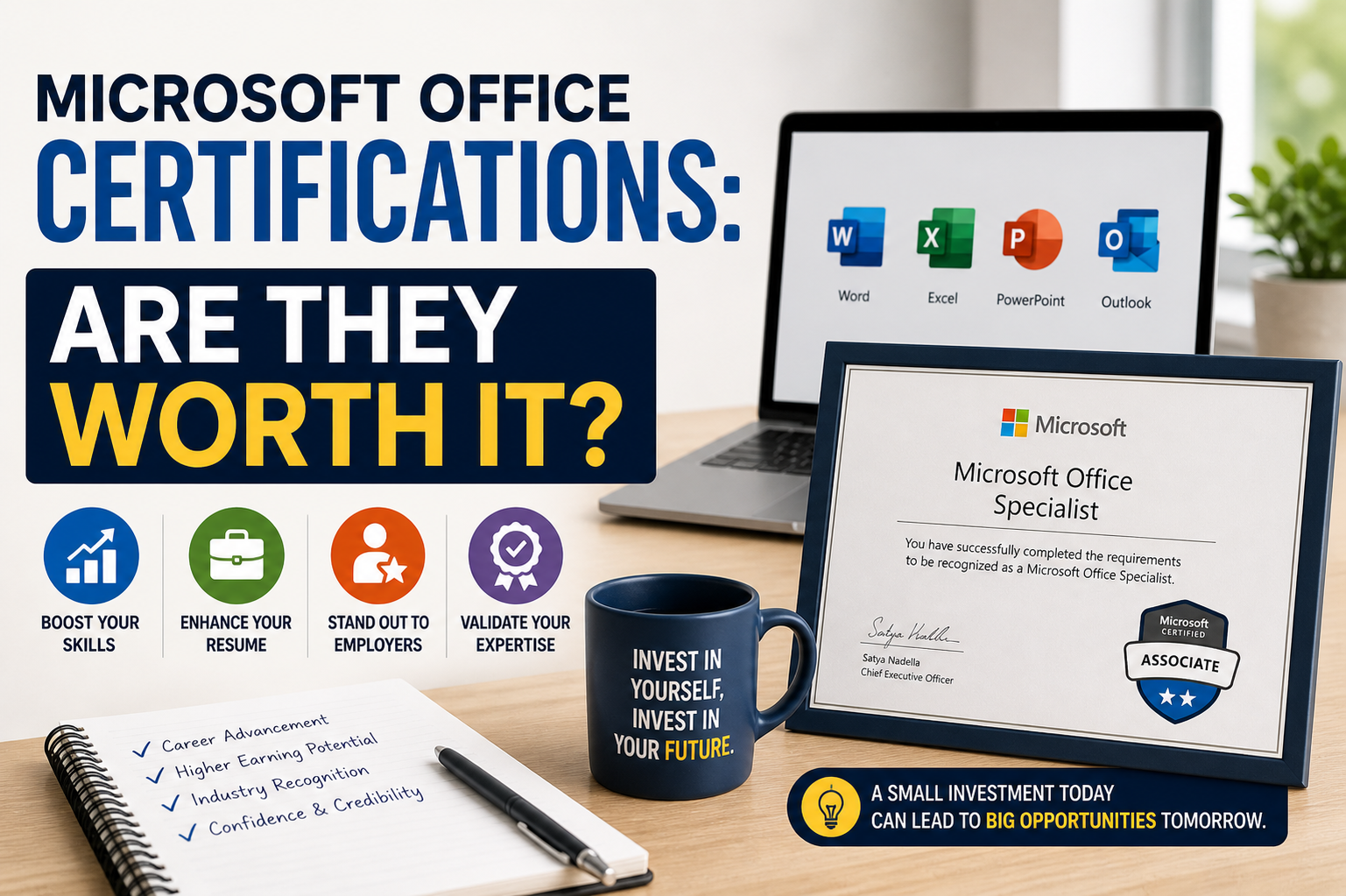
Microsoft Office certifications are professional credentials designed to validate a person’s ability to effectively use Microsoft’s suite of productivity tools. These tools include widely used applications such as Word, Excel, PowerPoint, Outlook, and sometimes Access or Teams depending on the certification level. In today’s workplace, where digital literacy is considered a fundamental skill, these certifications have become a common point of discussion among students, job seekers, and professionals looking to improve their employability.
Understanding Microsoft Office Certifications
Microsoft Office certifications are structured assessments that test a user’s knowledge and practical ability to use Office applications. Instead of relying on self-taught familiarity, these certifications measure whether an individual can perform real-world tasks such as creating professional documents, analyzing data, designing presentations, managing emails, and organizing workflows.
These certifications are generally categorized by skill level, ranging from beginner to expert. At the foundational level, individuals are expected to demonstrate basic proficiency such as formatting documents or creating simple spreadsheets. At higher levels, candidates may be required to perform complex tasks like advanced data analysis, automation using formulas, or creating professional-level reports and dashboards.
Why These Certifications Exist
The primary purpose of Microsoft Office certifications is to standardize digital skill assessment. In many industries, employers need a reliable way to measure whether a candidate can actually use essential software tools efficiently. Since Microsoft Office is used globally across education, business, healthcare, and government sectors, it serves as a universal benchmark for productivity skills.
These certifications also help bridge the gap between theoretical knowledge and practical application. Many individuals may have used Microsoft Office for years but lack formal validation of their skills. Certification provides an official acknowledgment of their abilities, which can be particularly valuable in competitive job markets.
Relevance in Modern Work Environments
Despite the rise of new software tools and cloud-based platforms, Microsoft Office remains deeply embedded in professional environments. Excel is still widely used for financial modeling and data analysis, Word is essential for documentation, and PowerPoint continues to dominate presentations in corporate settings.
Because of this continued relevance, Microsoft Office certifications still hold value. Employers often expect candidates to already possess these skills rather than providing training from scratch. A certification can therefore reduce onboarding time and increase confidence in a candidate’s ability to perform routine tasks without supervision.
Career Advantages of Certification
One of the most significant benefits of Microsoft Office certifications is improved employability. In entry-level roles, especially administrative, clerical, and support positions, these certifications can help candidates stand out from others who may only claim to have basic computer skills.
In addition, certified individuals often have a better chance of being shortlisted during recruitment processes. Hiring managers may see certification as proof that the candidate has taken the initiative to build job-ready skills. This can be particularly helpful for students or individuals with limited professional experience.
Another advantage is potential salary improvement. While certification alone may not dramatically increase income, it can contribute to better job opportunities, promotions, or eligibility for roles that require advanced Microsoft Office knowledge.
Skill Development and Practical Learning
Beyond career benefits, Microsoft Office certifications play an important role in skill development. Preparing for these exams requires structured learning, which often exposes users to features they might not use in everyday situations.
For example, Excel training may introduce advanced formulas, pivot tables, and data visualization techniques. Word training might include professional formatting, document automation, and referencing tools. PowerPoint training can enhance presentation design skills, helping users create more engaging and visually appealing slides.
This structured learning approach ensures that individuals not only use the software but understand it at a deeper level, improving both efficiency and productivity.
Excel as the Most Valuable Component
Among all Microsoft Office applications, Excel is often considered the most valuable in professional environments. Its certification component tends to carry the most weight in job applications because of its strong connection to data handling and decision-making.
Excel skills are widely used in accounting, finance, marketing, operations, and even human resources. Functions such as data sorting, formula creation, and analytical tools are essential in roles that involve working with large amounts of information.
A strong command of Excel can significantly improve job performance and open doors to more technical roles. As a result, many professionals prioritize Excel certification over other Office applications.
Limitations of Microsoft Office Certifications
While Microsoft Office certifications offer clear advantages, they also have limitations. One of the main concerns is that they are often considered entry-level qualifications. In many industries, employers view them as a basic requirement rather than an advanced achievement.
For higher-level positions, such as management or specialized technical roles, additional qualifications and experience are usually required. Certifications alone are not enough to secure senior positions or highly competitive roles.
Another limitation is that practical experience often outweighs certification. Employers may prefer candidates who have real-world experience using Microsoft Office in professional environments over those who only hold certification without hands-on application.
Comparison with Other Skill Certifications
When compared to other professional certifications in fields such as IT, project management, or data science, Microsoft Office certifications are relatively basic. However, this does not reduce their importance. Instead, they serve as foundational skills that support more advanced learning paths.
For example, someone pursuing a career in data analytics may first benefit from Excel certification before moving on to more advanced tools like SQL or Python. Similarly, administrative professionals may use Microsoft Office certification as a stepping stone toward office management or business administration roles.
Who Should Consider Getting Certified
Microsoft Office certifications are particularly beneficial for students, recent graduates, and individuals entering the workforce for the first time. These groups often need to demonstrate basic digital competence to secure entry-level positions.
They are also useful for professionals who are returning to work after a break or transitioning into new industries. In such cases, certification can help refresh skills and provide confidence when re-entering the job market.
Additionally, individuals working in roles that require frequent documentation, reporting, or data handling can benefit from certification to improve efficiency and accuracy in their daily tasks.
Impact on Productivity and Work Efficiency
One of the less discussed benefits of Microsoft Office certifications is the impact on productivity. Certified users tend to have a better understanding of shortcuts, advanced features, and automation tools that can significantly reduce time spent on repetitive tasks.
For example, in Excel, knowing how to use formulas and pivot tables can turn hours of manual work into a few minutes of automated processing. In Word, using templates and formatting tools can streamline document creation. In PowerPoint, design principles and layout tools can improve presentation quality while saving time.
This increased efficiency not only benefits individuals but also contributes to overall workplace productivity.
Employer Perspective on Certification
From an employer’s point of view, Microsoft Office certifications serve as a useful screening tool. They help identify candidates who have verified technical skills and reduce the need for extensive basic training.
However, employers also recognize that certification is not a complete measure of ability. Many hiring managers still prioritize problem-solving skills, communication abilities, and adaptability over formal certifications alone.
As a result, Microsoft Office certification is often seen as a positive addition rather than a deciding factor in hiring decisions.
Long-Term Value of Certification
The long-term value of Microsoft Office certifications depends on how they are used. On their own, they may not be sufficient to sustain a long-term career advantage. However, when combined with experience and additional skills, they can remain relevant throughout a professional journey.
As technology evolves, Microsoft Office continues to update its features. Certified individuals who keep their skills updated are more likely to remain competitive in changing work environments.
Microsoft Office certifications provide a structured way to validate essential digital skills that are widely used across industries. They offer clear benefits in terms of employability, productivity, and skill development, especially for individuals at the beginning of their careers or those looking to strengthen their foundational abilities.
At the same time, their limitations mean they should not be viewed as standalone qualifications for long-term career success. Instead, they are most effective when combined with practical experience and continuous learning in related fields.
How Microsoft Office Certifications Are Structured
Microsoft Office certifications are designed in a way that gradually builds a learner’s skills from basic to advanced levels. The structure usually focuses on real-world tasks rather than purely theoretical knowledge. This makes the certification practical and directly applicable to workplace scenarios.
At the entry level, candidates are expected to understand fundamental operations such as creating documents, formatting text, inserting tables, and using simple formulas in spreadsheets. As the level increases, the difficulty of tasks also increases, requiring users to handle more complex functions like data analysis, automation, and advanced formatting techniques.
This step-by-step progression ensures that learners do not feel overwhelmed and can steadily improve their abilities. It also helps individuals identify their current skill level and work toward more advanced competencies in a structured way.
Role of Microsoft Office in Different Industries
Microsoft Office is not limited to a single type of profession or industry. Its applications are used in almost every sector, making its certification widely relevant. In corporate environments, Excel is used for financial reporting, budgeting, and data analysis. Word is essential for preparing official documents, reports, and contracts. PowerPoint is heavily used in meetings, training sessions, and business presentations.
In education, teachers and students use these tools for assignments, lesson planning, and presentations. In healthcare, Microsoft Office applications are used for record keeping, scheduling, and administrative tasks. Government departments rely on them for documentation, communication, and data management.
Because of this widespread usage, Microsoft Office certifications are considered universally applicable. They do not belong to a single career path but instead support a broad range of professions.
Impact on Students and Beginners
For students and individuals new to the job market, Microsoft Office certifications can serve as an important stepping stone. Many students already use these applications in school or college, but certification helps convert informal knowledge into recognized proof of skill.
This can be especially helpful when applying for internships or entry-level jobs. Employers often prefer candidates who can demonstrate readiness for office tasks without requiring extensive training. Certification can therefore increase confidence during interviews and improve the chances of selection.
It also helps students develop discipline in learning structured software skills, which can be useful for future studies or professional development.
Microsoft Office Certification and Remote Work
With the rise of remote work and digital collaboration, Microsoft Office skills have become even more important. Many remote jobs require strong documentation, communication, and data management skills, all of which rely heavily on Office applications.
For example, Excel is often used to track project progress, manage budgets, and analyze performance data remotely. Word is used for preparing reports and proposals, while PowerPoint is used for virtual presentations and meetings.
Certification ensures that remote workers can perform these tasks independently without constant supervision. This increases their reliability and value in remote work environments.
Practical vs Theoretical Knowledge
One important aspect of Microsoft Office certifications is the balance between practical and theoretical learning. Unlike purely academic qualifications, these certifications focus on hands-on tasks that simulate real workplace situations.
This practical approach makes learning more effective because users are not just memorizing concepts but actually applying them. However, it also means that success depends heavily on practice and familiarity with the software.
Candidates who only study theory without using the applications may find it difficult to pass certification exams. Therefore, consistent practice is essential for success.
Time and Effort Required for Certification
The time required to prepare for Microsoft Office certifications varies depending on the individual’s existing skill level. Beginners may need several weeks or even months of practice, while experienced users may require only short preparation periods.
Consistency is more important than intensity. Regular practice with real tasks helps build confidence and familiarity with tools and features. Many learners improve their skills by working on sample projects or solving practice exercises that simulate exam conditions.
Although the certification process is not extremely difficult, it does require dedication and attention to detail.
Cost Considerations
Another factor to consider is the cost of certification. Microsoft Office certifications are generally more affordable compared to advanced professional qualifications. However, cost can still be a barrier for some individuals, especially students or job seekers with limited financial resources.
Despite this, many consider it a worthwhile investment because of the potential career benefits. Even a small improvement in job opportunities or salary prospects can justify the cost of certification in the long term.
Global Recognition of Certification
One of the strongest advantages of Microsoft Office certifications is their global recognition. Since Microsoft Office is used worldwide, these certifications are accepted in many countries and industries.
This makes them especially valuable for individuals who plan to work internationally or in multinational companies. Employers across different regions understand the standard of these certifications, which adds to their credibility.
Evolving Nature of Microsoft Office Skills
Microsoft Office is not a static tool; it continues to evolve with new updates and features. As a result, certification alone is not a one-time achievement. Users are expected to keep updating their knowledge to stay relevant.
For example, cloud integration, collaboration tools, and automation features have become increasingly important in recent versions of Microsoft Office. Professionals who keep up with these changes maintain a competitive advantage in the job market.
Continuous learning ensures that skills remain useful even as workplace technology evolves.
Alternative Skill Paths
While Microsoft Office certifications are valuable, they are not the only path to career development. Many professionals also pursue other certifications in areas such as data analytics, programming, digital marketing, or project management.
These advanced skills often complement Microsoft Office knowledge. For example, someone working in data analysis may use Excel as a foundation but also learn tools like Power BI or Python for deeper insights.
This shows that Microsoft Office certification is often part of a larger skill development journey rather than a final destination.
Employer Training vs Personal Certification
In some organizations, employees receive in-house training for Microsoft Office applications instead of relying on external certification. In such cases, certification becomes less critical because the employer already ensures skill development.
However, personal certification still holds value because it demonstrates initiative and self-learning. It shows that an individual is willing to invest time in improving their skills independently, which is often viewed positively by employers.
Long-Term Career Impact
The long-term impact of Microsoft Office certification depends on how it is used in combination with other skills and experience. On its own, it may not guarantee career advancement, but it can support growth by strengthening foundational abilities.
As professionals progress in their careers, they often rely on these basic skills in combination with more advanced knowledge. Strong command of Microsoft Office can improve communication, reporting, and data handling across all career stages.
Real-World Job Relevance of Microsoft Office Skills
Microsoft Office certifications remain closely tied to real-world job requirements because most office-based roles still depend heavily on these tools. Even as new software systems emerge, Microsoft Office continues to serve as a core productivity platform in businesses of all sizes. Employers often assume that candidates will already have a working knowledge of these applications, especially in administrative, clerical, and support roles.
In practical job environments, Excel is used for managing budgets, tracking performance, and organizing data. Word is essential for drafting reports, official letters, and internal documentation. PowerPoint is frequently used to communicate ideas in meetings and presentations. Outlook plays a key role in managing communication and scheduling.
Because of this widespread use, certification acts as a confirmation that a candidate can handle daily office responsibilities efficiently without requiring extensive training.
Building Professional Confidence Through Certification
One of the less visible benefits of Microsoft Office certifications is the boost in professional confidence they provide. Many individuals already use Office applications but may not feel fully confident in their abilities. Certification preparation encourages structured learning, which helps strengthen understanding and reduce hesitation when performing tasks.
This confidence is especially important in workplace environments where speed and accuracy matter. A certified individual is more likely to approach tasks such as data entry, reporting, or document creation with assurance, which can improve overall performance.
Confidence gained through certification also helps during job interviews, where candidates may be tested on practical skills or asked to demonstrate software knowledge.
Common Misconceptions About Microsoft Office Certifications
There are several misconceptions surrounding Microsoft Office certifications. One common belief is that they guarantee employment. While certification can improve job prospects, it does not automatically lead to a job offer. Employers still consider experience, communication skills, and problem-solving abilities as equally important.
Another misconception is that these certifications are only useful for beginners. While they are especially helpful at the entry level, they can also benefit experienced professionals who want to refresh their skills or learn advanced features of the software.
Some people also assume that Microsoft Office is too basic to be worth certifying. However, this overlooks the fact that advanced features of Excel, Word, and PowerPoint are widely used in complex business environments.
How Certification Improves Workplace Efficiency
Certified users often work more efficiently because they are familiar with shortcuts, advanced tools, and automation features. This reduces the time spent on repetitive tasks and increases overall productivity.
For example, in Excel, knowing how to use formulas, pivot tables, and data visualization tools can significantly speed up reporting processes. In Word, understanding formatting styles and templates can streamline document creation. In PowerPoint, design tools and layout features can help produce more professional presentations in less time.
This efficiency not only benefits the individual but also contributes to smoother workflow within teams and organizations.
The Role of Practice in Mastering Microsoft Office
While certification provides structured learning, actual mastery of Microsoft Office comes from consistent practice. Regular use of the applications in real or simulated work environments is essential for developing strong skills.
Many learners improve their abilities by working on practical projects such as creating reports, analyzing datasets, or designing presentations. This hands-on approach helps reinforce concepts learned during certification preparation.
Without practice, even certified individuals may struggle to apply their knowledge effectively in real job situations.
How Employers View Certification in Hiring Decisions
From an employer’s perspective, Microsoft Office certifications are often used as a supporting factor during hiring. They help identify candidates who have a verified level of technical competence. However, they are rarely the sole deciding factor in recruitment.
Employers tend to prioritize candidates who can demonstrate problem-solving ability, teamwork, and adaptability. Certification helps strengthen a resume but must be supported by other qualifications or experience.
In some cases, especially for entry-level positions, certification can serve as a differentiator between candidates with similar educational backgrounds.
Microsoft Office in Administrative and Support Roles
Administrative and support roles are among the most common areas where Microsoft Office skills are required. Tasks such as scheduling meetings, preparing reports, managing records, and handling communication rely heavily on Office applications.
In these roles, efficiency and accuracy are extremely important. Certification helps ensure that individuals can handle these responsibilities without frequent errors or supervision. It also reduces the training time required by employers, making certified candidates more attractive during hiring.
Certification as a Foundation for Advanced Skills
Microsoft Office certification often serves as a foundation for more advanced technical skills. For example, Excel knowledge gained during certification can later be expanded into data analysis, business intelligence, or financial modeling.
Similarly, PowerPoint skills can be developed into professional communication and design capabilities. Word skills can evolve into technical writing or documentation management roles.
In this way, certification is not the final goal but rather the starting point for broader skill development.
Digital Literacy and Modern Work Requirements
In today’s digital-first workplace, basic computer literacy is no longer optional. Employers expect candidates to be comfortable using digital tools for communication, documentation, and data management.
Microsoft Office certifications help formalize this digital literacy. They confirm that an individual is not only familiar with these tools but also capable of using them effectively in professional settings.
This is particularly important in hybrid and remote work environments, where employees must independently manage tasks using digital platforms.
Limitations in Highly Specialized Careers
While Microsoft Office certifications are useful across many industries, they have limited impact in highly specialized fields. Careers in software engineering, advanced data science, artificial intelligence, or engineering design require more technical and domain-specific skills.
In such cases, Microsoft Office skills are still useful but not sufficient on their own. They serve as supporting tools rather than core competencies.
This highlights the importance of viewing certification as part of a broader skill set rather than a standalone qualification.
Long-Term Skill Retention and Continuous Learning
Another important aspect of Microsoft Office certification is skill retention. Without regular use, even certified individuals may forget advanced features over time. This makes continuous practice and learning essential.
Microsoft frequently updates its Office applications, introducing new features and improvements. Staying updated ensures that certified users remain relevant in evolving workplace environments.
Continuous learning also helps professionals adapt to changing job requirements and technological advancements.
Overall Career Impact of Certification
The overall career impact of Microsoft Office certification depends on how it is integrated into an individual’s skill set. On its own, it may provide limited advantage, but when combined with experience and other technical or soft skills, it becomes significantly more valuable.
For entry-level candidates, it can improve employability and provide a competitive edge. For working professionals, it can enhance productivity and support career growth.
Ultimately, its value lies in practical application rather than the certificate itself.
Advanced Skill Development Through Microsoft Office Tools
Microsoft Office certifications, especially at higher levels, go beyond basic computer literacy and move into more advanced areas of productivity and data handling. At this stage, users are expected to demonstrate deeper control over tools such as Excel, Word, and PowerPoint, including automation, data structuring, and professional-level formatting.
In Excel, advanced users work with complex formulas, logical functions, data modeling, and visualization techniques that transform raw data into meaningful insights. In Word, advanced formatting, style management, and document structuring become essential for creating professional reports and long-form documents. In PowerPoint, advanced design principles, animations, and storytelling techniques are used to deliver impactful presentations.
These advanced skills are especially valuable in roles that require decision-making based on data or high-quality documentation.
Microsoft Office in Data-Driven Environments
Modern workplaces increasingly rely on data-driven decision-making, and Microsoft Excel plays a central role in this process. Certification helps users understand how to organize, clean, and analyze data effectively.
In many organizations, employees are expected to interpret data trends, create reports, and present findings in a clear and structured way. Microsoft Office certification provides the foundation for these responsibilities by teaching users how to handle large datasets and extract meaningful information.
This makes certified individuals more valuable in roles involving finance, marketing analysis, operations management, and business planning.
Integration with Other Digital Tools
Microsoft Office does not exist in isolation. It is often integrated with other digital platforms and cloud-based tools used in modern workplaces. For example, documents created in Word may be shared and edited collaboratively in cloud environments, while Excel files may be connected to databases or business intelligence tools.
Certification helps users understand how Office applications function within this broader digital ecosystem. This knowledge improves collaboration and ensures smoother workflow across teams and departments.
As workplaces become more digitally connected, the ability to use Microsoft Office in combination with other tools becomes increasingly important.
Remote Collaboration and Communication Skills
In remote and hybrid work environments, Microsoft Office applications play a key role in communication and collaboration. Employees often rely on shared documents, spreadsheets, and presentations to work together across different locations.
Certified users are generally more comfortable with these collaborative features, such as real-time editing, version control, and shared access. This reduces communication gaps and improves team coordination.
Strong Office skills also support clearer written communication, which is essential when face-to-face interaction is limited. Well-structured documents and presentations help convey information more effectively in virtual settings.
Time Management Benefits of Certification
Another important advantage of Microsoft Office certification is improved time management. Individuals who understand advanced features can complete tasks more quickly and with fewer errors.
For example, using templates in Word can significantly reduce document creation time. In Excel, automation through formulas and functions eliminates the need for manual calculations. In PowerPoint, reusable design elements can speed up presentation creation.
This efficiency allows professionals to focus more on analytical and decision-making tasks rather than repetitive manual work.
Employability in Competitive Job Markets
In highly competitive job markets, even small advantages can make a significant difference. Microsoft Office certification can help candidates stand out among others who may have similar educational backgrounds.
Recruiters often look for candidates who demonstrate both technical ability and initiative. Certification shows that an individual has taken extra steps to build practical skills, which can positively influence hiring decisions.
This is especially useful in markets where many applicants are competing for limited entry-level positions.
The Role of Certification in Career Progression
While Microsoft Office certification is often associated with entry-level jobs, it can also play a role in career progression. Employees who improve their Office skills may become more efficient in their roles, leading to better performance evaluations and promotion opportunities.
In some cases, advanced Excel skills or strong document management abilities can open doors to supervisory or analytical roles. Certification can therefore contribute indirectly to career growth by improving workplace performance.
However, it is important to note that career advancement also depends on experience, communication skills, and industry knowledge.
Self-Learning vs Structured Certification
Many individuals learn Microsoft Office through self-study rather than formal certification. While self-learning can be effective, certification provides a structured learning path that ensures no important topics are missed.
Structured certification programs also include assessments that test real-world application of skills, which helps validate learning outcomes. This makes certification more reliable as proof of ability compared to informal self-learning.
That said, combining self-learning with certification often produces the best results, as it allows flexibility while still ensuring structured knowledge development.
Psychological Impact of Certification
Beyond technical skills, certification can also have a psychological impact. It provides a sense of achievement and validation, which can motivate individuals to continue learning and improving their skills.
This motivation is important in long-term career development, as continuous learning is essential in today’s rapidly changing job market. Certification can act as a starting point for further skill-building and professional growth.
It also helps reduce uncertainty in job applications by giving candidates confidence in their abilities.
Limitations in Measuring Real Job Performance
Despite its advantages, Microsoft Office certification has limitations when it comes to measuring actual job performance. Passing an exam does not always guarantee that a person can perform effectively under real workplace pressure.
Practical job performance depends on factors such as time management, communication skills, adaptability, and problem-solving ability. These qualities cannot be fully measured through certification alone.
As a result, employers often use certification as one of several evaluation criteria rather than a final measure of competence.
Importance of Continuous Skill Upgrading
Technology evolves rapidly, and Microsoft Office is regularly updated with new features and improvements. This means that certification alone is not permanent proof of expertise.
Professionals must continuously update their skills to stay relevant. This may include learning new Excel functions, adapting to interface changes, or understanding new collaboration tools introduced in Office applications.
Continuous upgrading ensures that skills remain aligned with modern workplace requirements.
Strategic Value in Professional Development
Microsoft Office certification should be viewed as part of a broader professional development strategy. It is most effective when combined with other skills such as communication, analytical thinking, and industry-specific knowledge.
For example, in business roles, combining Excel certification with financial knowledge can significantly increase job effectiveness. In administrative roles, combining Word and Outlook skills with organizational abilities can improve overall productivity.
This combination of skills creates a more well-rounded professional profile.
Conclusion
Microsoft Office certifications continue to hold practical value in today’s digital and workplace environments. They provide a clear, structured way to validate essential skills in tools that are used across almost every industry. For beginners, students, and job seekers, they can improve employability by demonstrating readiness for real office tasks such as document creation, data handling, communication, and presentations.
At the same time, their importance should be understood realistically. These certifications are not advanced qualifications and do not guarantee job placement or career success on their own. Their true strength lies in building a solid foundation of digital skills that can support further learning and professional development.
When combined with real-world experience, problem-solving ability, and continuous skill improvement, Microsoft Office certifications become a useful asset rather than just a credential. They help improve productivity, build confidence, and strengthen a professional profile in competitive job markets